
Your accountant knows what you spent. This knows what you spent it on.
An invoice in Xero coded to “Materials” tells you the business bought $4,612 of materials. The same invoice recorded against the concrete item on a job tells you the slab cost $362 more than the order — which is a number you can actually do something about.
Available on the Builder plan
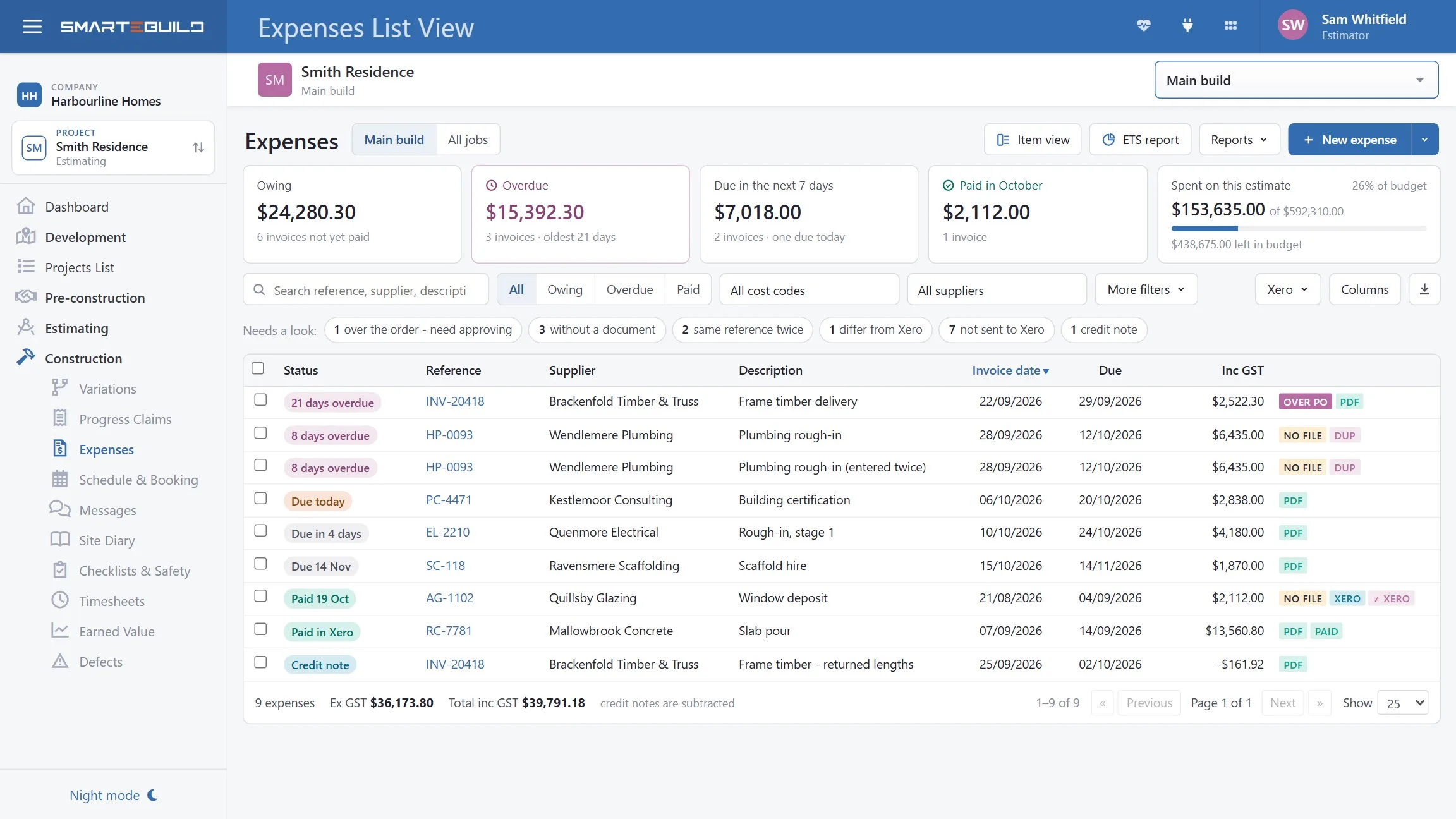
Upload the invoice and check it, rather than retyping it
Drop the supplier's PDF invoice in and SmarteBuild reads it: the supplier, the invoice number, the date, the total and the lines. Where the invoice quotes one of your order numbers it matches the lines back to that order, so the comparison below is done before you have typed anything.
What you do is check it. Every figure it has read is shown for you to confirm or correct, with the coding proposed line by line, and nothing is recorded against the job until you say so — which is the right way round for the one document that decides what a job cost.
Why not just type it?
Because the invoices that get typed late are the ones that get checked least, and an overcharge is only a question while the invoice is still unpaid. Faster in means checked sooner.
An expense is only useful if it points at something
An expense floating loose against a job still adds to the total, but tells you nothing about where the money went — and will never show up as an overrun against anything.
An estimate
Which job it belongs to.
An order
Where one exists — so committed and actual can be compared. This is the one that earns its keep.
Items or cost codes
So the cost lands in the right trade rather than in a general pile.
A minute per invoice, and the only moment an overcharge is still a question
Once it is paid, you are asking for a credit instead of querying a mistake. Six things to compare:
| Check | Question |
|---|---|
| Supplier | Is this the supplier you ordered from? |
| Quantity | Did they deliver what the order says? |
| Rate | Is the unit price the one you agreed? |
| Total | Does it multiply out? |
| GST | Charged correctly? |
| Extras | Delivery, waiting time, call-out — were these in the order? |
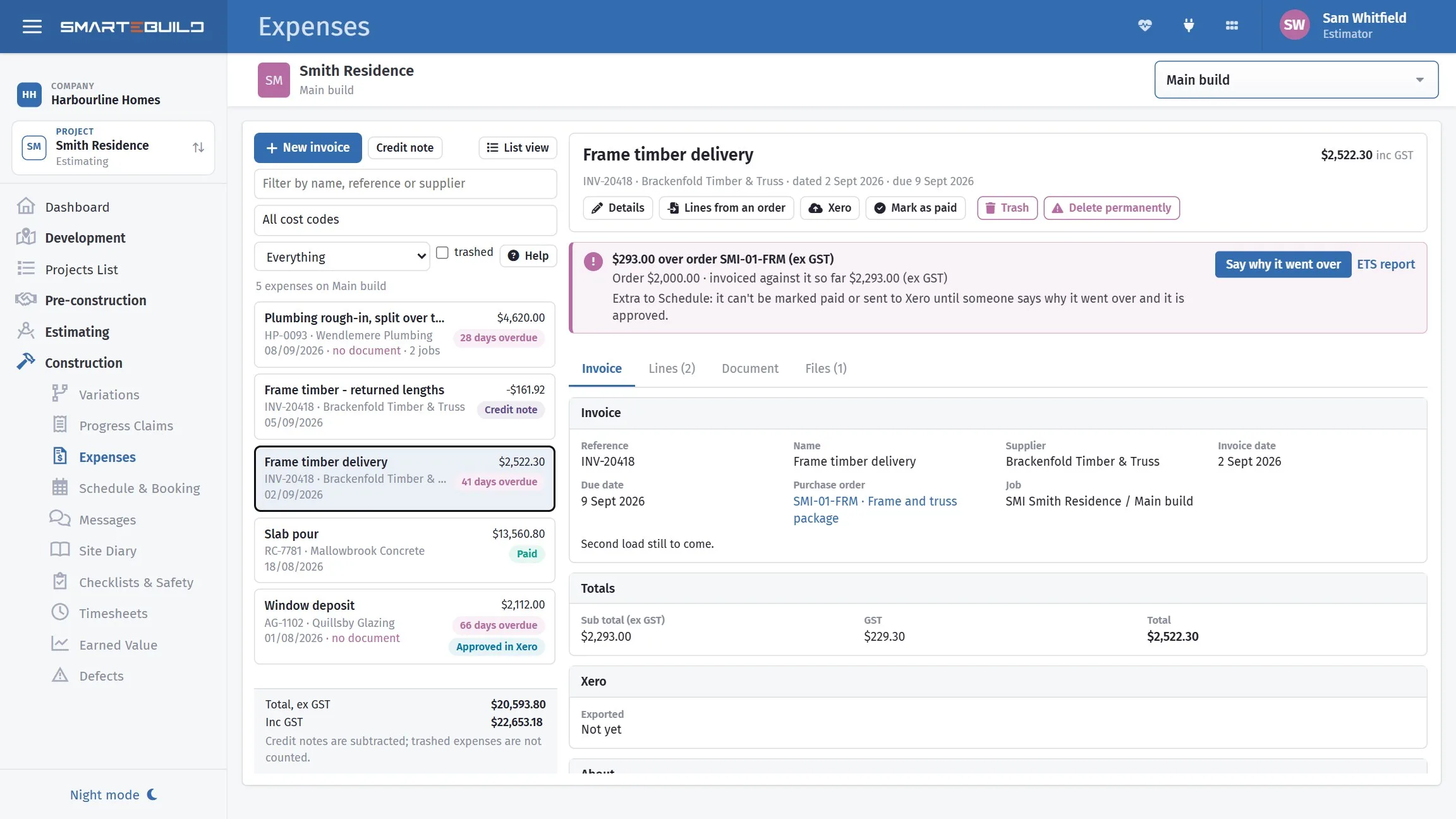
What each mismatch means
The rate is higher than the order
Either the price rose between order and delivery, or the order was raised at an out-of-date rate. Query it. Suppliers generally honour the ordered rate, and the ones who do not will at least tell you the new price applies from now — which you need to know.
The quantity is higher
An extra part-load of concrete, more mesh than ordered. Usually legitimate — site conditions — but it should have been authorised at the time. If nobody on site knows about it, ask.
There are charges not on the order
Waiting time, after-hours delivery, a call-out fee, pump-out. These are the most commonly disputed items and the most commonly waved through. If it was not in the order, it needs a reason.
The invoice is for work not done
Rare, and worth catching. Check against the site before paying.
Small overcharges are the expensive ones. A $362 concrete overcharge on one job is noise. The same overcharge on forty jobs a year is $14,000 you did not price for. The invoices worth checking are not the large ones — those get scrutinised anyway — but the routine ones nobody looks at.
An invoice over its order cannot be paid until somebody says yes
A purchase order is the amount someone agreed to spend. When the invoices against it come to more, the difference is money nobody approved. SmarteBuild spots it, asks why, and holds the invoice: Mark as paid and Send to Xero both refuse it until it has been explained and approved.
Everything else carries on. The cost still lands on the job, because the money has been spent. What waits is paying it — which is the one moment an overcharge is still a question rather than a credit you have to go and ask for.
You say why, and choose who approves it
Pick a reason from your company's list — site error, drafting error, supplier price increase, client change — and add a note. Then choose who should approve it. The list only offers people who can see the job and whose limit covers that amount, each with their limit beside their name. You are not on it. The person you pick gets it in their bell, and on their phone.
Every approver has a limit
A limit is an amount, set per person by an administrator and separately for each company. A supervisor can wave through a $200 overrun without being able to wave through a $20,000 one. Approving above your own limit is refused. If you are the only one who could approve it, SmarteBuild tells you it is yours.
Small overruns are accepted on the spot
An overrun both under $50 and under 2% of the order goes through without troubling anyone. Both have to be true, so a big order cannot wave a big overrun through — $1,500 on a $100,000 order is only 1.5%, but it is not under $50, so it still needs approving. Both figures are yours to change.
Nothing sits there quietly
A dashboard card for approvers separates what is waiting for you from what is waiting for someone else, what was turned down, and what nobody has explained yet — with how many days each has been waiting. Turn one down and whoever wrote it is told, with the reason.
One person approves an invoice, not a chain of them. A limit belongs to a person across a company rather than to one job, so it is set once per person instead of per project. An approval covers an amount: if the invoice later goes further over, the extra needs approving too, because an approval is of what was written and not of whatever is written later. All of it is ex GST, like the orders it is measured against.
And the number almost nobody can produce at the end of the year
Every one is kept with the reason it went over, so the report answers it by month, quarter or year, for one job or every job you can see — split by reason, by supplier and by project, and out to PDF or Excel.
That $362 concrete overcharge above is worth $14,000 a year across forty jobs. Until you can see the total and what caused it, it is not a problem anyone can fix — it is just margin that never arrived. If the reasons cluster on one trade or one supplier, that is where the next job's estimate, drawings or orders need tightening.
Two other things it keeps track of: an invoice with no purchase order at all can be marked extra by hand, so a call-out nobody ordered is counted like the rest; and when a supplier has overcharged, the amount sits under credits owed by suppliers until their credit note turns up, and comes off by itself when it does.
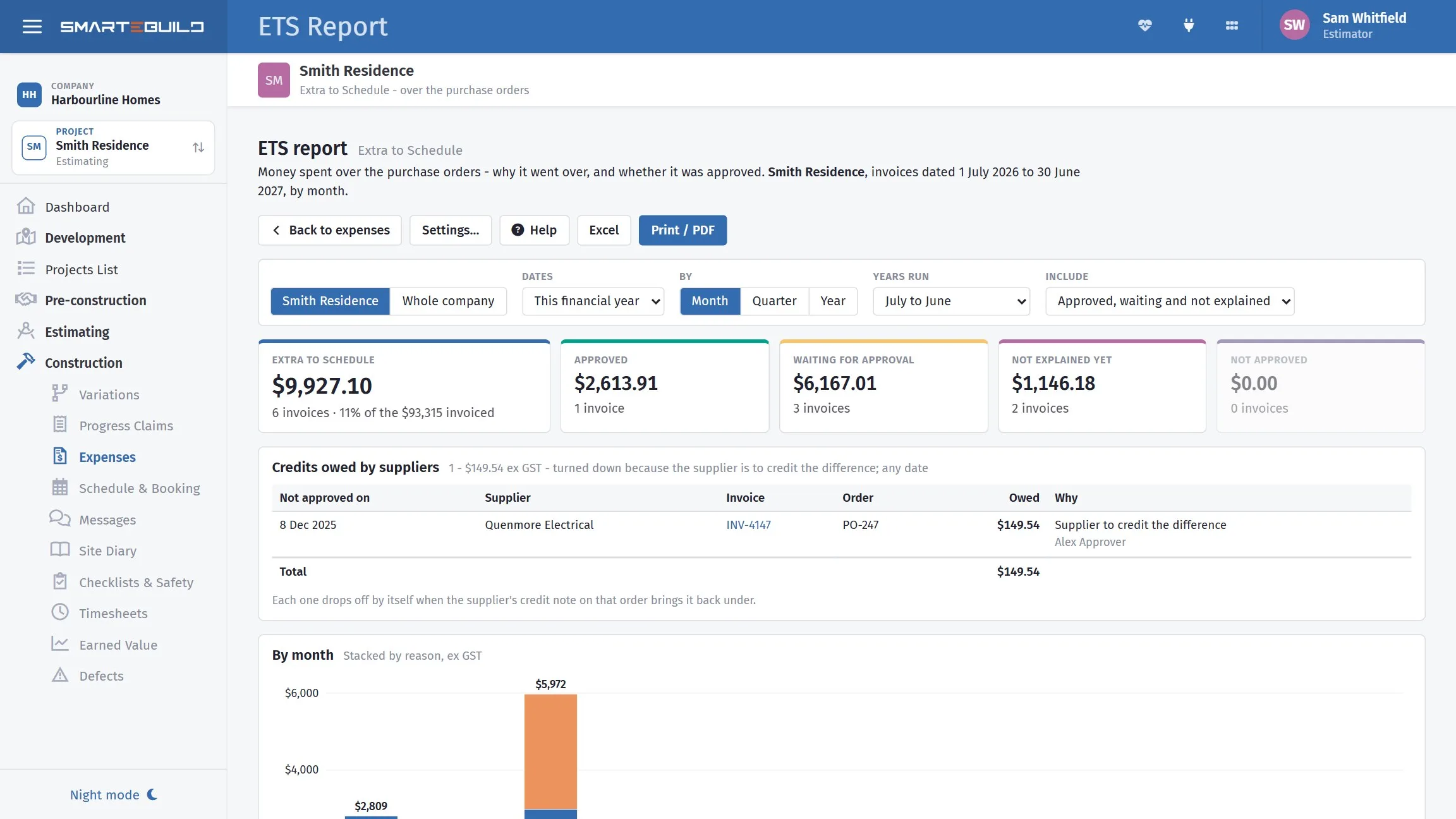
Approving an extra and opening the report are two separate permissions, and neither comes with the Expenses module or with granting everything. An administrator ticks each one person by person, and sets that person's limit in the same place — so the person who approves the spending and the person who sees the year's total do not have to be the same, and nobody can approve spending just because they can see it.
Recorded once, not twice
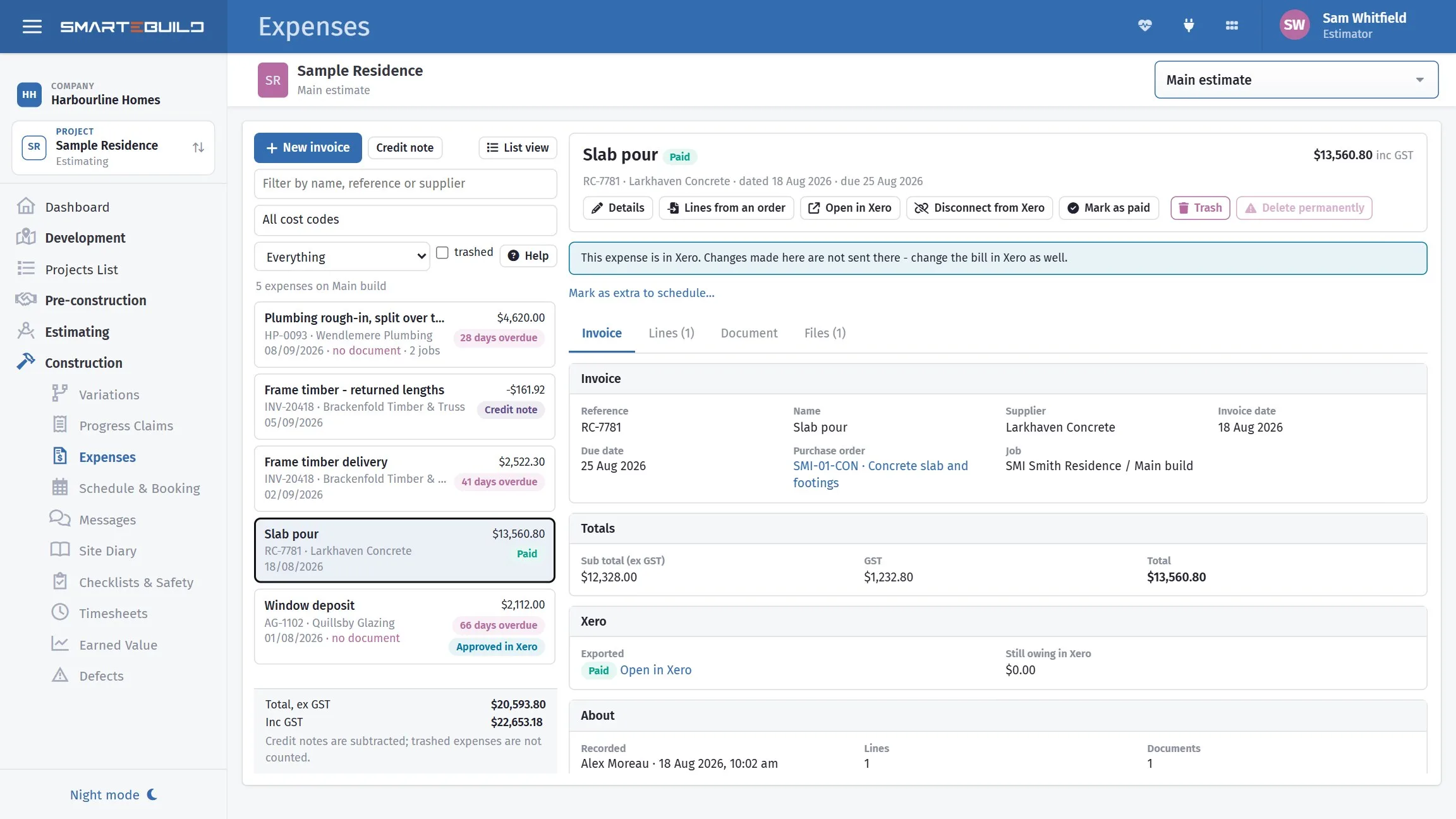
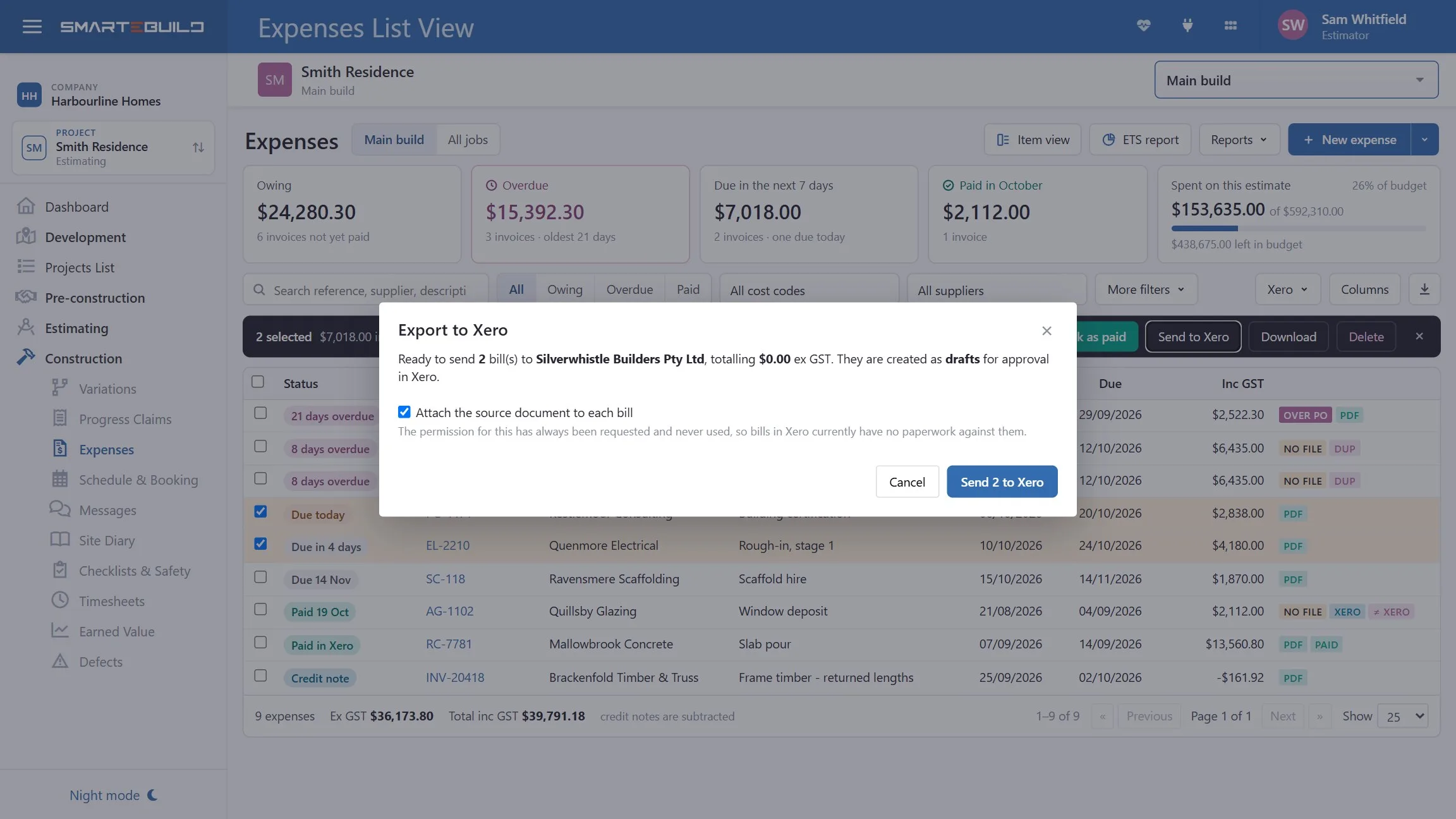
Expenses export to Xero, so recording an invoice against the job does not mean somebody re-keys it into the books afterwards. Both systems end up with it; only one person types it.
Not every builder uses Xero. Mark as paid records that you have paid an invoice without any accounting system involved — it stamps who marked it and when, so the question "has the bricklayer been paid?" has an answer on the job rather than in somebody's memory.
A closer look at expenses
Where an invoice lands, and what it tells you once it has.

What it connects to
Nothing in SmarteBuild is an island — that is the point of it. Expenses & Invoices reads from and feeds into these.
-
Purchase Orders
Raise orders straight from the BOQ and send them without re-keying
-
Bill of Quantities
The costed spine of the job — items, rates, markups and margin
-
Integrations
Xero, Google and Office 365, connected to the job
-
Cash Flow
What the job costs you and when, projected across the programme
Want the detail?
The help centre documents Expenses & Invoices step by step, with worked examples — written for people using it, not for a brochure.
Start with one job and see
Try the whole thing free for 30 days. No credit card to start, and no lock-in contract.