
Raised today it is a price. Raised in two months it is an argument.
A variation raised the day the client asks for the change is a conversation about a number. The same variation raised after the work is built is a conversation about whether they ever agreed to it — and those are lost more often than they are won.
Available on the Builder plan
The test is whether the scope changed, not whether the cost did
Your own estimating error is not a variation. A client's change of mind is — even when it saves money.
| Situation | Variation? |
|---|---|
| Client asks for a different benchtop | Yes |
| PC allowance exceeded by the client’s selection | Yes the difference |
| Latent site condition — rock in the excavation | Yes |
| Design change from the architect | Yes |
| Council imposes an extra requirement | Yes |
| You underestimated the brickwork | No that is your risk |
| A supplier raises their price mid-job | No usually — check your contract |
| Client deletes the deck | Yes a credit variation |

Raise them immediately
Not at the end of the month. Not when the paperwork gets done. The day the client asks.
At that moment you have their attention, the change is fresh, and nobody has spent anything yet. Every week that passes moves the conversation further from “how much will that be?” towards “I don't remember agreeing to that.”
Unwritten variations are the most common way builders lose money
Verbal agreement on site is not a record. If the client asks for something and you build it without a signed variation, you are relying on their memory and their goodwill at the exact moment they have least of either — when the final claim arrives.
What an approved variation changes
A variation is not a note on the side of a job. Approved, it moves the contract itself.
The contract sum
The job is now worth more — or less, on a credit variation.
Every unclaimed stage
Each stage is a percentage of the contract sum, so an approved variation changes what every stage you have not yet claimed is worth.
What you can claim
Approved variations go into your progress claims. Unapproved ones cannot be claimed at all.
That last point is the practical, cash-flow reason to chase approvals rather than letting them sit in a pile. An unapproved variation is work you have done and cannot invoice.
Send a link. They approve it by typing their name.
No login, no app, no password — a plain web address where the client reads the variation, downloads the PDF, and either approves it or sends it back with questions.
Approval that is a signature
They type their full name, tick that they have read it, and approve. The name, the time and their device's address are stored on the variation. That is a great deal more than "he said yes on the phone".
They know how to pay you
Once approved, a payment section shows the bank account you chose, with the variation number already as the reference. When the money lands, Record payment marks it paid.
They can ask for one
The portal link lists every variation on their job and has Request a variation. It arrives on your side as a new variation flagged Client request, waiting to be priced.
The first time a client opens the link is recorded, so the tracker can show viewed 3 Sep next to one that is still waiting. Worth knowing before you ring to chase — and Withdraw kills a link the moment you need to revise it.
Most variations start as a selection
PC and PS items are in a bill because the client has not chosen yet. When they do, the difference between their choice and the allowance is a variation — which is why Colour Selection and this module are wired together.
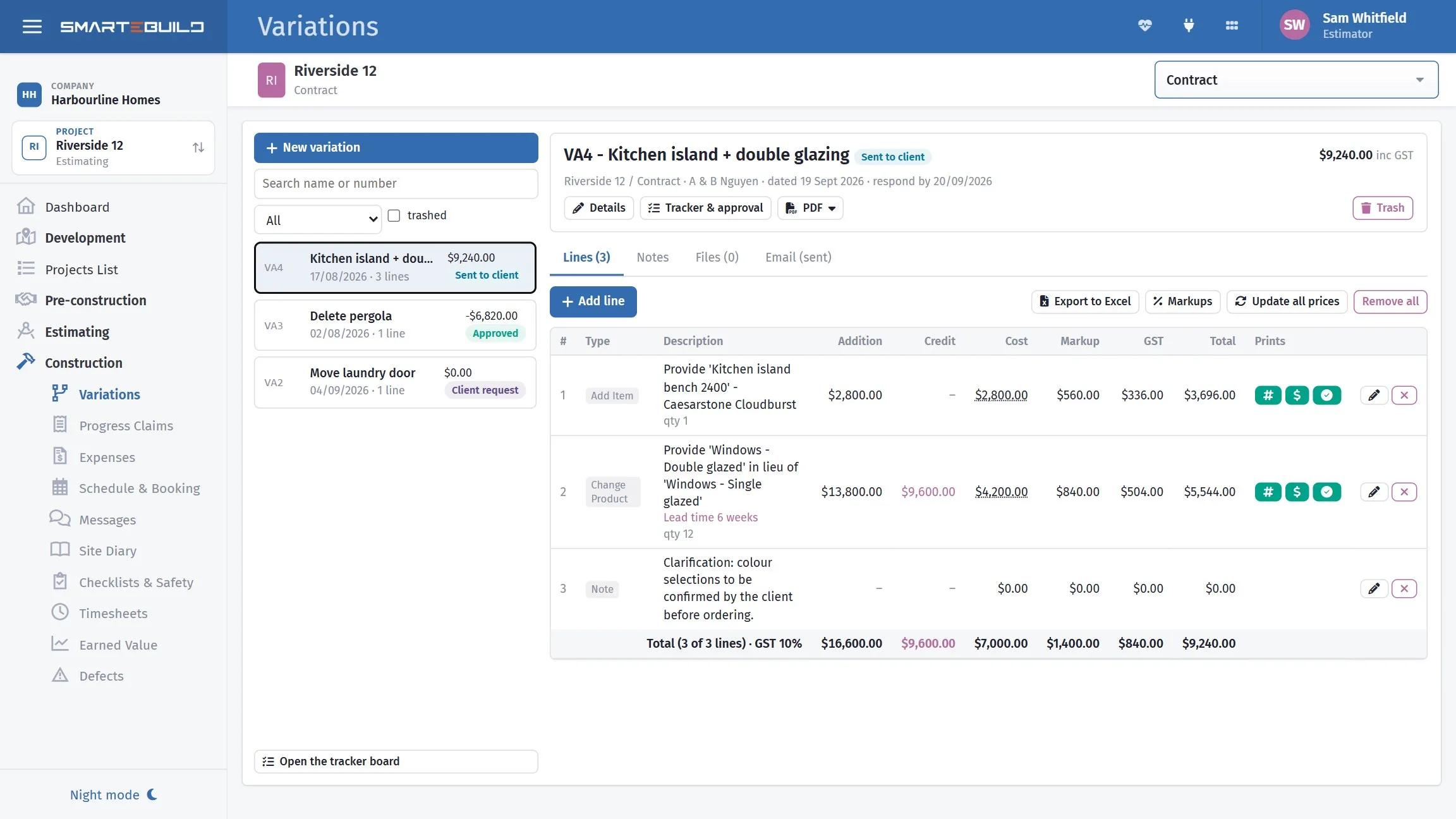
A closer look at variations
Priced, sent, approved, and carried into the contract.


What it connects to
Nothing in SmarteBuild is an island — that is the point of it. Variations reads from and feeds into these.
-
Progress Claims
Claim by percentage or by stage, variations included, and track payment
-
Colour Selection
Estimate, select, approve — then push the choices into the estimate and the orders
-
Bill of Quantities
The costed spine of the job — items, rates, markups and margin
-
Projects & Estimates
Contract stages, markups and the numbers behind every job
Want the detail?
The help centre documents Variations step by step, with worked examples — written for people using it, not for a brochure.
Start with one job and see
Try the whole thing free for 30 days. No credit card to start, and no lock-in contract.