
The dates come from the programme, not from somebody's memory
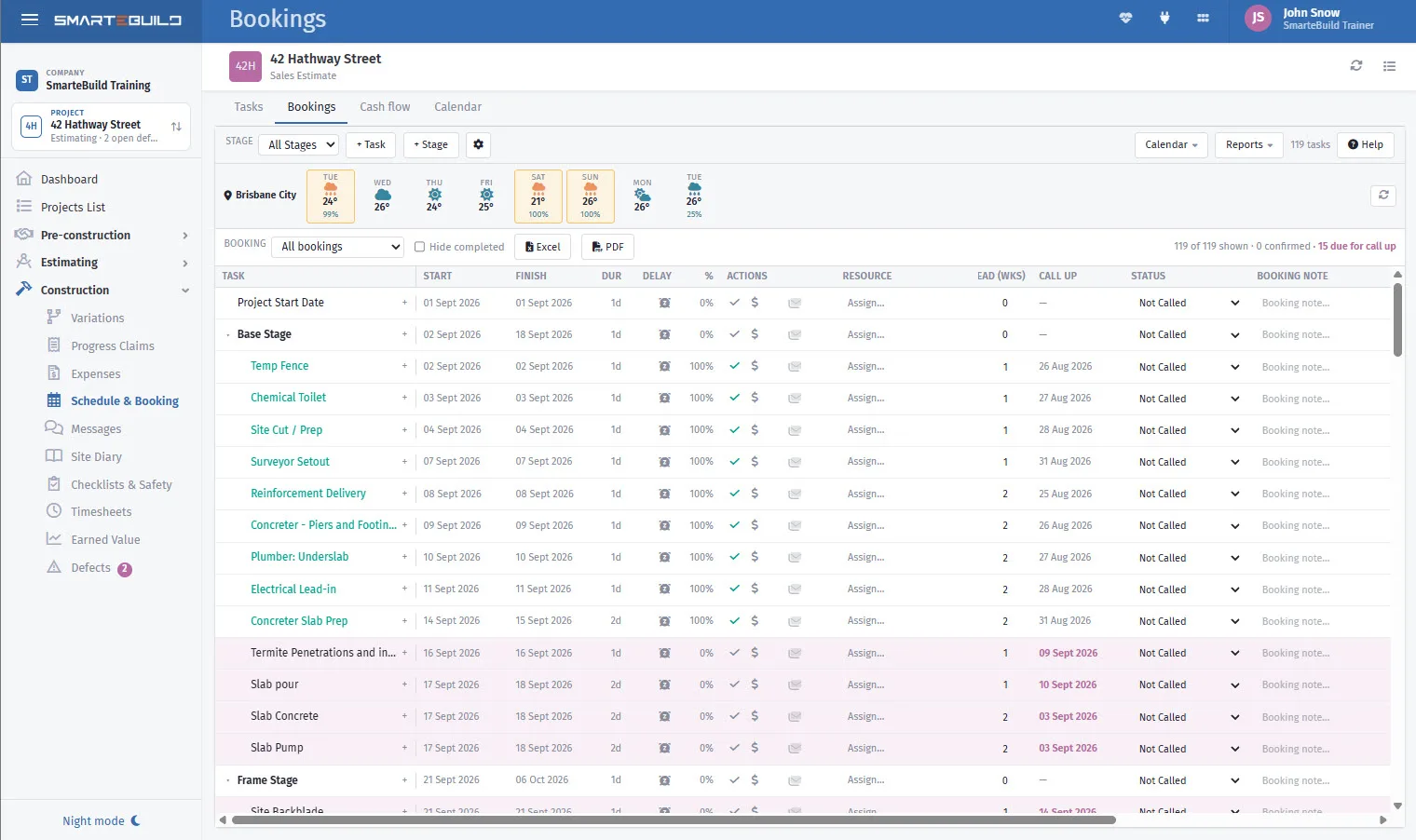
A call-up sheet tells a subcontractor when they are needed. Generated from the schedule, it moves when the job moves — so a week's slippage reaches the trades instead of being discovered by them on the morning they turn up.
Available on the Builder plan
Trades are not alike, so the notice should not be either
Call up (weeks) on a task is how far ahead that trade needs telling. Set it per task, because the range is enormous — and a single default gets half of them wrong.
Ask each of your regular subcontractors what notice they actually want, set it once, and the call-up view works out the rest for every job from then on.
It is the difference between a trade turning up and a trade being on someone else's job.
Typical notice
| Concrete | 1 week |
|---|---|
| Carpenter | 2 weeks |
| Plasterer | 2 weeks |
| Roof tiler | 2 weeks |
| Cabinetmaker | 6 weeks — a manufacturing lead time |
| Windows | 8 weeks — ordered, not called up |
| Crane | 1 week, and confirm the day before |

Twenty minutes on a Monday, across every job
The Call up view shows what is due to be called, based on each task's notice period and its scheduled start. Same time each week, work down the list.
In Bookings, Due for call up narrows it to the next 14 or 30 days, so the calls you have to make this fortnight are a short list rather than a search. How it works →
Easier on paper? The Call up sheet PDF lists each task with the day to ring by, the trade, the start date and whether it is confirmed — anything not yet called in red — for this job or every job, the next three weeks unless you change the dates. Both reports, in the help centre →
-
1
Open the Call up view
-
2
Work down what is due
-
3
Send each call-up
-
4
Note the ones that need confirming
-
5
Chase last week’s unconfirmed ones
Sent is not the same as booked
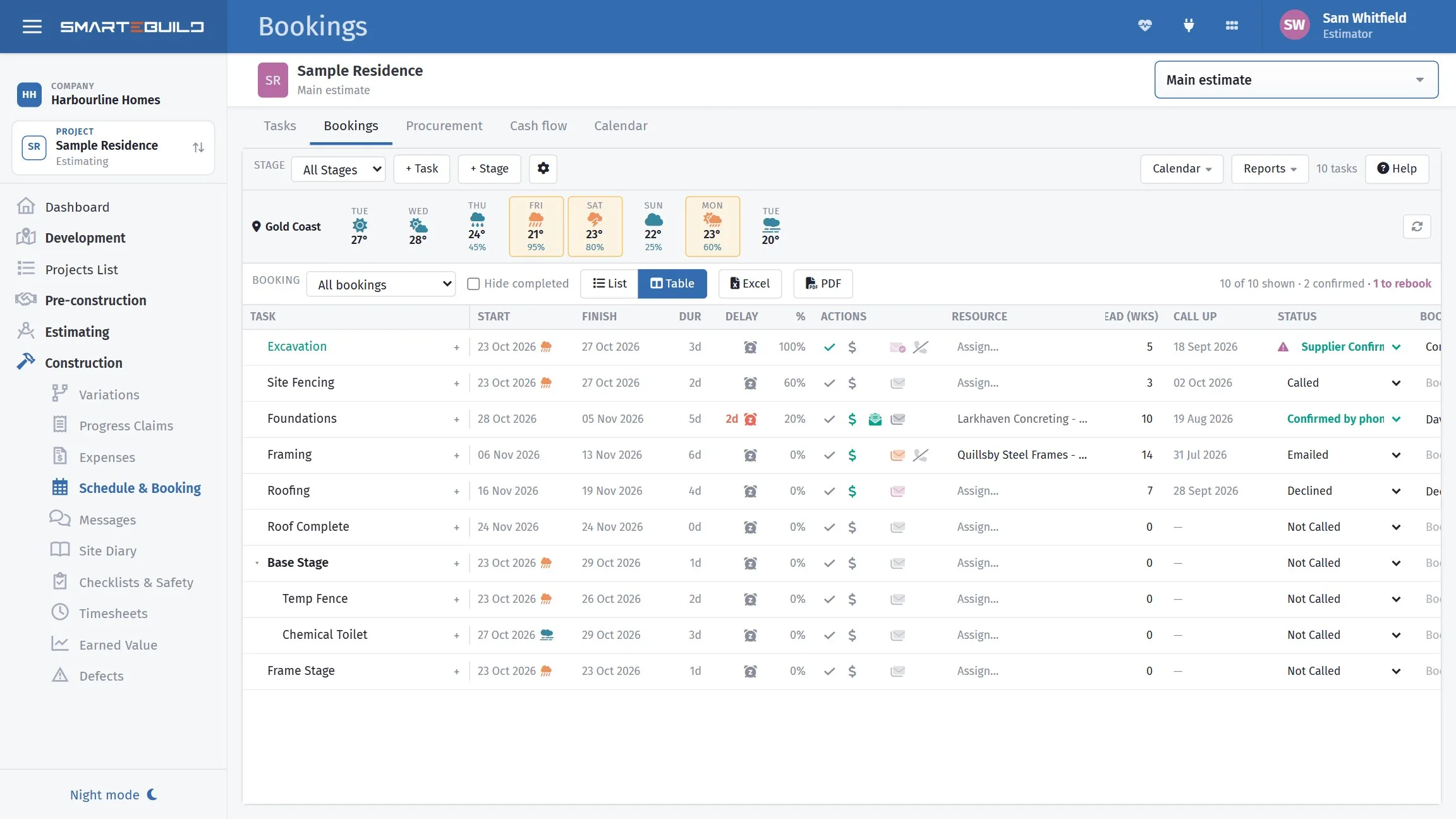
A call-up that has gone out is a request. A booking is an agreement. Bookings tracks which subcontractors have actually confirmed, so you know the difference before the morning in question.
Most lost days on a building site are not caused by a subcontractor letting you down. They are caused by nobody noticing that a subcontractor never replied — and the two look identical right up until nobody arrives.
Chase silence harder than you chase refusals
A trade that declines tells you something, and you re-plan. A trade that never responded tells you nothing, and you find out on the day.
The unconfirmed list is the one that costs money.
Long-lead items are orders, not call-ups
Cabinets and windows need ordering months ahead, not calling up a fortnight ahead. If a long-lead item exists in your programme only as a call-up, it is already late. Put the order date in the schedule as its own task.
A closer look at call-ups
Setting the notice, sending the sheet, and chasing what has not come back.

What it connects to
Nothing in SmarteBuild is an island — that is the point of it. Call-Up Sheets reads from and feeds into these.
-
Schedule & Gantt
Plan the build, move a date, and see what shifts with it
-
Purchase Orders
Raise orders straight from the BOQ and send them without re-keying
-
Suppliers
One supplier list across every job, with their products and rates
-
Cash Flow
What the job costs you and when, projected across the programme
Want the detail?
The help centre documents Call-Up Sheets step by step, with worked examples — written for people using it, not for a brochure.
Start with one job and see
Try the whole thing free for 30 days. No credit card to start, and no lock-in contract.