
Know who is on your site — without the clipboard at the gate
Workers and visitors scan a QR code on the site poster and sign in on their own phone. No app to install, no account to make. They are inducted once, they sign the day's toolbox talk, and you can see who is on site right now from the office.
Available on the Builder plan
The sign-in book is the record nobody can read
A paper book at the gate gets half the names, most of the sign-ins and almost none of the sign-outs. The inductions are in a folder in somebody’s ute.
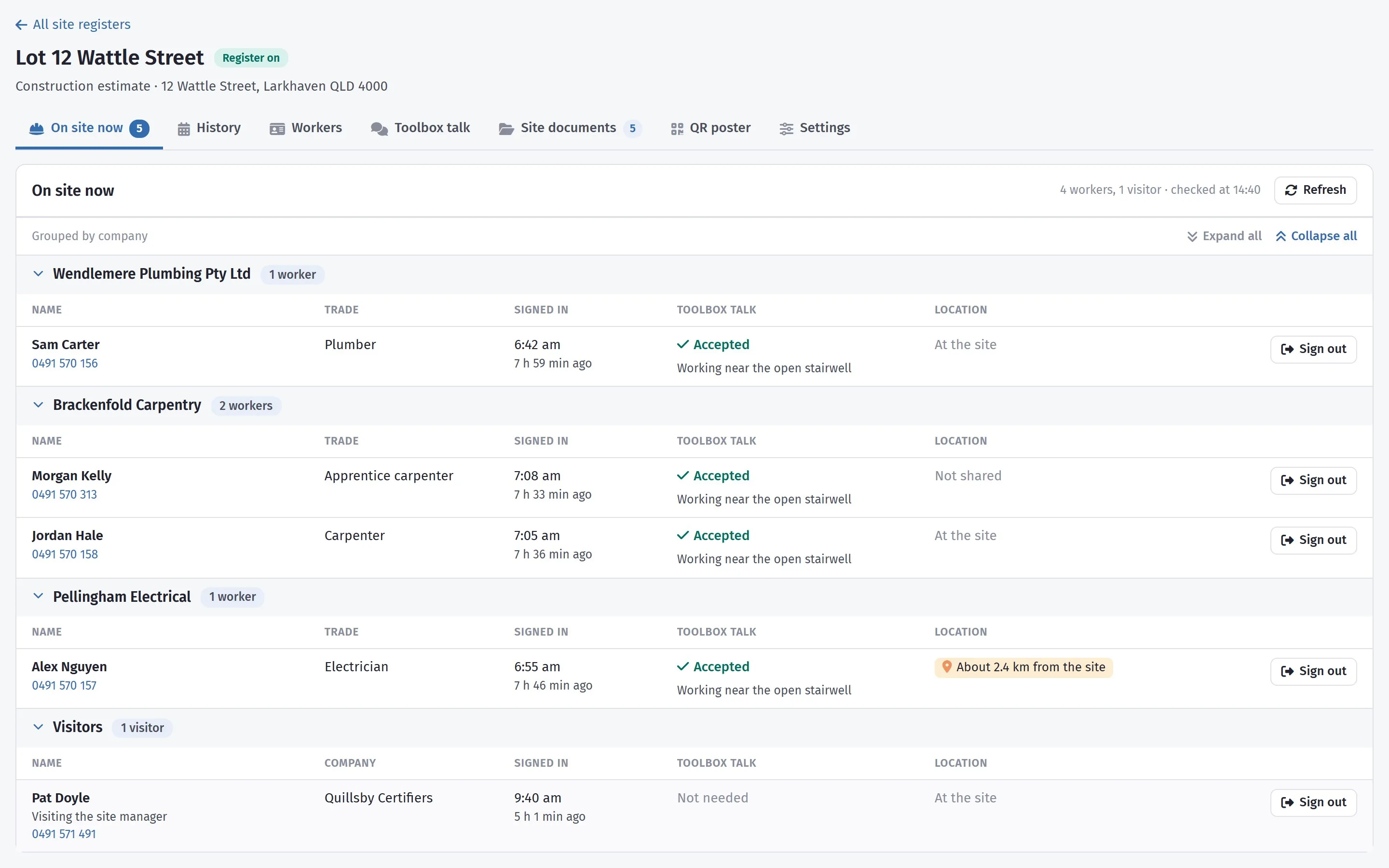
It does not matter until the day it matters a lot: an incident, an evacuation, an inspector asking who was on site last Tuesday. Then the question is simple — who was here, did they know the rules, and can you show it — and the book does not answer it.
Scan, choose worker or visitor, sign in
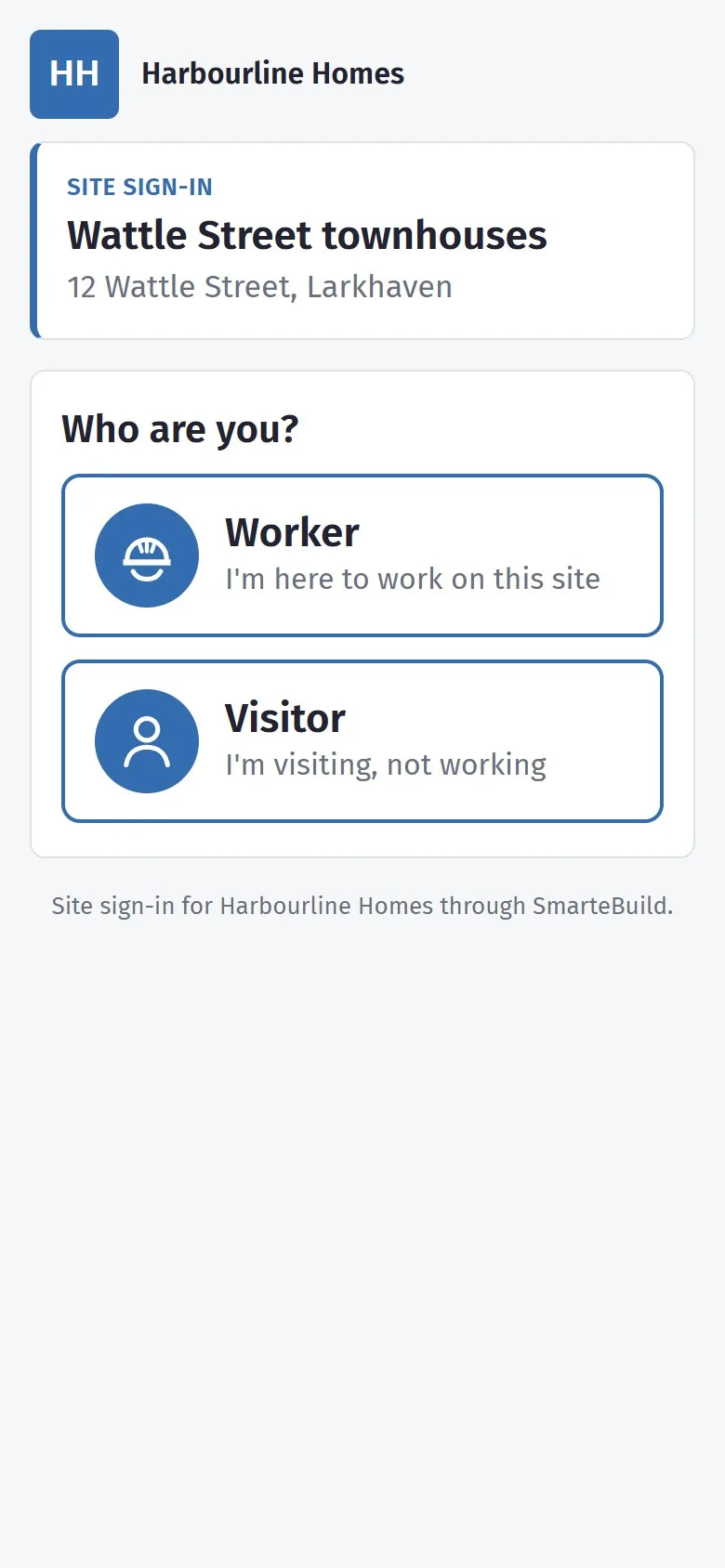
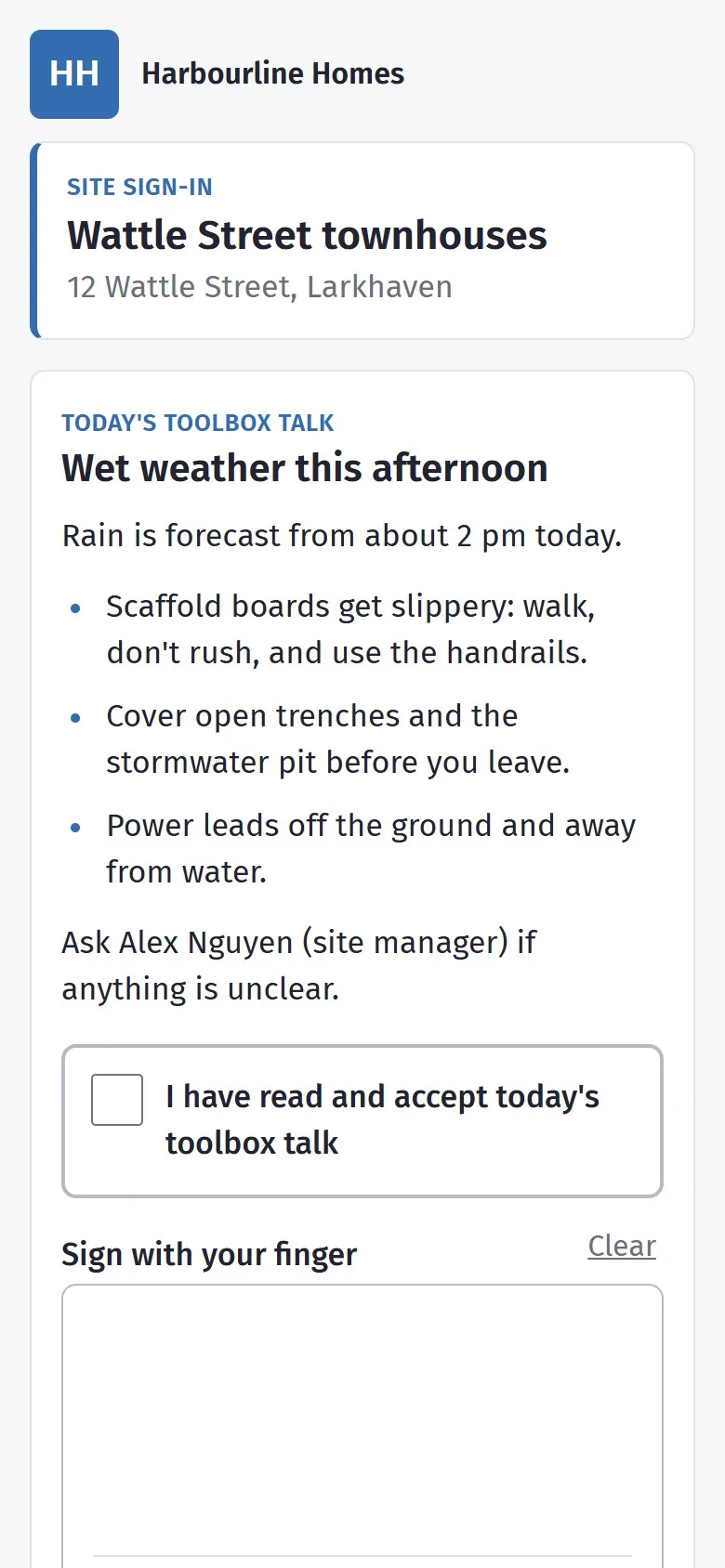
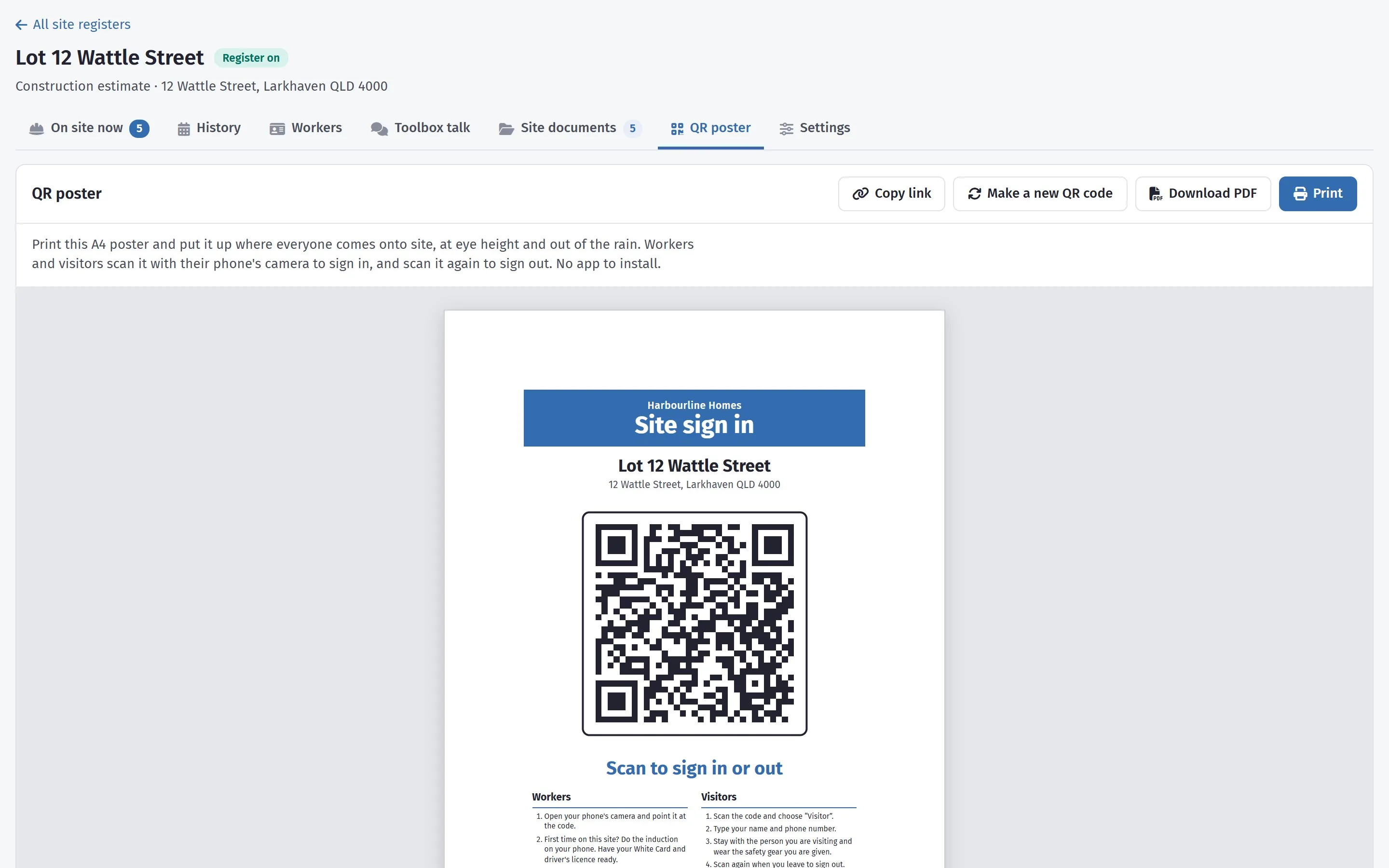
The phone’s camera opens the site’s sign-in page. A worker signs the day’s toolbox talk and is signed in. A visitor gives their name, phone number and company, and who they are visiting. Scanning again on the way out signs them out.
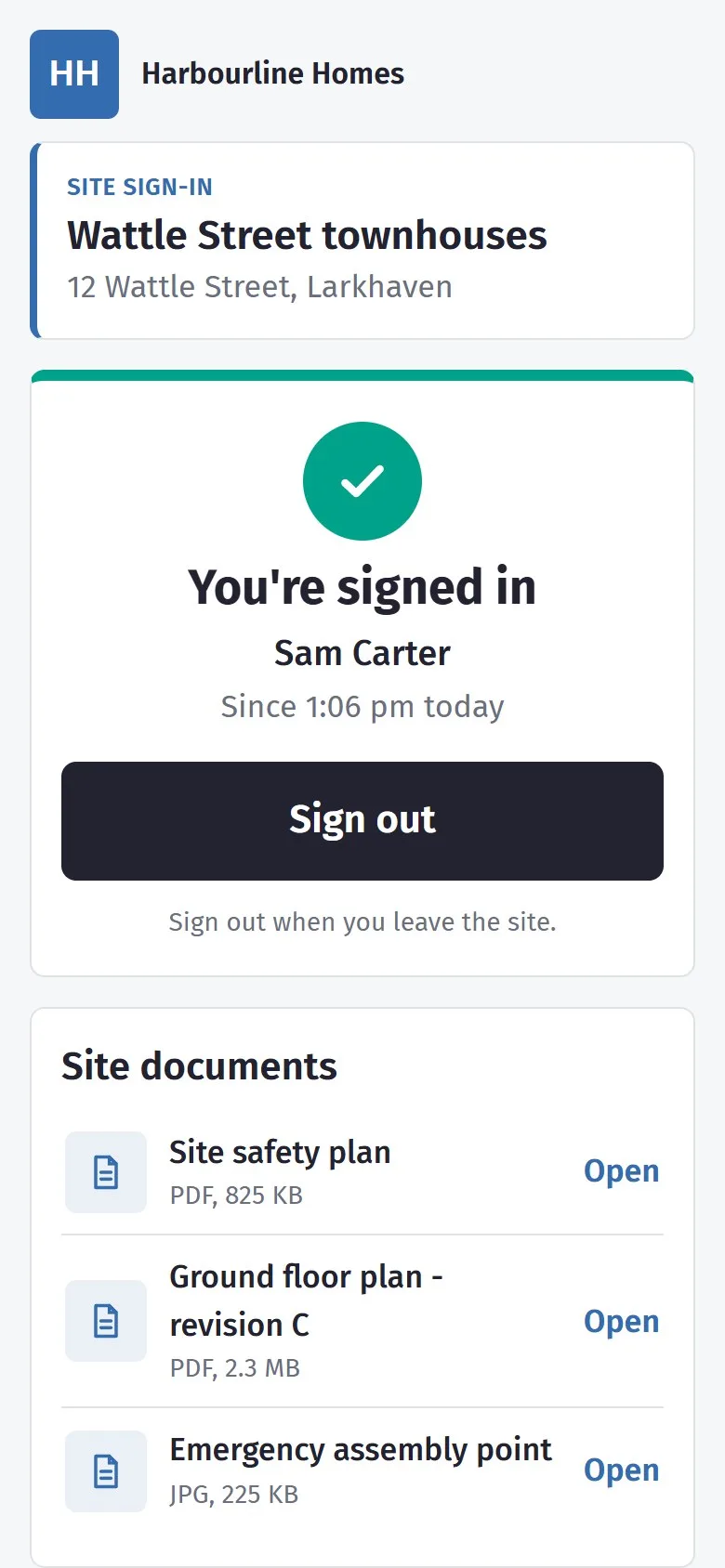
Once signed in, a worker sees the site documents you have shared with them — the safety plan, the current floor plan, the emergency assembly point — on the same page.
Inducted once, on their own phone
The first time a worker scans in on a site, they do the induction there and then. It is done once for each site, and what they typed and photographed carries over to your next site — so on the next job they only read and sign that site’s rules.
The wording is yours. Write your company’s safety expectations and site requirements once, and give a site its own version when it needs one — different hours, different parking. Changing it later does not change what earlier workers signed: each induction keeps the words they agreed to.
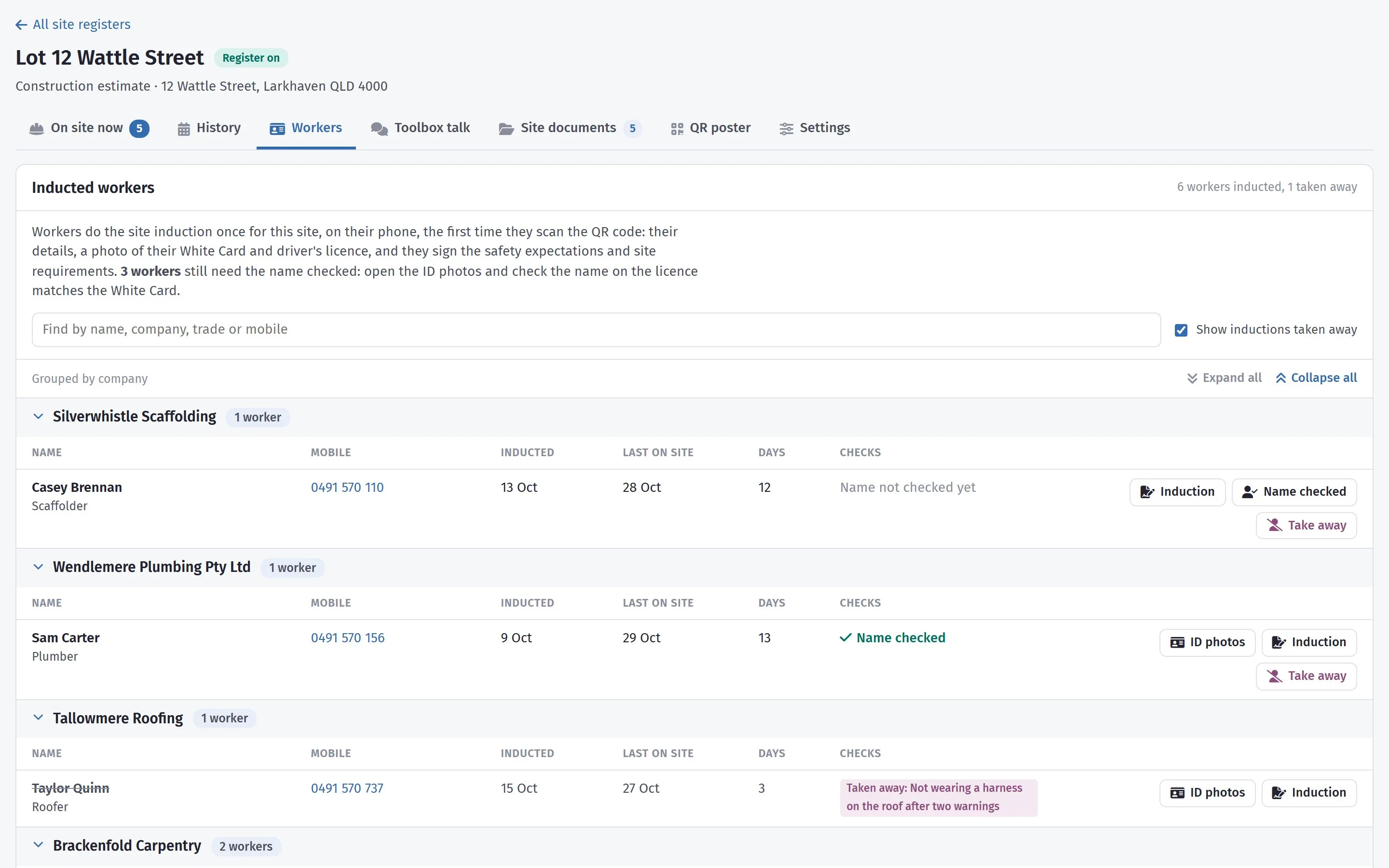
A notification tells the job’s team when someone has been inducted, and the Workers tab shows whose name still needs checking against their licence. Each induction prints as a record for the file.
What the induction asks for
- Their details
- Company, trade, mobile, White Card number, address, allergies and next of kin
- Two photos
- Their White Card and driver’s licence, so you can check the name on one against the other
- Safety expectations
- Your wording, read and signed with a finger
- Site requirements
- Hours, PPE, vehicles, visitors — your wording, or this site’s own
The photos are kept encrypted on the server, and only people you give the Site register: inductions and ID photos permission can open them.
The day’s talk, accepted before they start
Write the toolbox talk for a day — this afternoon’s rain, the open stairwell, the crane lift tomorrow — and every worker reads and accepts it on their phone before they can sign in that day. Leave a day without one and they sign in straight away.
You can see who has accepted it, and the history shows it against each person for every day. Once a day has passed, its talk can be read but not changed.
A talk only counts if they heard it
The talk given at 7 am misses the plumber who arrived at ten. This one is waiting for whoever signs in, whenever they get there.
On site now, and every day before it
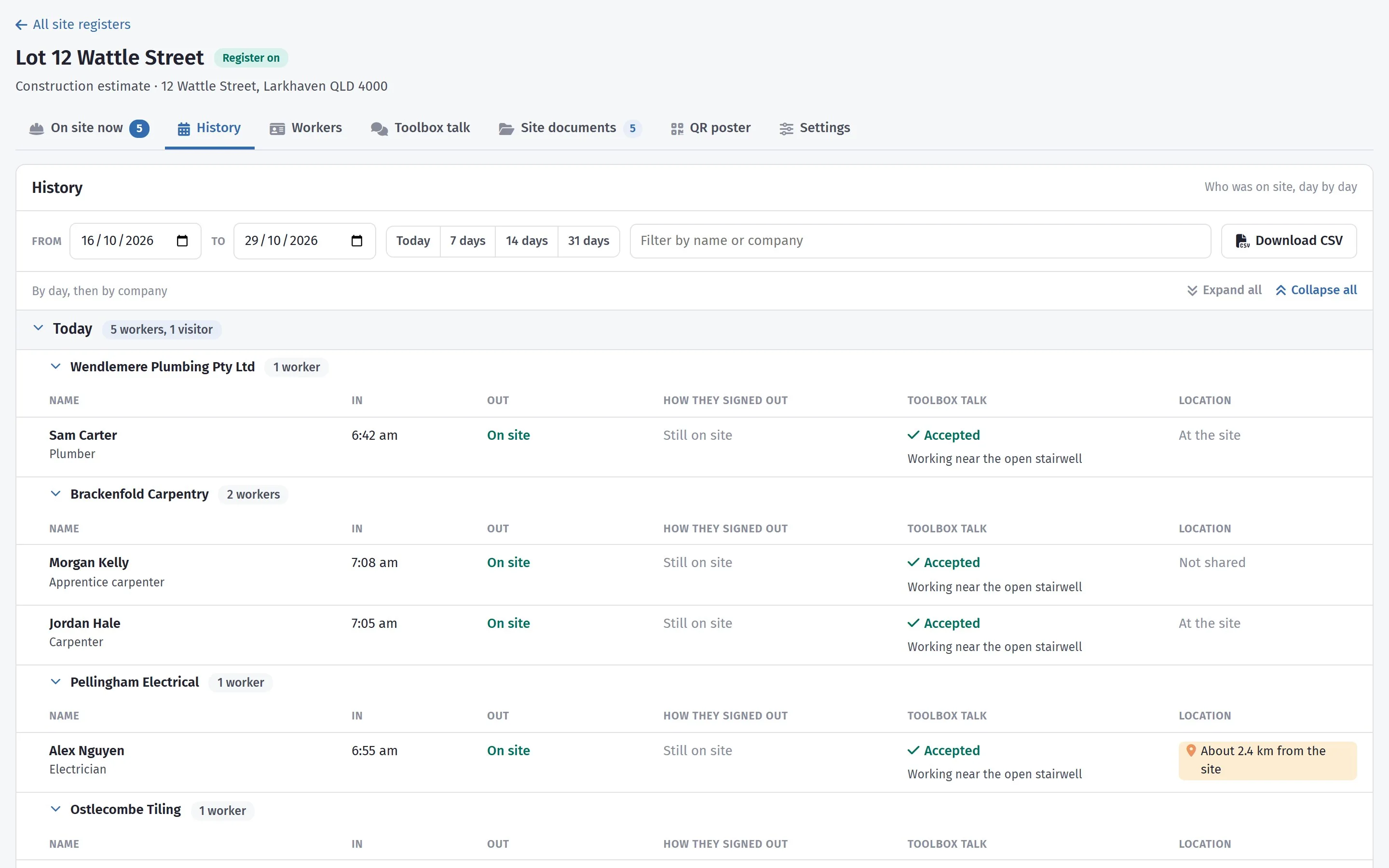
- On site now: everyone signed in, grouped by company, with their trade, when they arrived and whether they accepted the talk. Sign someone out who forgot.
- History: who was on site each day, in and out, for any range of dates — and a CSV download when somebody asks.
- End of the day: anyone who forgets to sign out is signed out at a time you choose, so nobody is left “on site” overnight.
- Where they signed in: give the site its location and anyone who signs in more than about 300 m away is noted, so you can ask. It never stops anyone signing in.
- The poster: print the A4 poster, or download it as a PDF. If the code gets passed around, make a new one and the old poster stops working. Turn the register off when the job is finished.
- From your phone: the SmarteBuild app shows the site manager who is on site, signs out anyone who left without scanning, and puts the QR code on their own screen for someone who cannot find the poster. The app on site →
- Your subcontractors: in the suppliers library, each company’s workers and the days they spent on your jobs.
The site register is for subcontractors’ workers and visitors. Your own staff record their day in Timesheets.
On the Builder plan
The site register is part of the Builder plan, alongside the site diary, checklists and timesheets — and in the free trial.
A closer look at the site register
The day-by-day history, and the poster that starts it all.
What it connects to
Nothing in SmarteBuild is an island — that is the point of it. Site Register reads from and feeds into these.
-
Site Diary
What happened on site today, with the weather recorded for you
-
Checklists & Safety
Inspections signed off on site, and an incident register behind them
-
Suppliers
One supplier list across every job, with their products and rates
-
Mobile & On Site
The job in your pocket, including where reception is poor
Want the detail?
The help centre documents Site Register step by step, with worked examples — written for people using it, not for a brochure.
Start with one job and see
Try the whole thing free for 30 days. No credit card to start, and no lock-in contract.