
Be in the estimate, not just the order
SmarteBuild connects Australian builders with the suppliers they price from. Listing your products puts your rates in front of estimators at the moment the job is being costed — which is when the decision actually gets made.
Already set up? Sign in to the supplier portal. We email you a sign-in link, so there is no password to remember.
Why it works
Asking for quotes and waiting for them to come back is slow for the estimator and uncertain for you. Current prices in the system solve both ends of that.
Builders price from real products
When your products are in SmarteBuild, an estimator can choose them by name and rate instead of guessing at a market average or waiting on a quote.
You get seen at the right moment
Estimating is where the supplier decision is really made. Being in the list at that moment matters more than being remembered at order time.
Clients see you in colour selection
Products in the colour selection module are put in front of the homeowner directly, at the point they are choosing finishes.
Keep your own products up to date
Builders price their jobs from SmarteBuild’s shared price list. With the supplier portal, the products and prices in that list for your business are the ones you keep up to date. It is free for suppliers.
In the portal you can
- List your products, sold each, per lineal metre, per square metre or any other unit, with your price excluding GST and the date a new price starts.
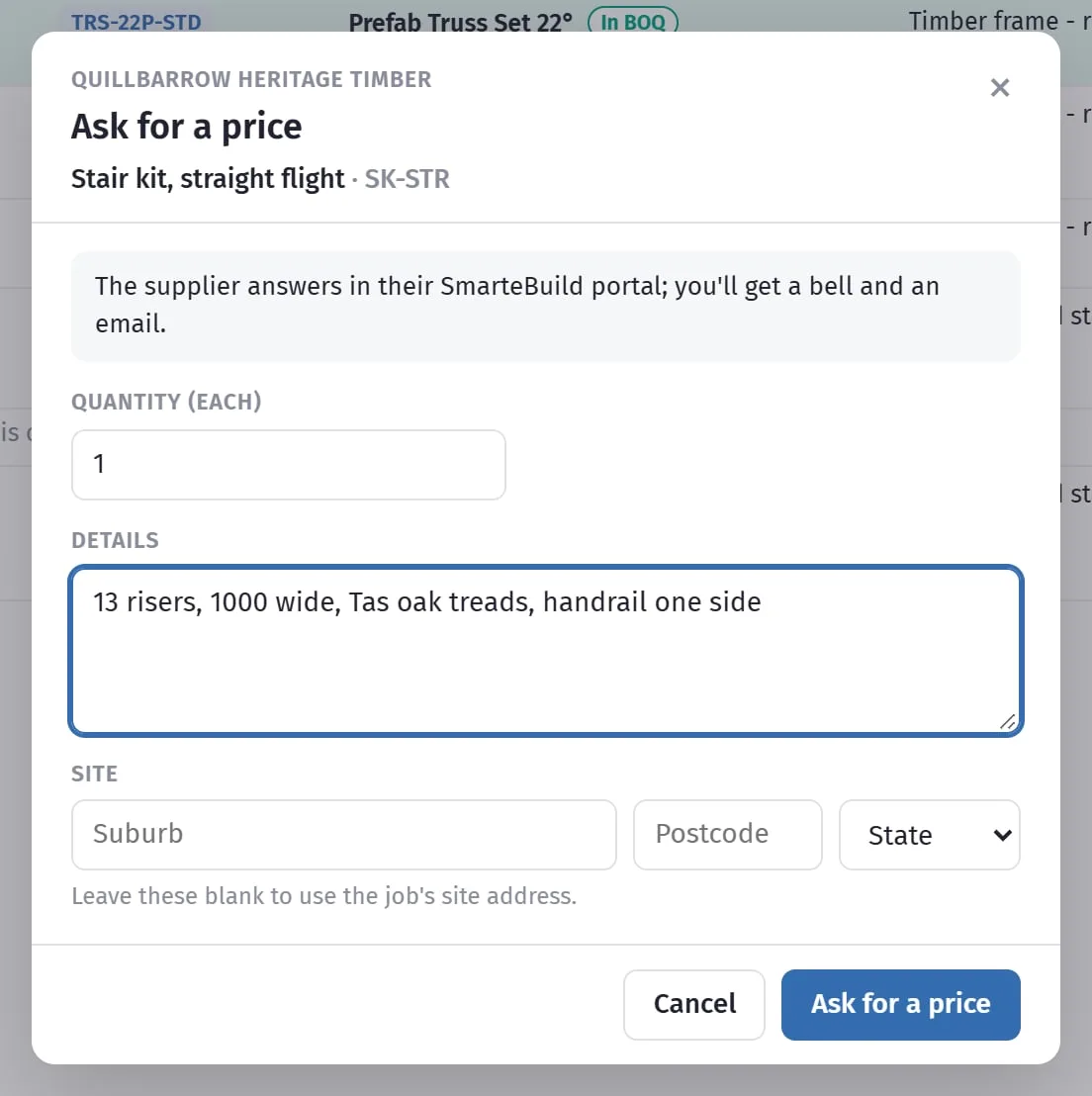
- Mark made-to-order products as quote only. Builders then ask you for a price, with the sizes and the delivery suburb.
- Add a picture of each product.
- Load or update your whole range at once from a spreadsheet.
- Set your freight by state and postcode, so builders see what delivery to their site costs.
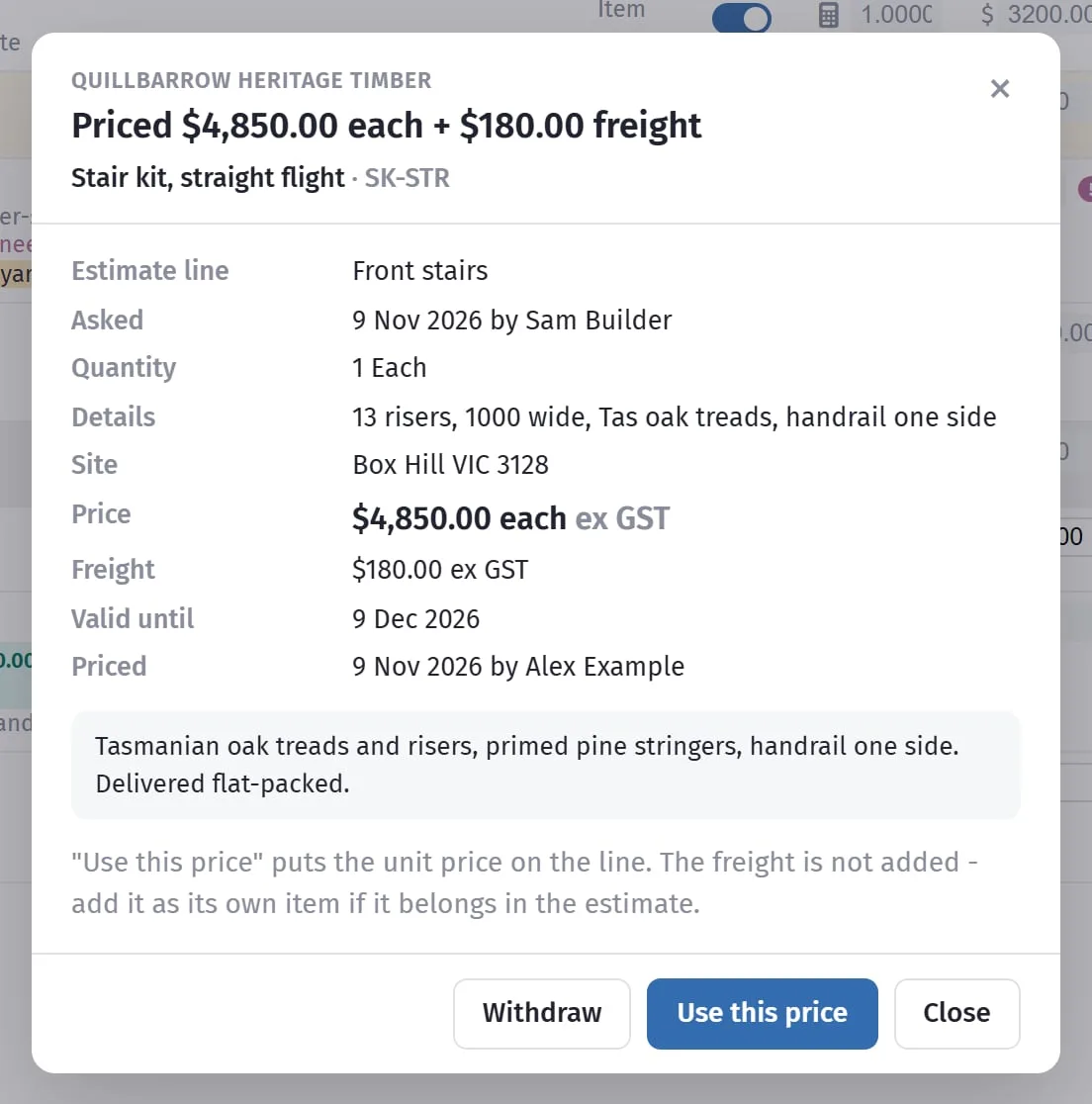
- Answer builders’ price requests in the portal.
- Add your colleagues, so the right people get the price requests.
SmarteBuild checks new products
To keep the shared price list tidy and trustworthy, our team checks every new product, and any change to its name, description, unit or picture, before builders see it. Price changes go live on the date you choose, unless the price moves by more than 25%.
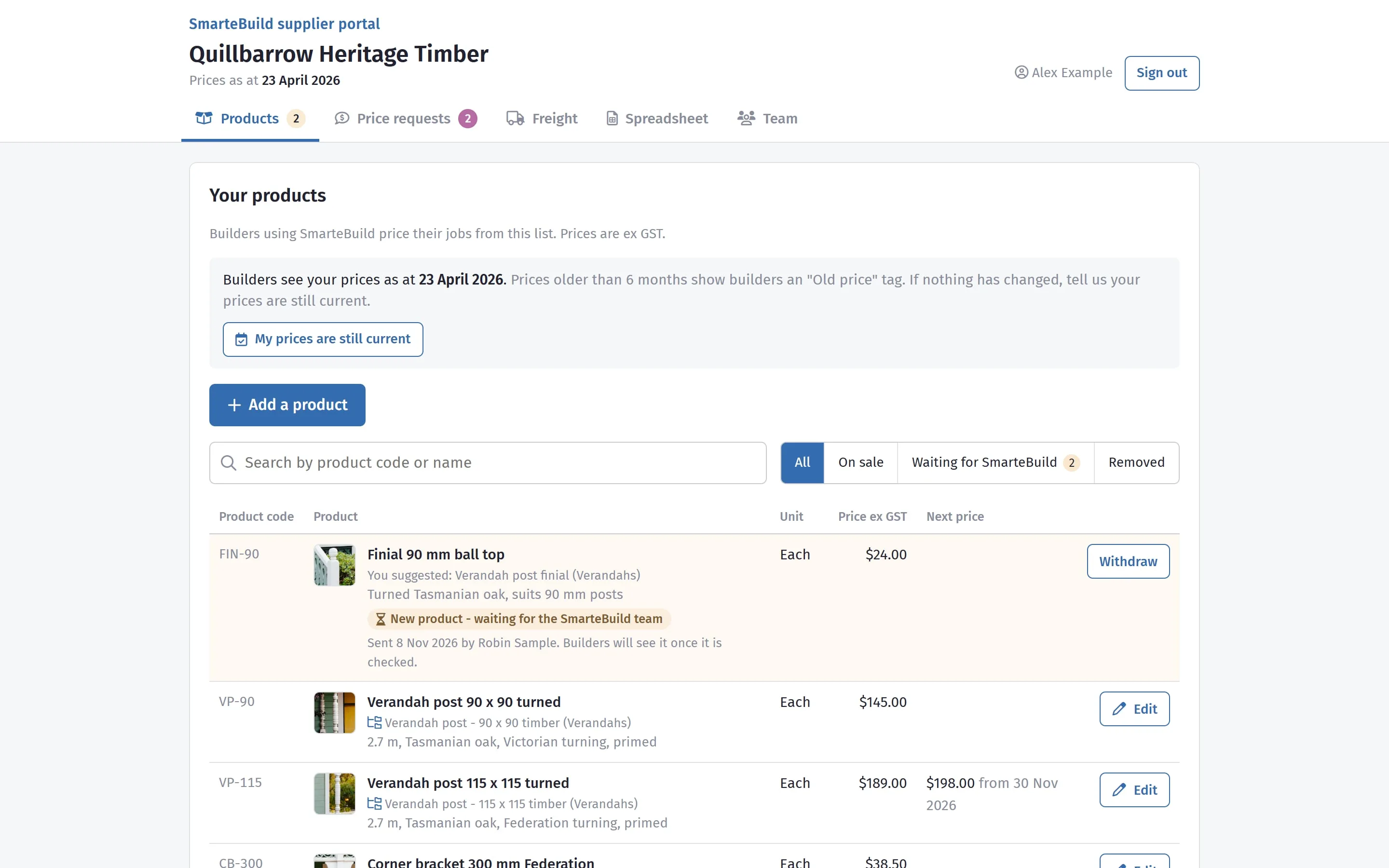
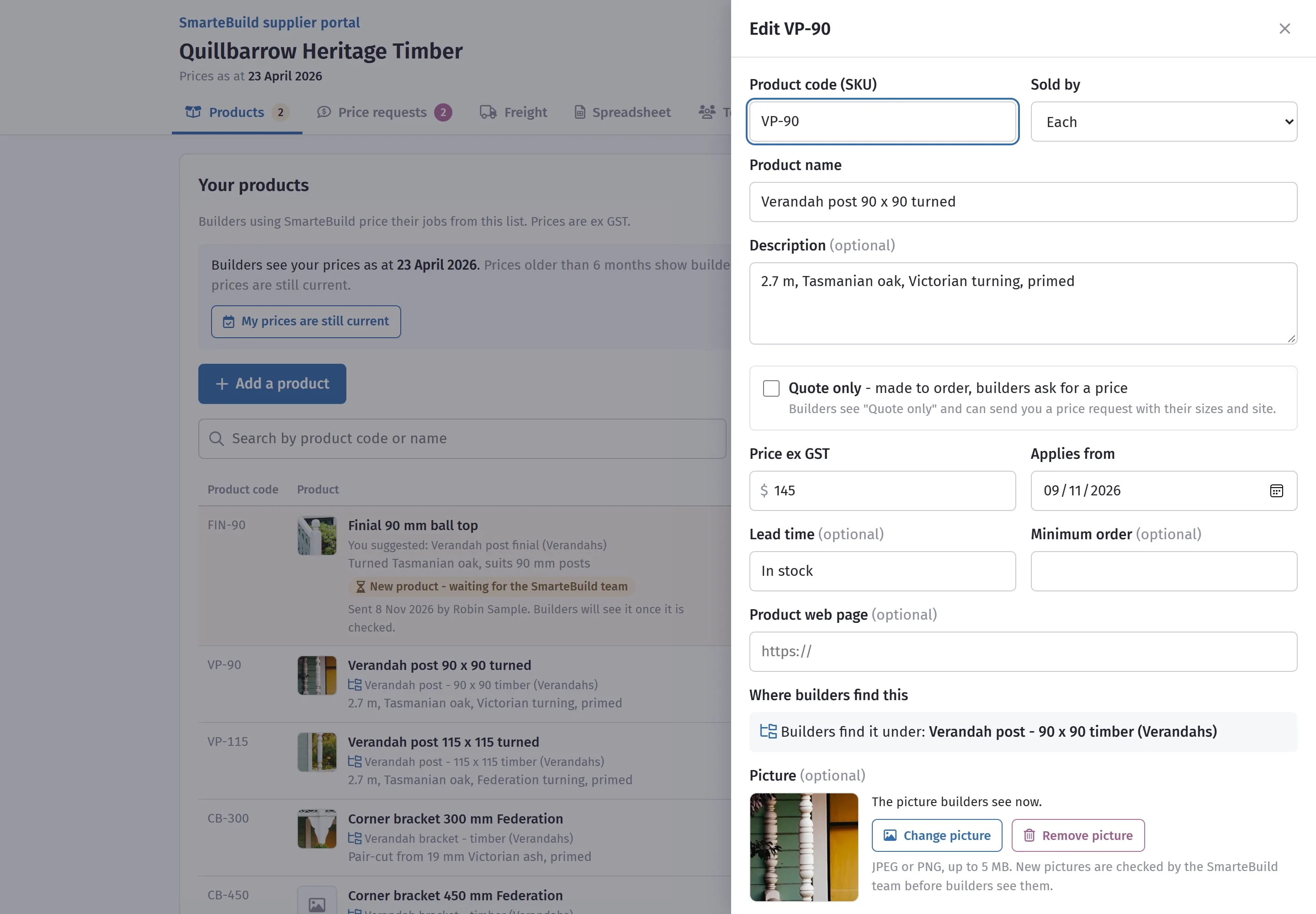
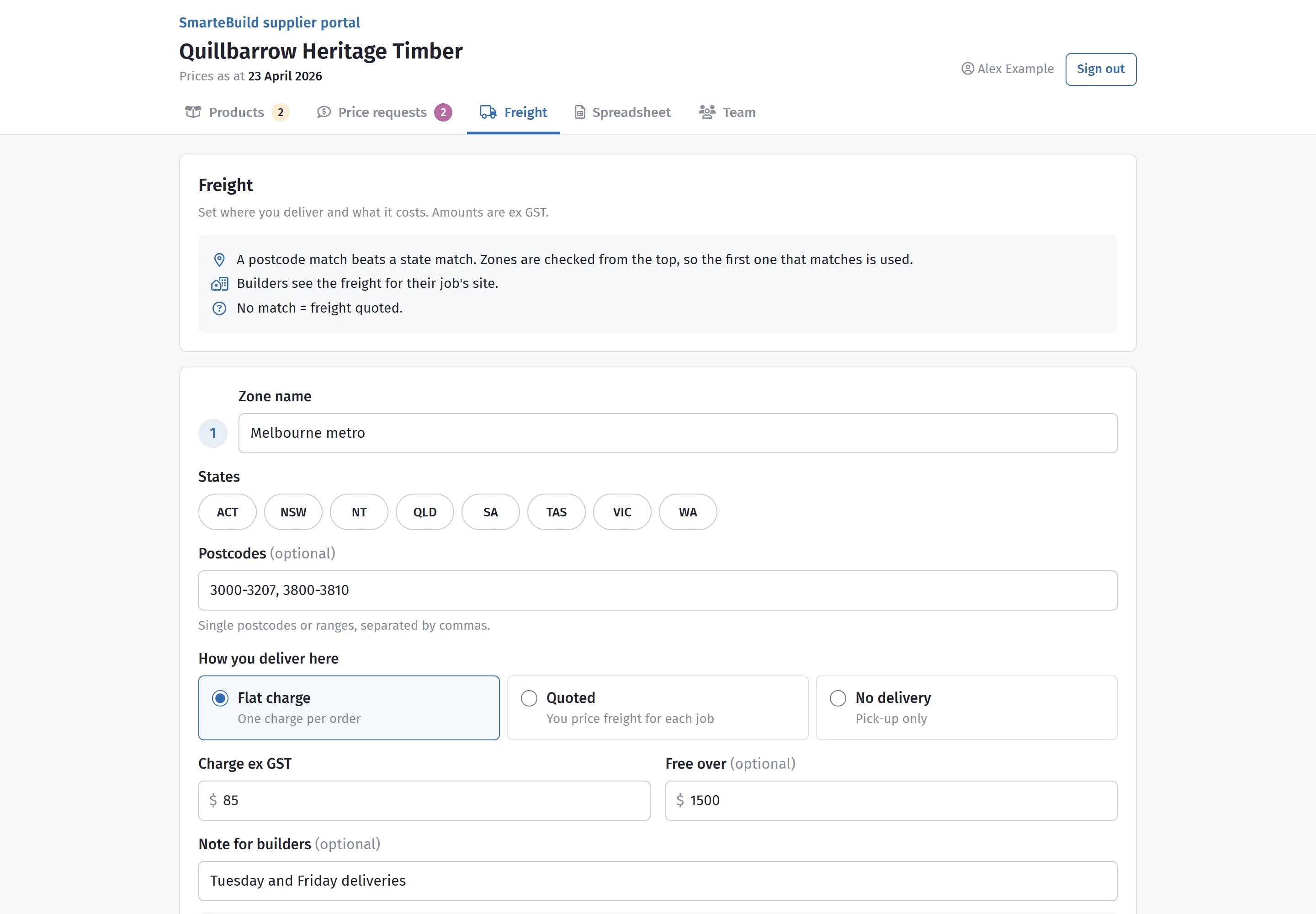
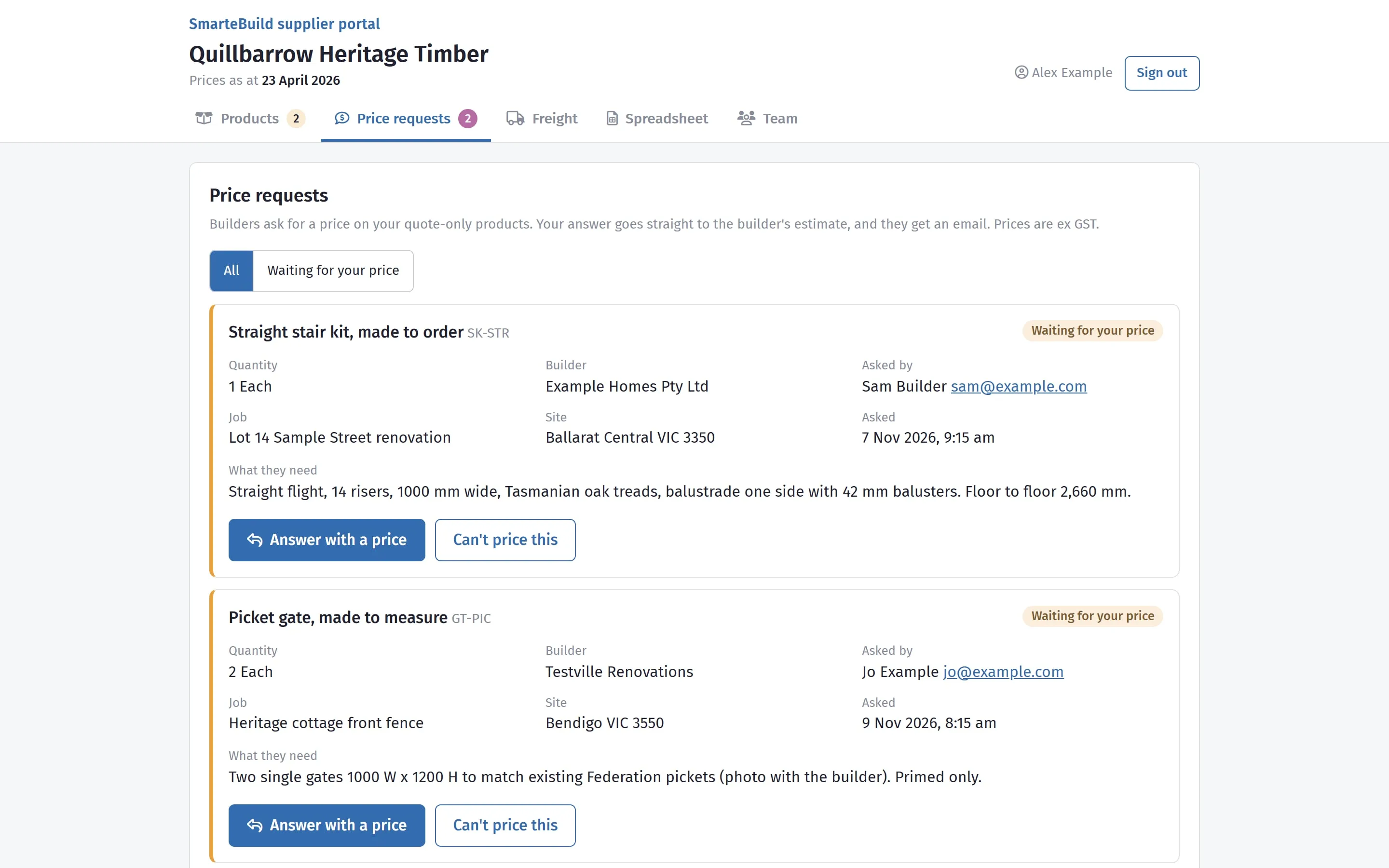
The pictures use a sample supplier and sample builders. The product photos are real.
From joining to being in a builder’s estimate
-
1
Ask to join
Tell us your business name and who will look after your catalogue. We set you up and email that person an invitation.
-
2
Sign in with an emailed link
No password to remember: type your email address and we send a sign-in link. You stay signed in on that computer or phone for 30 days.
-
3
Add your products, or send your range as a spreadsheet
One at a time on the Products tab, or hundreds at once from an Excel or CSV file with your product code, name, unit and price ex GST.
-
4
Our team checks them
We check each new product and file it where builders look for it in SmarteBuild’s price list. If something needs changing, we email you the reason.
-
5
Builders price their jobs with them
They see your price, unit, lead time, picture and the freight to their site. For a quote-only product they ask you for a price, and your answer goes on their estimate line with one click.
What goes live, and what we check first
| You change | What happens |
|---|---|
| A price, by 25% or less | Goes live on the date you choose, today or later. |
| A price, by more than 25% | Waits for our team, so a typo of $1,500 for $150 never reaches every builder. |
| Lead time or minimum order | Saved straight away. |
| Code, name, description, unit, picture, web page or quote only | Waits for our team. Builders keep seeing what is there now. |
Changed your mind? Withdraw the change while it is still waiting. Stopped selling something? Remove from sale, and estimates that already use it keep it.
Keep your prices current
Builders see a prices as at date beside your prices. Prices more than six months old show them an Old price tag, which makes them less likely to choose you.
If nothing has changed, press My prices are still current. If a rise is coming, enter the new price now with the date it starts, and it goes live on that day.
Freight, worked out for each builder’s site
Set delivery zones by state and postcode, each with a flat charge per order (free over an order value if you like), a price quoted for each job, or pick-up only. Builders see the freight to their job’s site beside your products. A postcode match beats a state match, so put your narrowest zones first. For example, a Victorian supplier might set:
| Zone | Covers | Freight |
|---|---|---|
| Melbourne metro | Postcodes 3000-3207 | $85 a delivery, free over $1,500 |
| Regional Victoria | All of VIC | $180 a delivery |
| Interstate | NSW, ACT, SA | Quoted for each job |
Suppliers on the portal show the unit they sell by, their quote-only items and the freight to your job’s site in your estimate, and you can ask them for a price from it. Their answer comes back to the estimate line.
Who is already in it
SmarteBuild has a broad cross-section of suppliers, from sole traders through to major manufacturers, and a growing base of Australian builders pricing jobs with them.
- Suppliers range from sole traders to major manufacturers
- Products are reviewed and approved by our team before listing
- Price lists must be kept current, and rates must be fair
- Products must be ethically sourced, from factories operating to Australian labour and safety standards
Free for suppliers
There is no cost to list your products. Builders pay a subscription to use SmarteBuild; suppliers do not.
- No credit card required
- List your products or services at no cost
- Update your prices whenever they change
- Exposure to builders at the estimating stage
Get your products in front of builders
Tell us what you supply and we will walk you through getting your price list in.