
The one page in SmarteBuild that is not about a single job
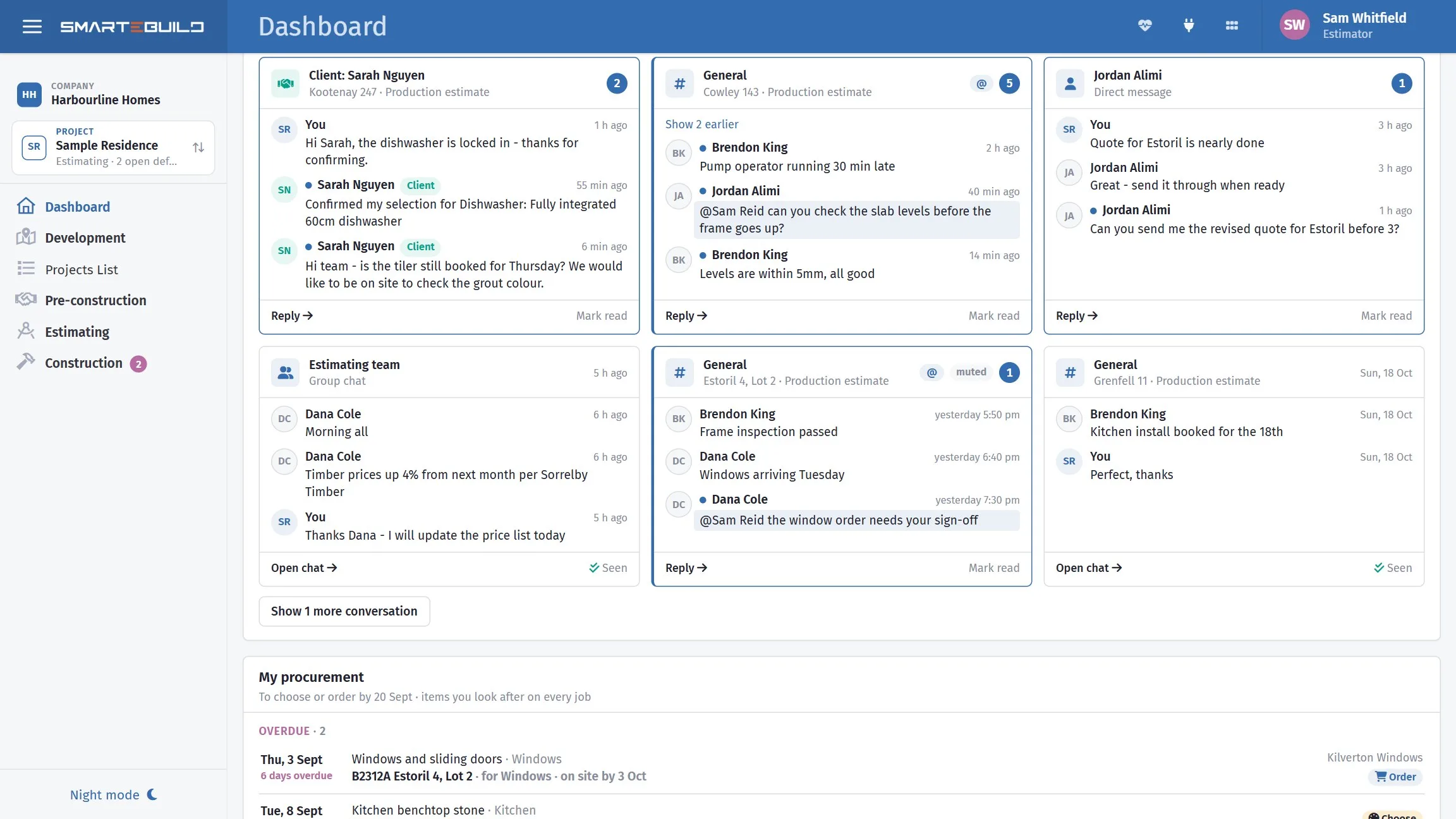
Every other screen asks you to pick a project first. The Dashboard reads every job you have access to and puts the week ahead, the money coming in and the money going out on one screen — and everything on it is a link to the page where that number gets dealt with.
Available on the Estimator plan and above

A red figure is one worth acting on. A quiet week shows six ordinary ones.
Each one takes you to the page where the number gets dealt with, so the dashboard is a to-do list rather than a report.
- Active jobs
- Estimates you can see that are not archived and not finished
- Tasks this week
- Schedule tasks running on any day of this week, on every job
- Overdue tasks
- Past their finish date and not marked complete
- Invoices overdue
- Supplier invoices past due, with the total including GST
- Awaiting approval
- Variations the client has not accepted, and unapproved orders
- Open defects
- Defects not yet marked fixed
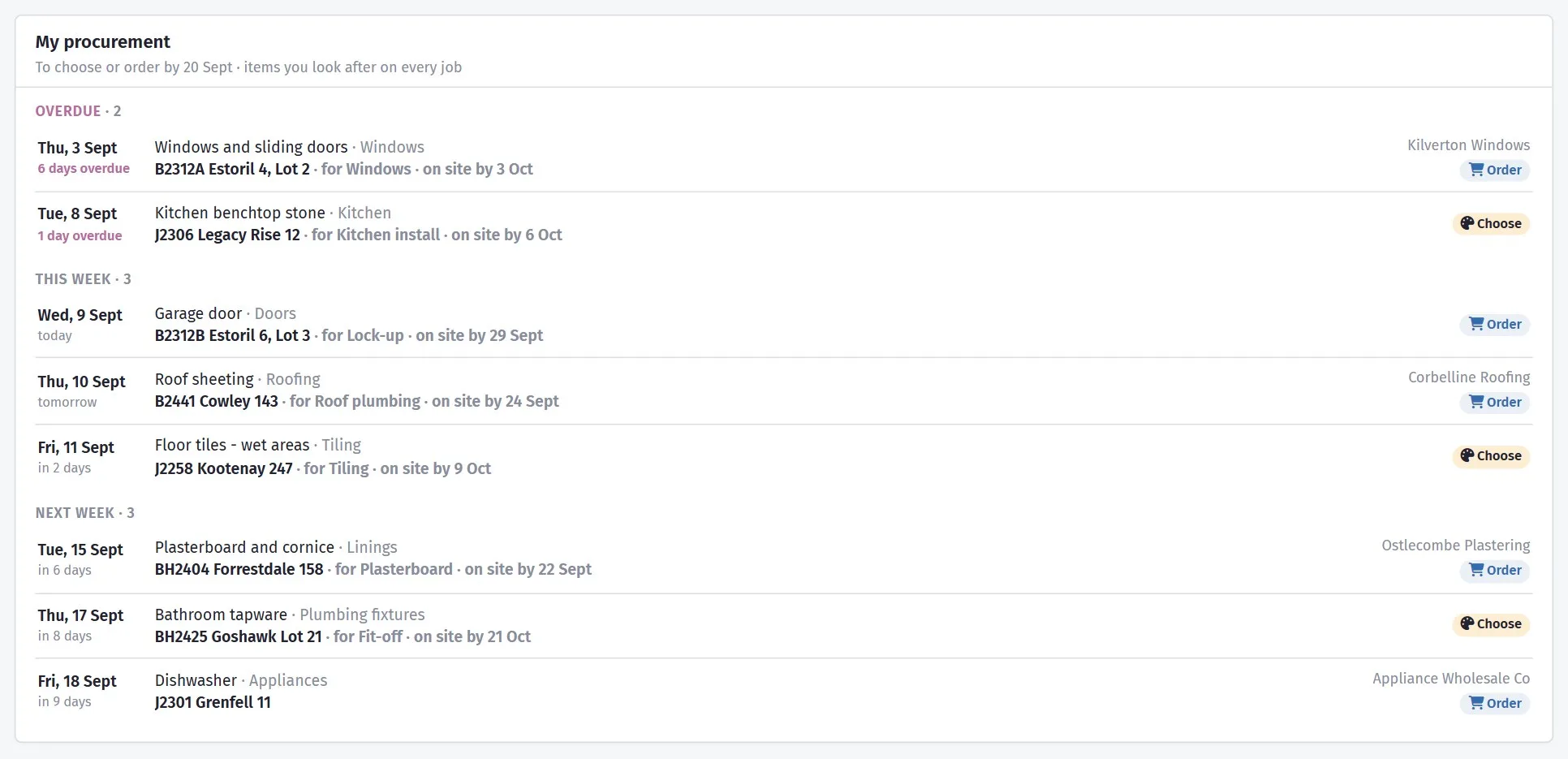
The dates that cost you money if they pass unnoticed
Builders on the Developer plan who have the Development section get one more card: approvals, consents and buyers' sunset dates across every development, in two groups with a count each — Needs action and Coming up — and every line gives the date with how near it is.
On any other plan the card is not there at all, and Customise shows it as not available. It is the one part of the Dashboard the free trial does not reach.
It puts you back where you were, not at the front door
The last five projects you opened, each with the page you were last on in it. Clicking one takes you back to the Bill of Quantities, or the Purchase Orders, or the Schedule — with the estimate you had selected — rather than dumping you back on the project page to navigate in again.
The list is yours. Two people in the same company see their own, because you are not working on the same jobs on the same day.
Next claim dates
The five contract stages coming up soonest across all your jobs that have not been claimed in full, with the amount still to claim.
Where a stage is linked to a schedule task, the task's finish date is used instead — so the list moves with the programme rather than with a date someone typed in at contract signing.
Underneath, a count of stages whose date has passed without a full claim. That is money sitting on the table, and it is the number most builders find first.
Twelve weeks of green bars and red bars
Expected income from unclaimed contract stages against supplier invoices by their due date, both including GST. It is not a forecast model — it is what you have already committed to and what you are already owed, lined up week by week.
A closer look at the dashboard
The week, the claims, and the twelve weeks after that.


What it connects to
Nothing in SmarteBuild is an island — that is the point of it. Dashboard reads from and feeds into these.
-
Schedule & Gantt
Plan the build, move a date, and see what shifts with it
-
Progress Claims
Claim by percentage or by stage, variations included, and track payment
-
Cash Flow
What the job costs you and when, projected across the programme
-
Projects & Estimates
Contract stages, markups and the numbers behind every job
Want the detail?
The help centre documents Dashboard step by step, with worked examples — written for people using it, not for a brochure.
Start with one job and see
Try the whole thing free for 30 days. No credit card to start, and no lock-in contract.