
AI-assisted estimating and construction management software that doesn't stop at the estimate
Price the job, run the job, and get paid for the job — in one system, built in Australia.
One bill of quantities carries through to your orders, your programme, your claims and your variations — so nothing gets retyped, and nothing gets lost between them.
Free 30-day trial. No credit card, no lock-in contract.

Most software makes you enter the job four times
Estimate in one tool, order in another, claim in a spreadsheet. Every hand-off is a chance to lose a number. SmarteBuild keeps one job in one place, from first take-off to final claim.
-
1
Estimate
Measure off the drawings, build the bill of quantities, and price it against your own rates.
-
2
Buy
Raise purchase orders straight from the BOQ. Nobody retypes a quantity or a rate.
-
3
Build
Programme the job, call the trades forward, and record what each invoice actually costs.
-
4
Claim
Claim progress and variations against the same contract the estimate created.
The AI does the typing. You make the call.
Plans, quotes, bills, price books and site photos are what eat a builder’s evenings. The AI in SmarteBuild reads them and drafts the answer inside the job you already have, so what it finds lands where it belongs, ready for you to check.
-
Draft the take-off
A first draft of the whole take-off from the plans, each quantity marked Sure, Check or Guess for you to accept or fix.
-
Ask about a cost code
What usually goes in it, what is missing, whether the rates look right. It suggests the items; you add them.
-
Final check
A last read of the whole estimate before the price goes out: work nothing pays for, the same work under two names.
-
Read and check quotes
A subcontractor’s PDF typed into quote lines for you, and what each quote leaves out, listed side by side.
-
Find local businesses
New trades and suppliers near the job, for when your own list runs short.
-
Read a supplier’s bill
A scan or a phone photo of a bill turned into an expense, every line with a suggested cost code.
-
Update prices from a price book
A supplier’s new price list read in, old price beside new, and applied only when you say so.
-
Ask the job
What is owed this month, which claims are unpaid, what is over budget, answered from the job’s own figures.
-
Write up a site photo
A photo turned into a diary note, a safety issue, or a defect with the photo attached.
Nothing the AI drafts counts until you accept it, and it can be wrong, so check it before you rely on it. It runs on prepaid AI credit, A$55 a pack including GST: every new account gets three take-off drafts free, and A$10 of credit with its first subscription payment. Everything else in SmarteBuild works without it. Watch the AI videos
Built for builders who have outgrown the spreadsheet
SmarteBuild is for Australian residential and small-commercial builders — usually a team of 3 to 15, with someone pricing in the office and someone running the site. If this sounds like your week, it was built for you:
- The estimate lives in a spreadsheet only one person really understands
- Progress claims and variations get written up in Word
- Nobody can say what a job has committed until the invoices arrive
- You find out a job lost money after it has finished
Also a fit for
Estimators, quantity surveyors and trades who price work for builders. The Estimator plan covers take-off, the bill of quantities and tenders on its own.
Probably not a fit for
High-rise and large civil projects. SmarteBuild is designed around houses, renovations, units and small commercial jobs, and it is better for staying that way.
Measure off the drawings once. The estimate keeps up on its own.
Open the architect's PDF, set the scale, and measure on screen. Each measurement becomes a field your bill of quantities reads from — so when the drawing changes, every quantity that used it follows.
And if the designer has modelled it, you do not have to measure it off a picture of it at all. Open the IFC — Revit, ArchiCAD, Vectorworks all export one — and the walls, slabs, doors and rooms come with their own quantities, ready to send to a field.


The model, or the drawing — measured the same way either side.
Price the job with your own rates, not someone else's averages
Measure straight off a PDF, build the bill of quantities, and cost it from price lists you control. Send tender packages to your trades and compare what comes back, side by side.
- Take-off from PDF drawings, with quantities feeding the BOQ
- Your price lists and products, kept current across every job
- Tender packages out, quotes back, compared properly
- Reusable cost code structures, so job two starts faster than job one
- Works in a browser, on the laptop or on your phone

Know what the job has committed before the invoice arrives
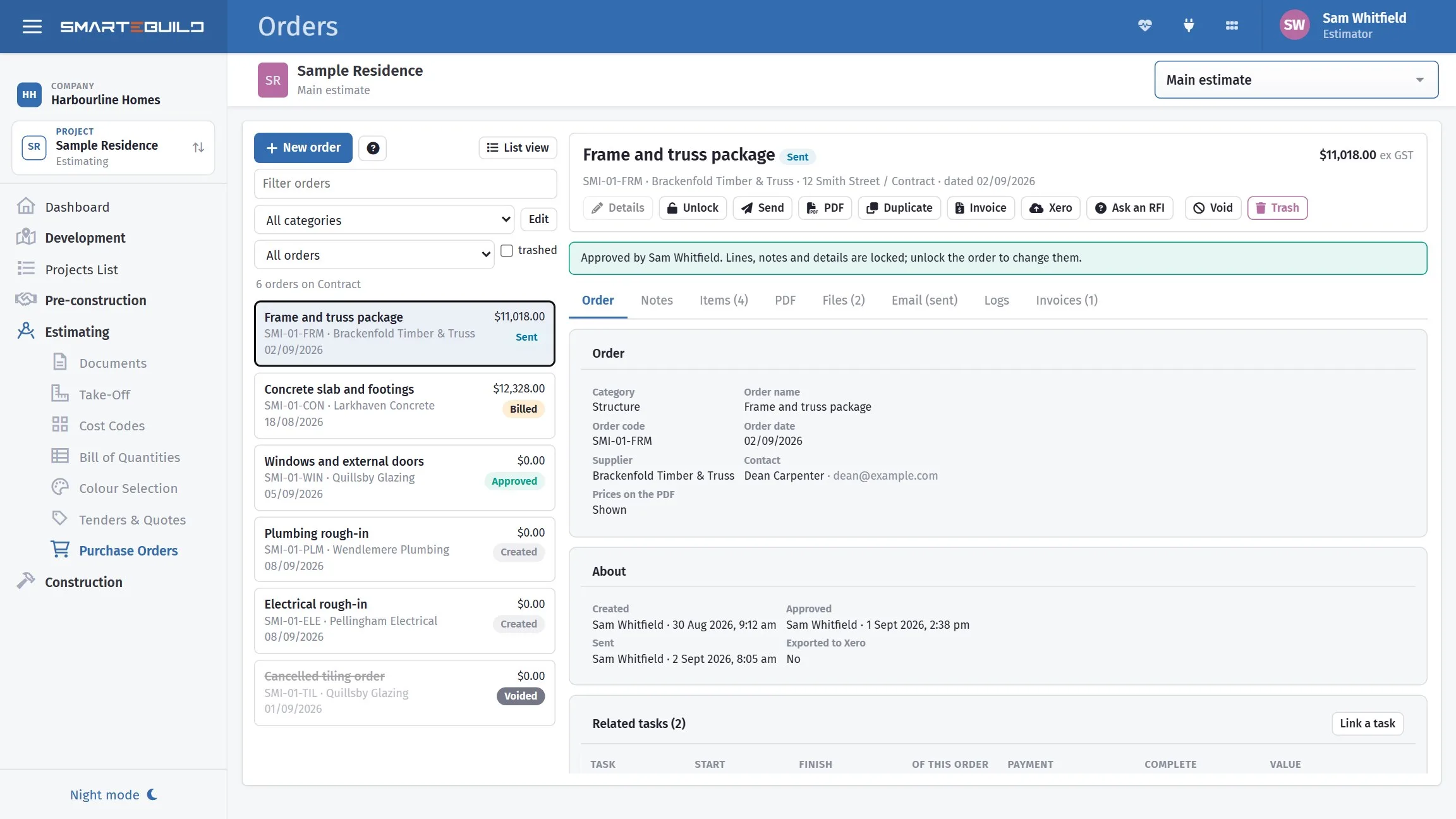
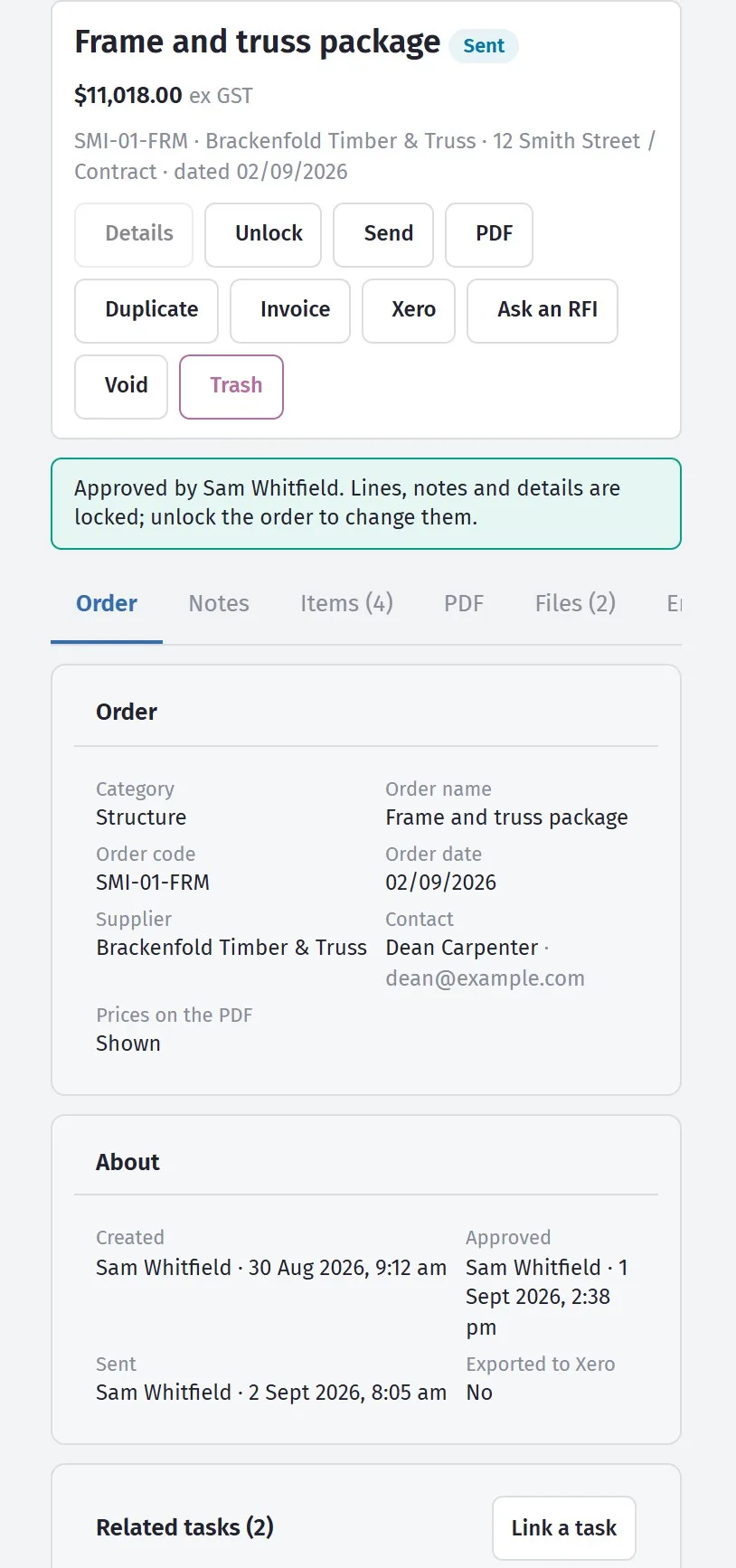
Orders come off the BOQ, invoices match back to the orders, and cost-to-date sits against the budget you set at estimate time. Variations and progress claims run off the same contract.
- Purchase orders raised from the BOQ and emailed from inside the software
- Invoices matched to orders, with committed versus actual on every cost code
- Variations priced, approved and carried into the contract sum
- Progress claims by percentage or stage, with variations included
- Call-up sheets so no trade gets forgotten in the week ahead
- Xero integration, so the accounts are not a second data-entry job

Built for how Australians actually get paid
A job priced right can still lose money if the claims go out late or the variations never get charged. So the claims, the variations and the allowances all run off the same contract the estimate created.
Claims by contract stage
Deposit, base, frame, lock-up, fixing, completion — each a set percentage of the contract sum, the way domestic building contracts here are written. Raise the next claim the day the stage is done, not at the end of the month.
Variations that get charged
Priced, sent to the client to approve, and added to the contract sum — so the extra work turns up on the next claim instead of being forgotten by handover.
PC and PS allowances
When the client picks tapware above the prime cost allowance, the difference becomes a variation for them to approve, not a cost for you to absorb.
What's owed, on one screen
The dashboard shows the next claim due on every job and which invoices are overdue, so money does not sit unclaimed because nobody looked.
The estimate is the easy half
Money is only part of a build. The rest is what happened on site on Tuesday, who was there, what got signed off, and what you told the client — and that is the half that decides an argument two months later.
-
Leads
Every enquiry in one pipeline with a next action against it, then one step from enquiry to a priced project.
-
Site Diary
Who was on site, what arrived, what held things up — with the weather recorded against the day for you.
-
Timesheets
Hours clocked on site, approved once at a desk, then costed onto the job they were actually worked on.
-
Checklists & Safety
Pre-pour and handover checks signed off with photos and a timestamp, and an incident register behind them.
-
Messages
The job conversation attached to the job, with every photo landing in that project’s documents.
-
Client Portal
One page for your client: documents, selections, variations to approve, claims and progress photos. Never your margin.
-
Dashboard
Every job on one screen — the week ahead, the next claims, overdue invoices, and what needs you today.
Every one of these is filled in on a phone, on site, by the person standing in front of the work — because a diary written up on Friday is not a diary, and hours remembered on Friday are wrong in a predictable direction. See all 30 modules
On the desk, and on the site
The same job, whether you are pricing it in the office or checking an order from the slab. Nothing to install on the desk — and the site app is on Google Play.

Designed with builders, not just for them
SmarteBuild was built in consultation with more than 100 Australian builders and in collaboration with teams from the Queensland University of Technology. The workflow follows how a residential job actually runs, because that is where it was drawn from.
Australian, and built that way
- BrisbaneBuilt and supported from East Brisbane. A real phone number, answered weekdays.
- Hosted in AustraliaYour files and job data sit on Australian servers. Connect Xero or Microsoft 365 and that data goes where those services run — the privacy policy lists exactly where.
- ABN 29 630 324 006BREINZ PTY LTD, trading as SmarteBuild.
- Built for Australian practiceProgress claims, variations and retention the way they actually work here.
What users say
Reviews collected on Capterra.
“This software was extremely easy to setup… SmarteBuild has pleasantly surprised me. The couple of times I contacted their customer support I was quickly assisted and it's always a pleasure to deal with them.”
“I have found this program very easy to implement and use, and easy to train subordinates to understand and use. This program has given us an edge in the bidding process and has kept costs in check in the completion of ongoing projects.”
“With SmarteBuild we can efficiently and quickly cost our jobs, send orders, and track our expenses and performance. It's an essential tool to grow and save time and money.”
Send us the drawings. We'll do the take-off.
Pick a job you are pricing now and send us the plans. We will do the take-off and the bill of quantities for you, free, within two working days — ready to price with your own rates.
One job per builder, residential or small commercial. PDF drawings, attached or as a download link. No obligation — the bill of quantities is yours either way.
Start with one job and see
Try the whole thing free for 30 days. No credit card to start, no lock-in contract, and you can change or cancel your plan whenever you like.