
Set up once, at company level, then used by every job you ever run
Suppliers are not job data. Your concreter is the same concreter on the next twelve jobs, with the same terms and the same contact. SmarteBuild holds them once for the company, and every module that needs a supplier reads from that one list.
Available on the Estimator plan and above
Five modules, one list
This is why the supplier field on a BOQ item is worth the two seconds it takes. Almost everything downstream depends on it.
- Bill of Quantities
- An item with a supplier attached knows who it is being bought from.
- Tenders
- Recipients are picked from your supplier list, not retyped each time.
- Purchase Orders
- Items with the same supplier collect into one order automatically.
- Expenses
- An invoice is recorded against a supplier you already hold.
- Price Lists
- Rates belong to a supplier, so they can be kept current per company.
The list is only as good as its duplicates
Three records for the same timber merchant — one from an import, one somebody typed, one with a typo — and your committed-cost-by-supplier report is wrong in a way nobody notices. Suppliers can be imported in bulk and merged when duplicates appear.
It is worth a tidy-up early. A supplier list built carelessly on job one is still wrong on job forty, and by then it has orders and invoices attached to all three versions.
Suppliers Network
Beyond your own list, SmarteBuild connects builders with suppliers who publish their products and rates into the system — so an estimator can price from a real product at a real price rather than waiting on a quote.
Know before a certificate lapses, not after
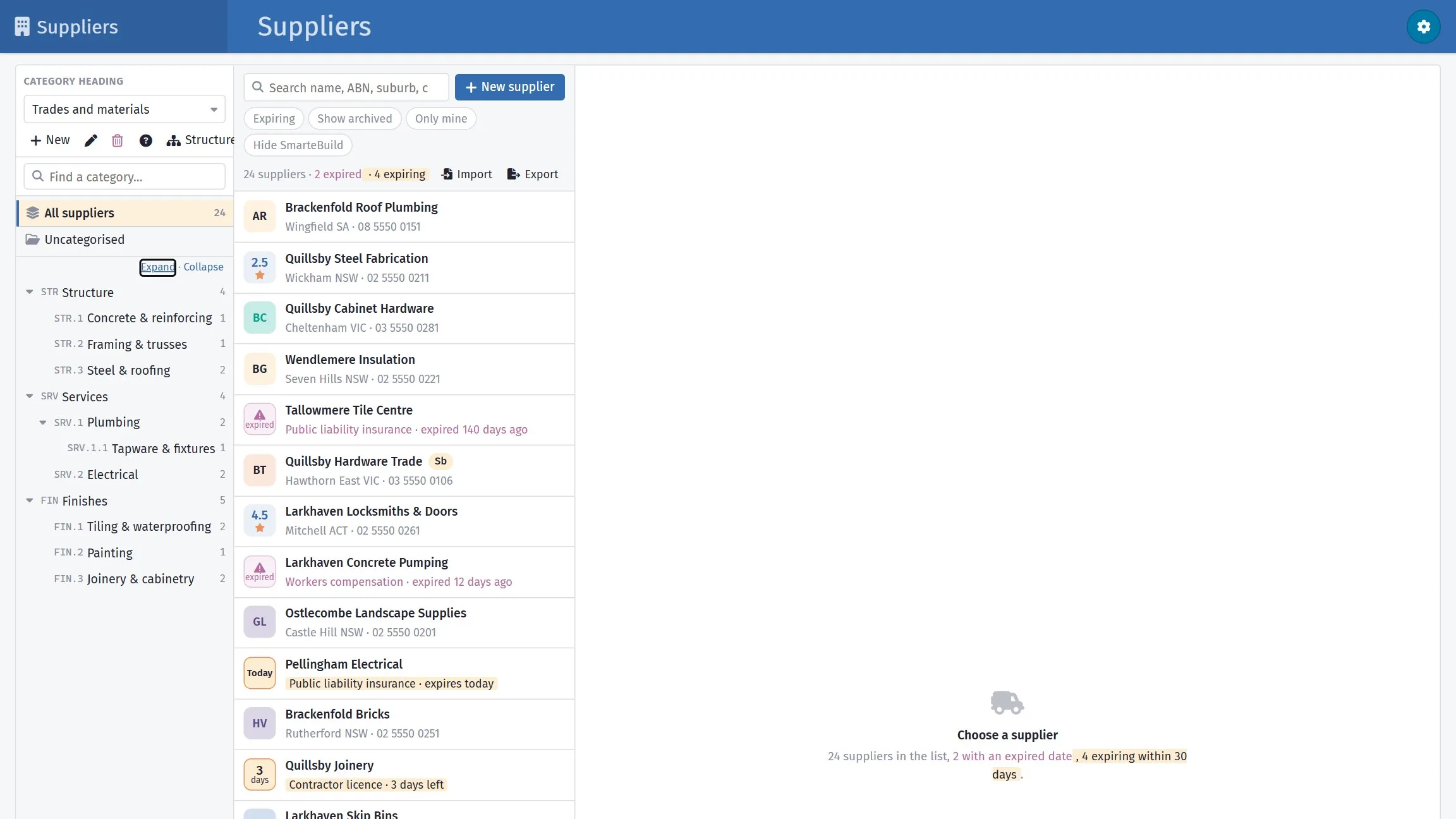
A subbie whose public liability ran out last month is your problem the day something goes wrong on site. Each supplier carries the dates you track — public liability, workers compensation, contractor licence — with the certificate attached to each.
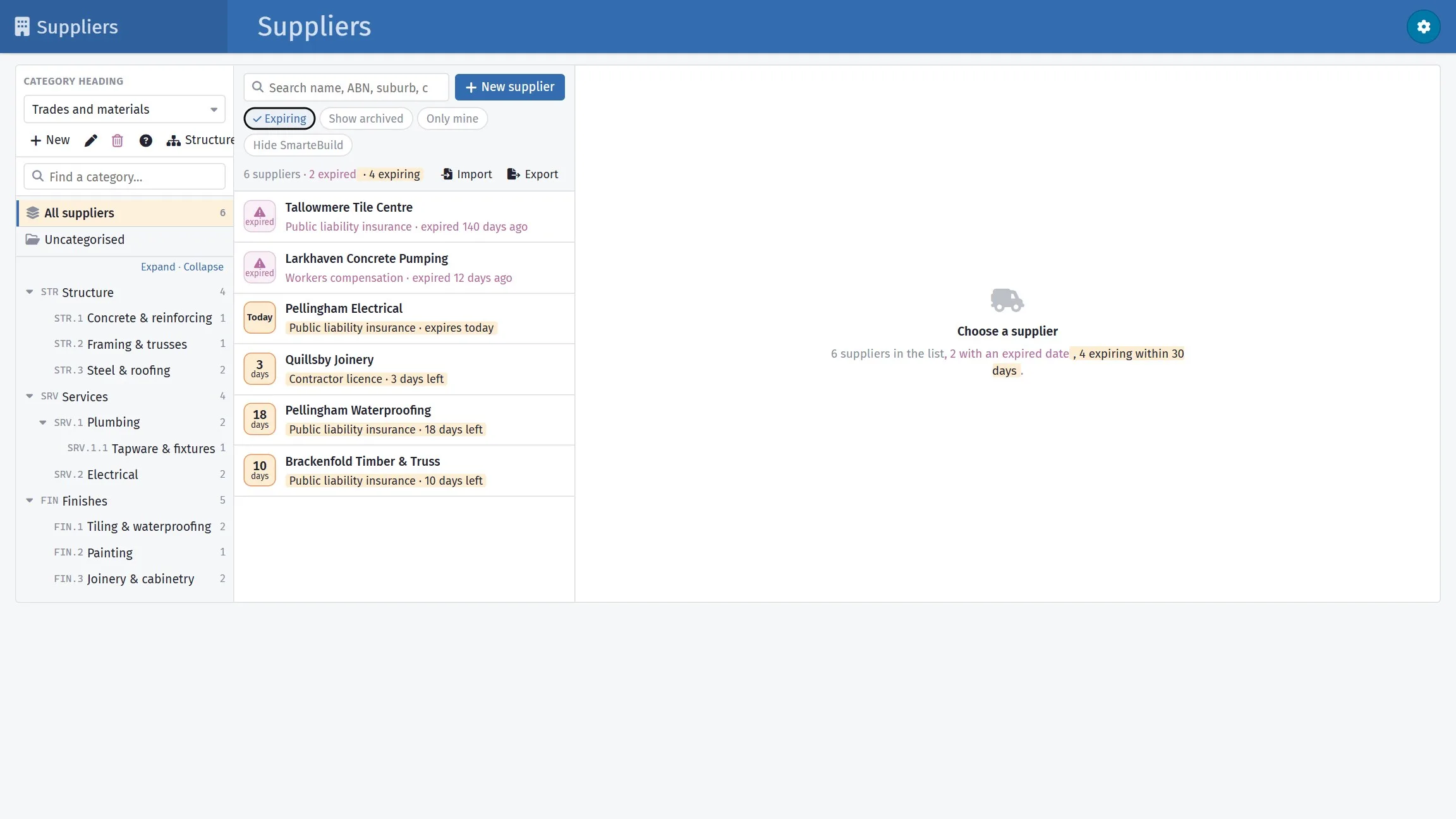
The list warns you from 30 days out, and the Expiring filter shows everyone who needs chasing in one go. You choose which dates to track; they apply to every supplier.
What the list shows
- Expired
- A date has passed
- Today, or 12 days
- Runs out within 30 days
- ★ 4.5
- Nothing due — the supplier's average rating
The payoff shows up at order time
Items carrying a supplier collect into an order for that supplier, addressed to the right contact, with the right terms, at the right delivery address — without anyone assembling it. That is the whole return on filling the field in properly.
A closer look at suppliers
The list, a record on it, and keeping it clean.


What it connects to
Nothing in SmarteBuild is an island — that is the point of it. Suppliers reads from and feeds into these.
-
Purchase Orders
Raise orders straight from the BOQ and send them without re-keying
-
Tenders
Build a trade package, invite subbies, compare what comes back
-
Price Lists & Products
Your own rates, kept current, ready to drop into any estimate
-
Expenses & Invoices
Match invoices to orders and watch cost-to-date against budget
Want the detail?
The help centre documents Suppliers step by step, with worked examples — written for people using it, not for a brochure.
Start with one job and see
Try the whole thing free for 30 days. No credit card to start, and no lock-in contract.