
You know what your wages bill was. Do you know which job absorbed it?
Most builders can tell you last month's wages to the dollar and almost nothing about how it split across their jobs. Timesheets capture hours on site, hold them as drafts until someone approves them, then post approved hours at each person's rate onto the job they were worked on.
Available on the Builder plan
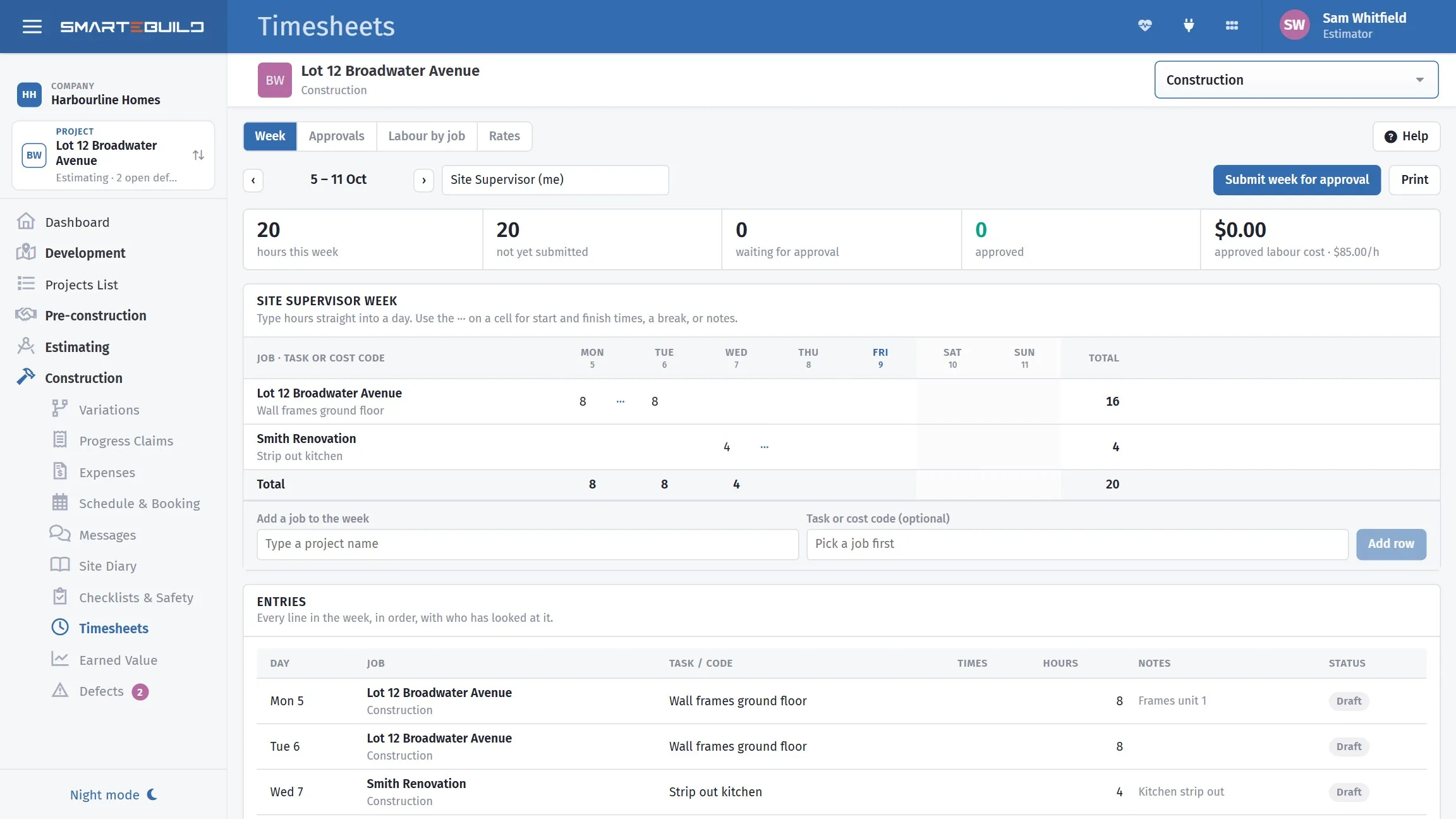
Clocking in is cheap. Approving is where it becomes money.
The draft-and-approve split is what makes this workable on a real site. Nobody commits a cost by tapping a button, and somebody looks at the week before it turns into dollars on a job.
-
1
Hours are captured
Clocked in and out on site, on the phone, against a job.
-
2
They sit as draft
Visible, editable, and costing nothing yet.
-
3
They are reviewed and approved
At a desk, in the Approvals tab, once a week.
-
4
They become labour cost
Approved hours × the person's rate, posted against that job.
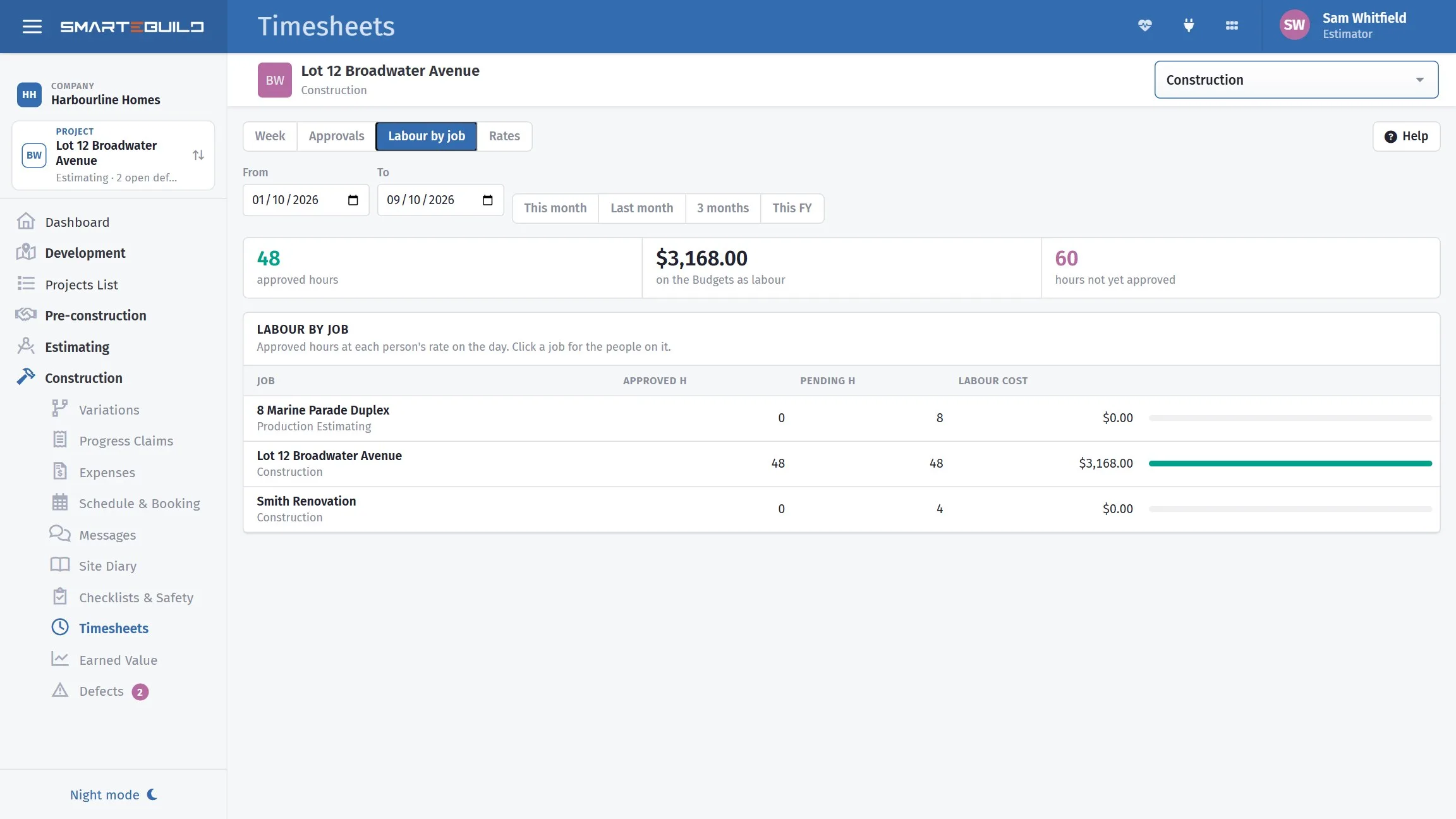
A supervisor who covers four jobs is four numbers, not one
Without the split, labour is a business overhead: you know it cost $8,400 and nothing about which job absorbed it. With it, every job carries its real labour cost, and cost-against-budget finally includes the largest cost most builders never allocate.
It also feeds back into estimating. Three jobs where framing labour ran twenty per cent over the allowance is a rate that needs changing — and you cannot see that unless the hours were costed to jobs in the first place.
The four tabs
- Week
- The week's entries, by person
- Jobs
- Labour by job — where the hours actually went
- Rates
- What each person costs per hour
- Approvals
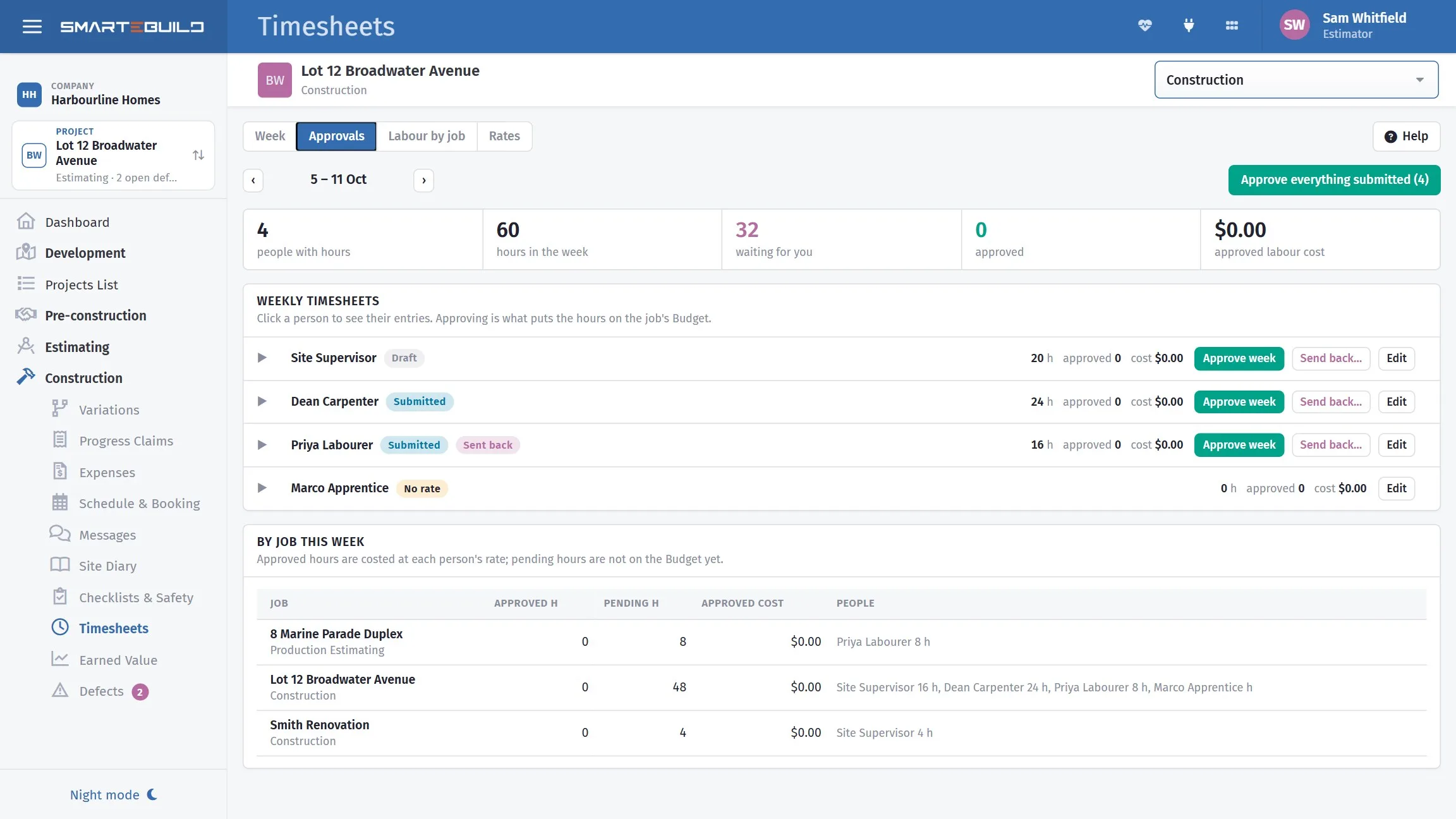
- Reviewing and approving draft entries
Hours reconstructed on Friday are wrong in a predictable direction
Round numbers, forgotten short visits, and the half-day nobody can place. Clocking in on the phone takes one tap and produces an actual time.
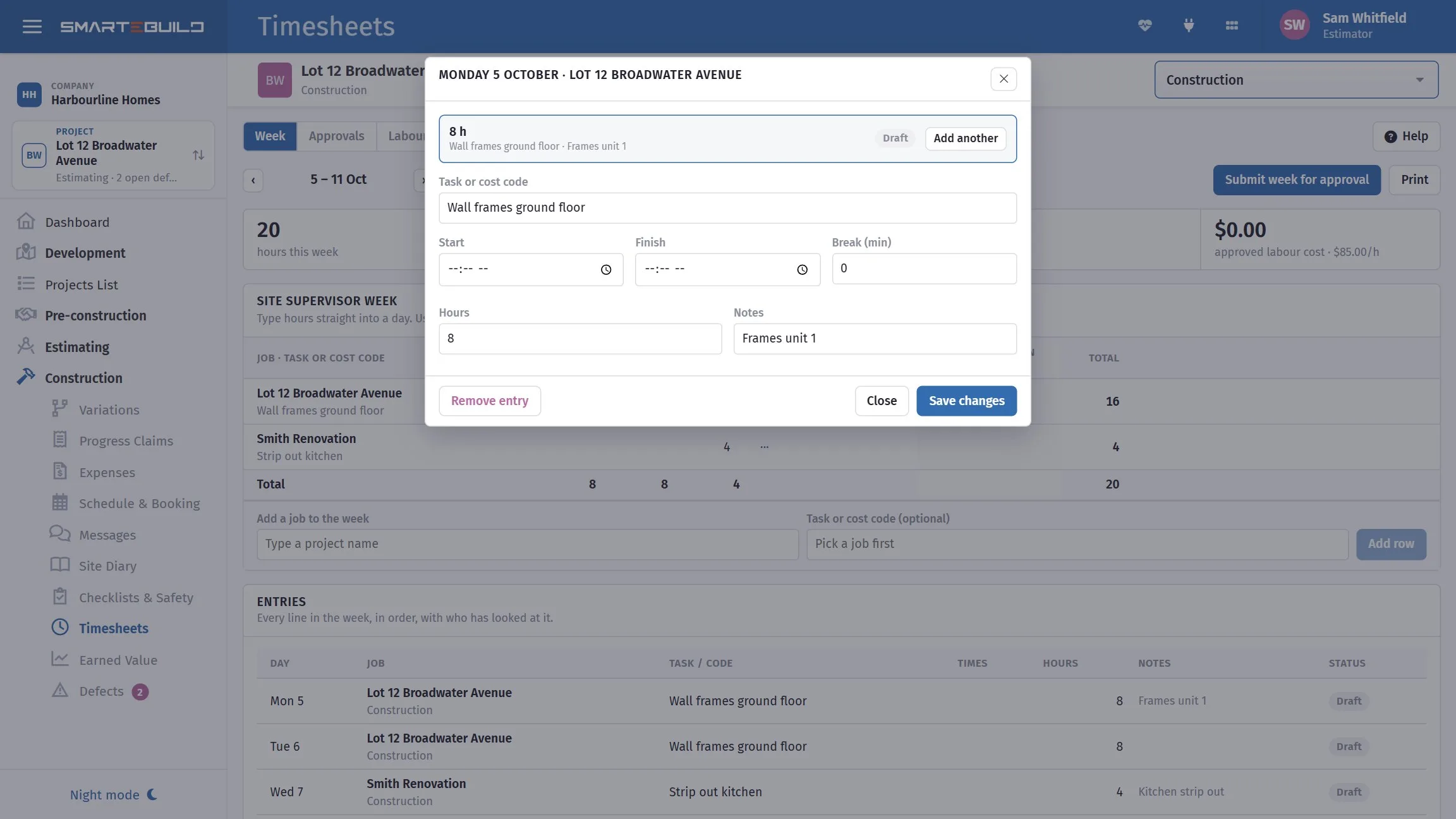
A closer look at timesheets
The week, the jobs, and the gate between them.
What it connects to
Nothing in SmarteBuild is an island — that is the point of it. Timesheets reads from and feeds into these.
-
Mobile & On Site
The job in your pocket, including where reception is poor
-
Expenses & Invoices
Match invoices to orders and watch cost-to-date against budget
-
Schedule & Gantt
Plan the build, move a date, and see what shifts with it
-
Cash Flow
What the job costs you and when, projected across the programme
Want the detail?
The help centre documents Timesheets step by step, with worked examples — written for people using it, not for a brochure.
Start with one job and see
Try the whole thing free for 30 days. No credit card to start, and no lock-in contract.