
The lowest bid is usually the one that excluded the most
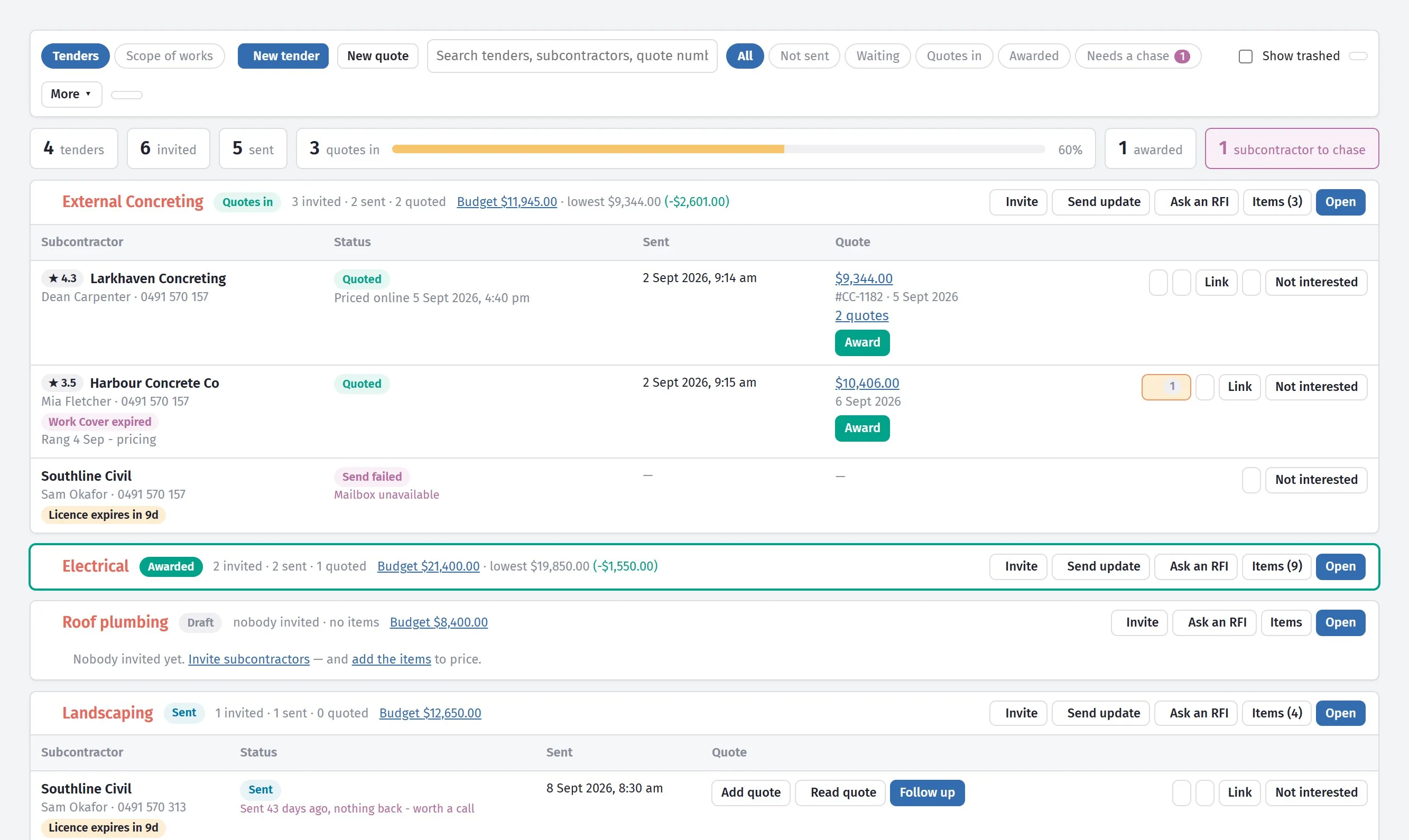
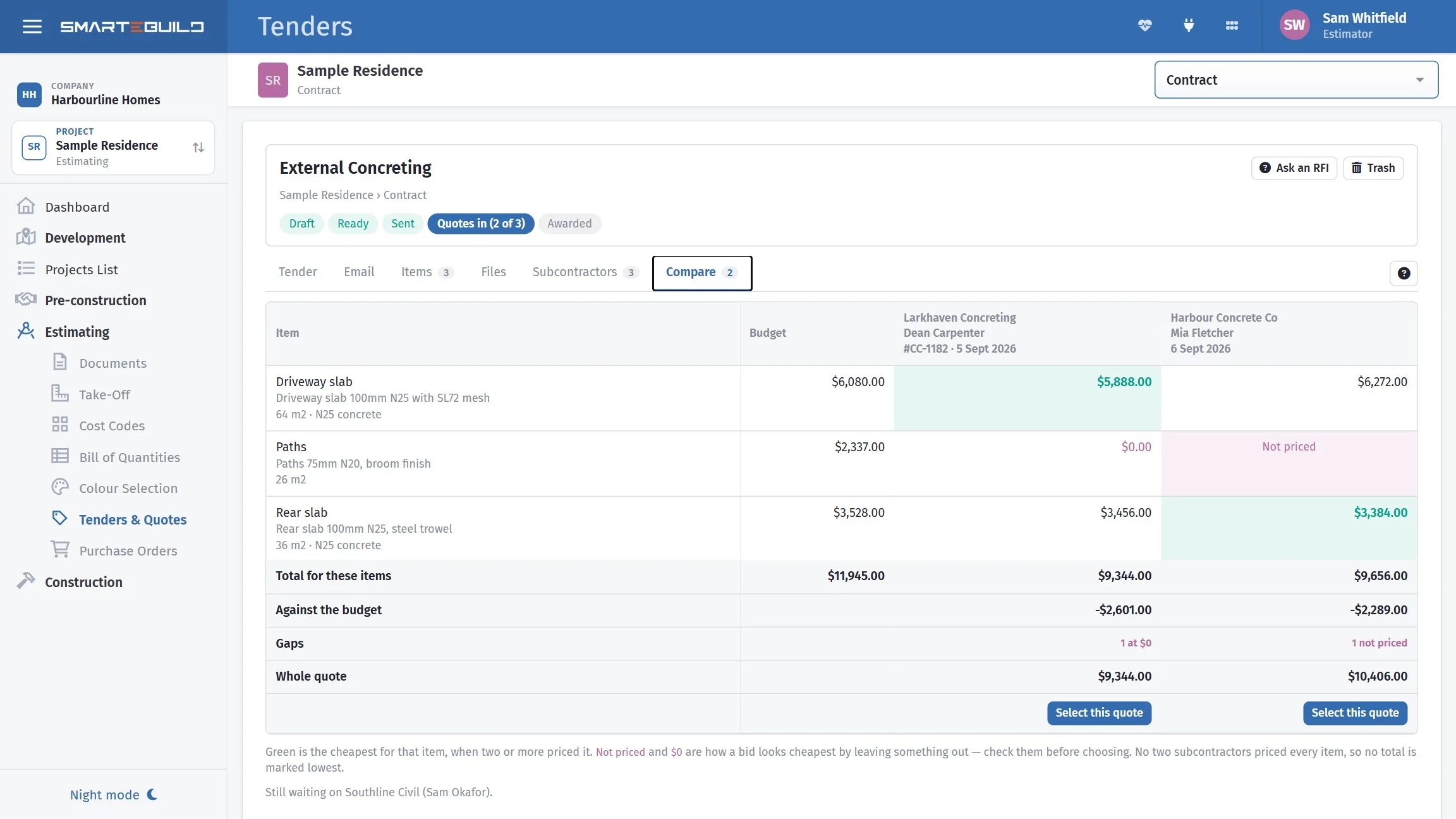
Comparing subcontractor prices is not arithmetic, it is checking they priced the same work. SmarteBuild sends one package to every trade, keeps a record of exactly what each of them received, and lays the bids side by side so the gaps are visible before you award anything.
Available on the Estimator plan and above
A distinction that runs through the whole module
A tender is a package of work you send out for pricing. Each subcontractor you send it to gets a bid — their own copy, which they price and return.
Because they all come from the same package, they are comparable by construction. You are never trying to line up three PDFs that describe the scope three different ways.
What a tender carries
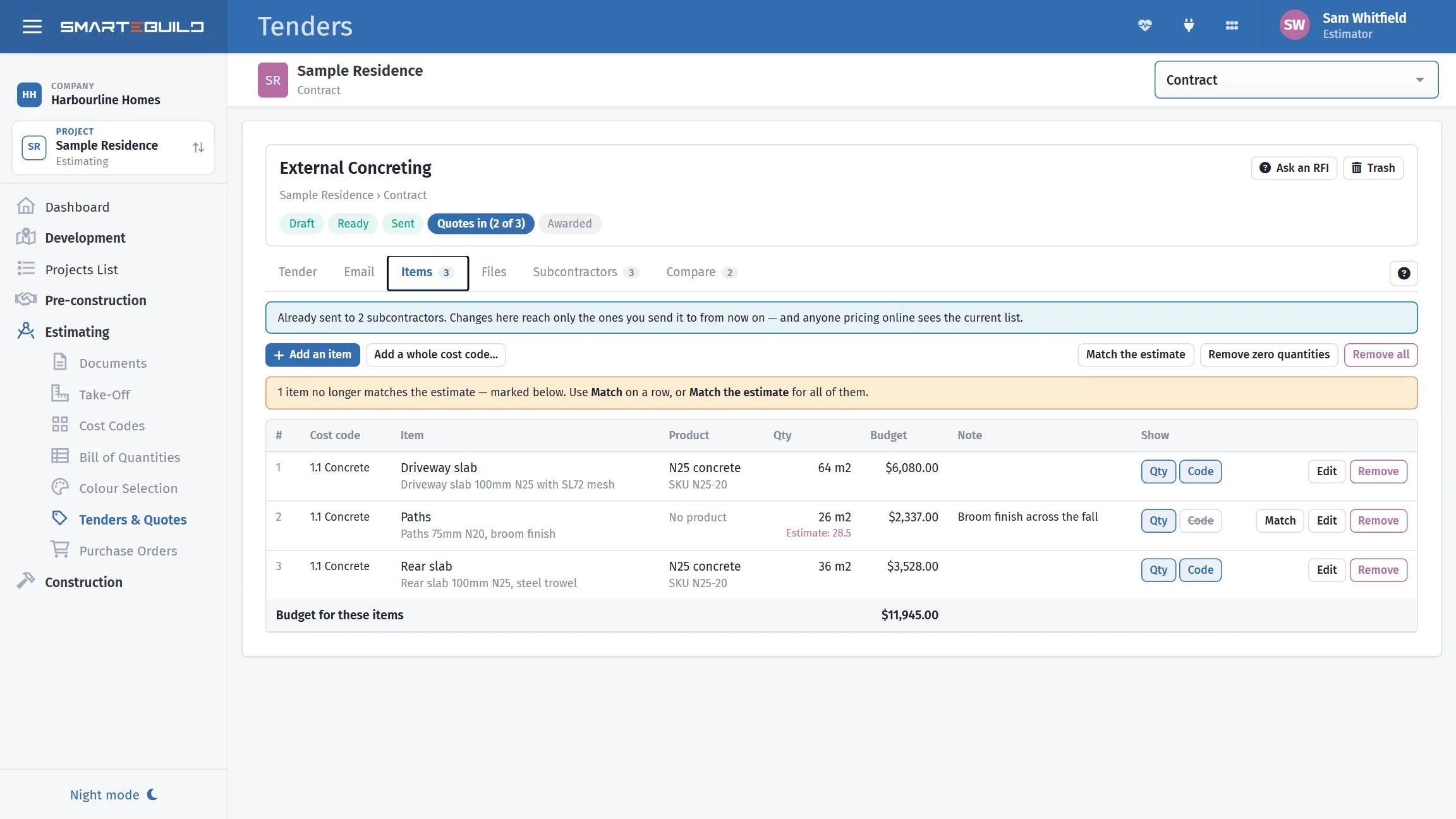
- Items
- The BOQ items the package covers
- Recipients
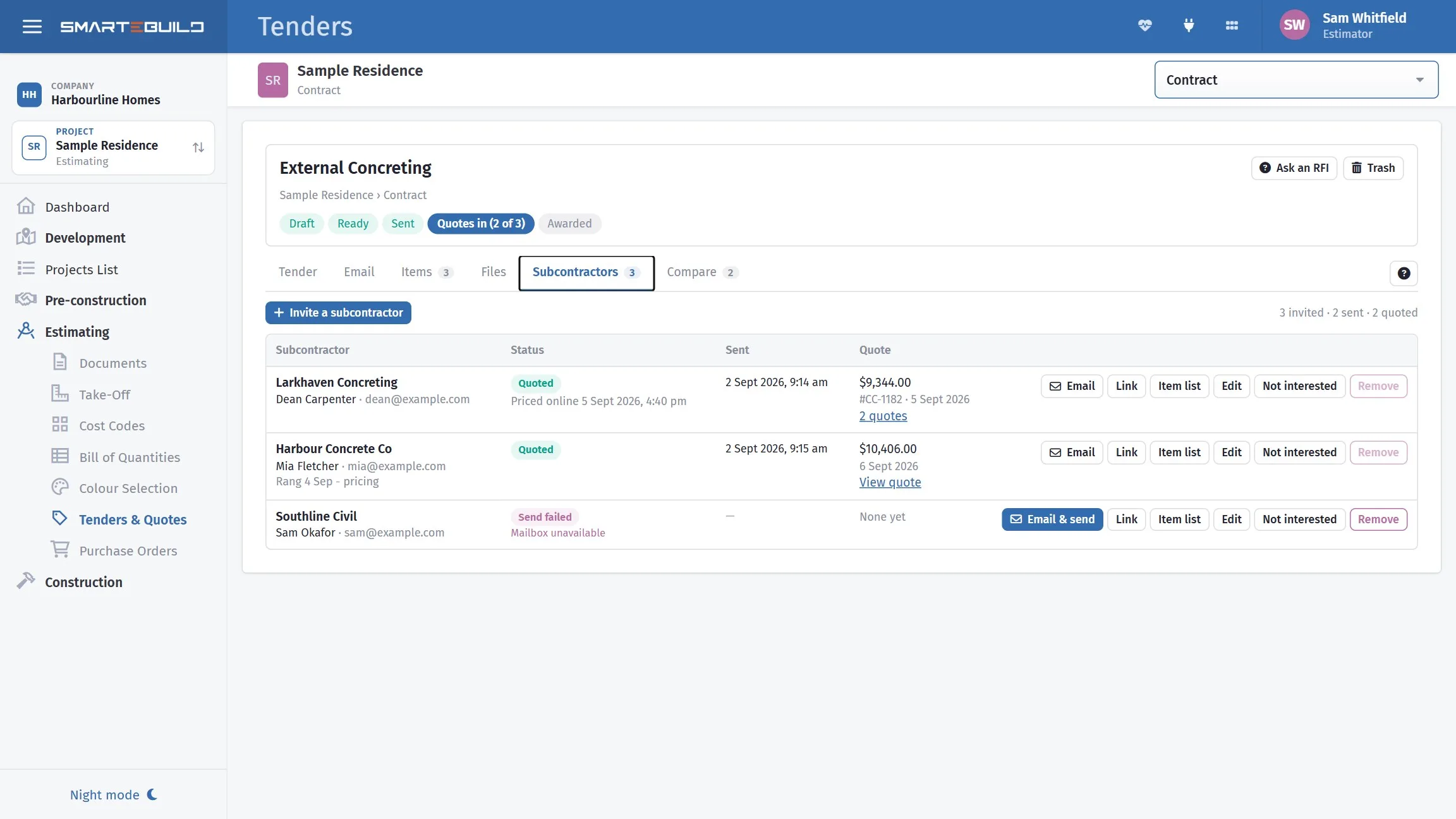
- The suppliers invited to price it
- Scope of works
- The trade’s scope, issued as a numbered PDF
- Attachments
- Drawings, specifications, site information
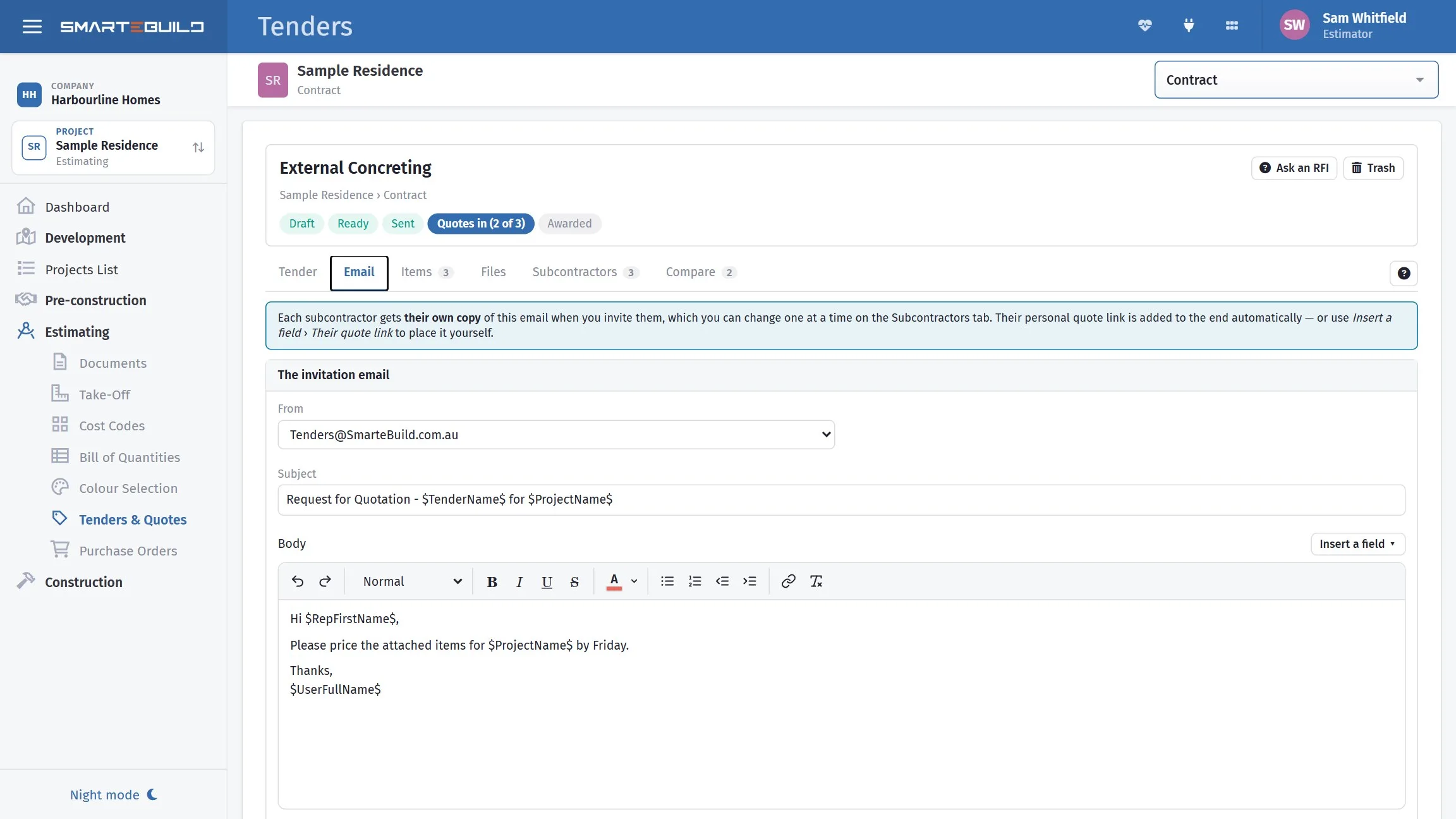
- The subject and body sent with each invitation
- Label and note
- Your own reference, and internal notes
The cheapest is not always the cheapest
Three bids for a roofing package. The one that looks cheapest is not, and the reason is not dishonesty — it is a subcontractor pricing exactly what they read.
What came back
| Bidder | Total | Notes |
|---|---|---|
| A | $17,240 | All items priced. Excludes scaffold. |
| B | $18,600 | All items priced. Includes scaffold. |
| C | $16,900 | Sarking not priced. Excludes scaffold and edge protection. |
C looks cheapest. Add the missing sarking at around $1,400 and C is $18,300 — and it still excludes edge protection.
Comparing like with like
Scaffold is $1,900 if you supply it. Put every bid on the same footing and the order changes:
| Bidder | Comparable total |
|---|---|
| A | $19,140 |
| B | $18,600 |
| C | $20,200 + edge protection |
B was the highest number on the page and is the cheapest bid.
Say what the price has to cover
Bidder C did not leave out the sarking to catch anyone out. Nobody told them it was theirs. A scope of works is where you tell them: your standard scope for the trade, ticked for this job, issued as a numbered PDF and attached to the tender — so it goes with every invitation and sits on the subcontractor's pricing page.
When a price comes back
A subcontractor prices your package on their own page — no login, no account. They can attach their own quote on letterhead without losing the prices they have already typed, and the moment they submit, you get an email and a notice on the bell, and on your phone if you use the SmarteBuild app. Nobody has to keep opening the tender to see whether anything has landed.
Give the tender a quotes due by date and it prints on the request for quotation, and their page tells them when you need it back — and, once the day has passed, that it was due. It is a small thing that stops a price arriving the morning after you have already awarded the trade. Setting the due date →
Prices that arrive the old way still count. Record a quote against the tender and it starts with that tender's own items as unpriced lines — you type the figures in beside the work you asked for, so it compares against the other bids line for line instead of sitting outside the comparison as a lump sum.
Five things to check before you compare totals
| Check | Why |
|---|---|
| Every item priced? | A gap makes a bid look cheap. |
| Exclusions? | Read their document, not just the total. |
| Quantities as sent? | A bidder who re-measured may have found something. |
| Conditions? | Payment terms, retention, insurance, minimum call-outs. |
| Prelims and access? | Scaffold, hoisting, cleaning — who is allowing for it. |
“That is not what I priced”
Every bid records who was invited, what they were sent, when it went, and what came back. A price brought into the bill carries a Related bid link, so an item's rate can be traced to the subcontractor who quoted it and the package they were quoting at the time.
When that conversation happens six weeks later, the package they were sent — and the version of the scope they priced — is attached to the job, not sitting in somebody's sent items.
Awarding a quote picks up every line and can write them into the estimate in one go. If you award the wrong one, or the subcontractor pulls out a week later, the award can be undone and the estimate goes back to where it was — which is worth knowing before you press the button on a trade worth sixty thousand dollars.
Templates
Most builders send the same twelve packages on every job, and the covering email says the same thing every time. Save a tender's structure — the wording, the standard attachments, the recipient list — and load it on the next job.
Worth setting up early rather than on job five.
A closer look at tendering
Building the package, sending it, and knowing where each one got to.
What it connects to
Nothing in SmarteBuild is an island — that is the point of it. Tenders reads from and feeds into these.
-
Scope of Works
A standard scope per trade, ticked for each job and sent with the tender
-
Quotes Received
Record what trades quoted and push the winner into the BOQ
-
Bill of Quantities
The costed spine of the job — items, rates, markups and margin
-
Suppliers
One supplier list across every job, with their products and rates
-
Purchase Orders
Raise orders straight from the BOQ and send them without re-keying
Want the detail?
The help centre documents Tenders step by step, with worked examples — written for people using it, not for a brochure.
Start with one job and see
Try the whole thing free for 30 days. No credit card to start, and no lock-in contract.