
Eighty items is only walkable if it is organised by where they are
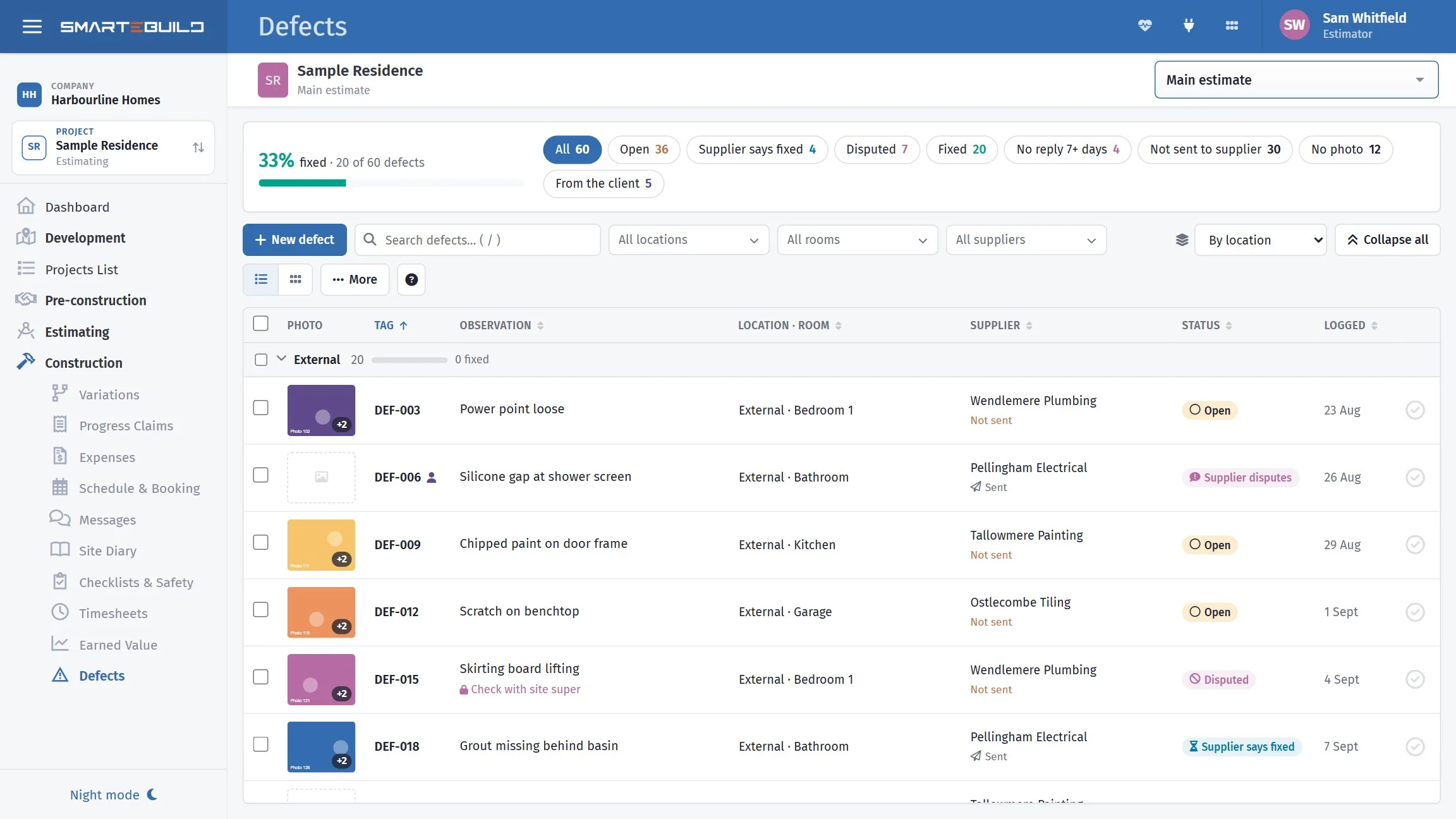
A defect list sorted by trade means walking the house eight times. Sorted by location, it means walking it once. SmarteBuild organises the punch list the way the person fixing it will actually move through the building.
Available on the Builder plan
Use the room names from the drawings
Bed 2 is unambiguous. back bedroom is not — and the person
fixing it was not at the inspection.
Locations and rooms are what turn a list of eighty items into something a carpenter can be handed and work through without ringing you twice.
What a defect carries
- Location
- Where it is
- Observation
- What is wrong
- Supplier
- Who is responsible for fixing it
- Internal note
- Your own comments
- Photograph
- What it actually looks like
A defect list is worth nothing until the trade who has to fix it has it
One email to one supplier, listing their open defects on the job, with a link to a page where they see each item with its photo and tell you when it is done. No login, and it works on a phone.
Only unsent / to chase
One tick selects everything that has never been sent, plus anything sent over a week ago with no answer. That is the Monday morning selection, made for you.
They answer per item
Mark as fixed — their name, a note, and a photo of the finished work. Or Not ours, with a reason. Photos live on the page rather than being attached, because a few phone photos would bounce at most mail servers.
Nothing they do closes it
A supplier's answer shows as Supplier says fixed or Disputed until you have looked. Closing a defect stays yours, which is the whole point of a defect list.
The Supplier notice column shows each defect's last send date — in red with a day count once it is a week old with no answer — and the supplier's reply as a pill. You can see which trade is ignoring you without opening anything.
A list you can actually work through
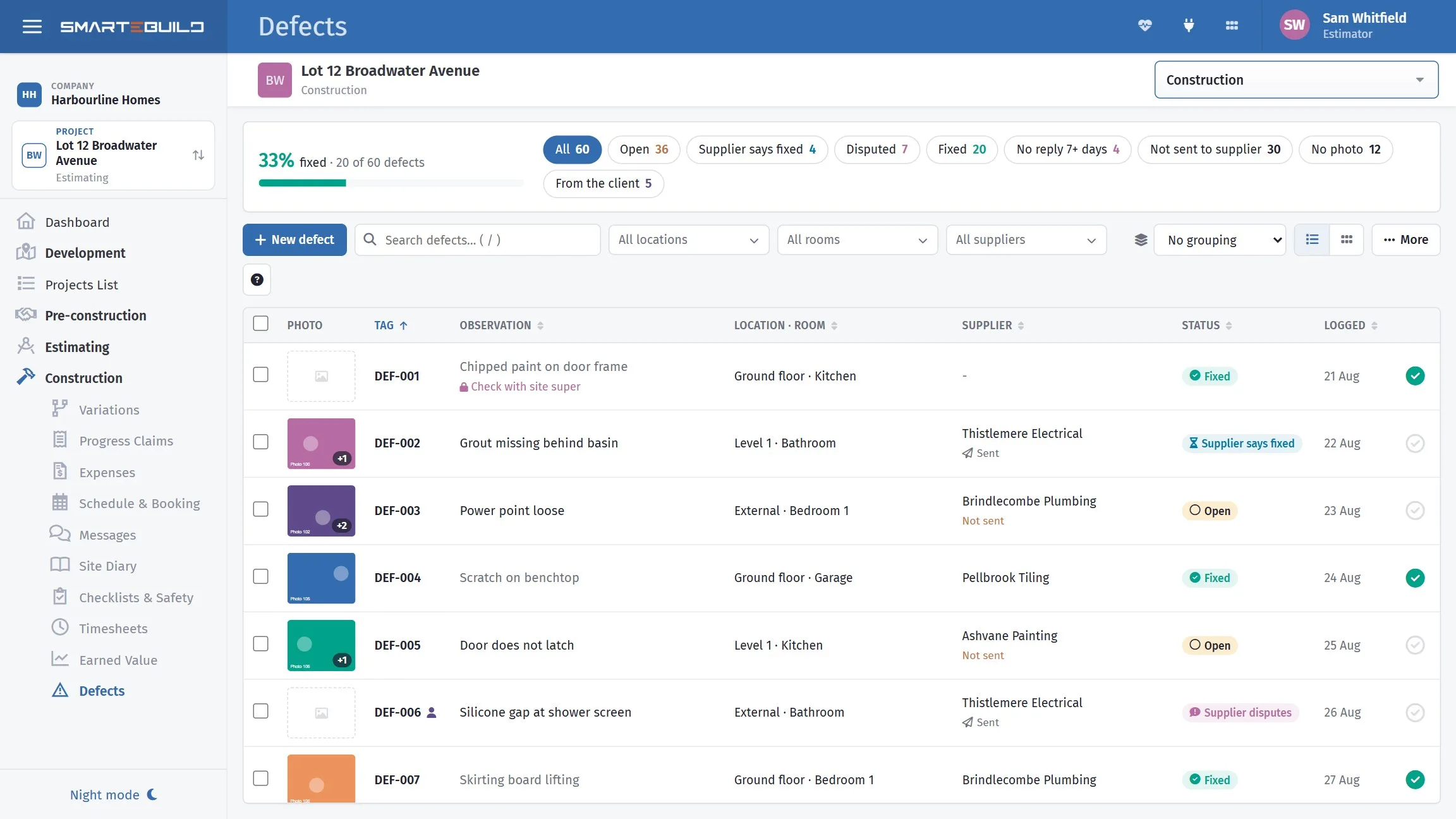
A defect carries a status, and the statuses are the ones that occur in real life. Supplier says fixed means the trade marked it done on the link you emailed them — your cue to check it on site before you tick it yourself. Disputed is either side saying so: you with a reason (not a defect, not in scope), or the supplier pushing back. Fixed stays on the list rather than vanishing, because at handover somebody always asks what happened to it.
The chips along the top show one kind at a time — open, fixed, waiting on a supplier for a week. Group by splits the list by location, room, supplier or status, with how many are fixed in each, which is how you find out that one trade is holding up the handover. Tick several at once (shift-click for a run) to mark them fixed, hand them to a supplier, set a location, or clear them together.
The photos view turns the list into picture cards — the right thing to walk around with when the client is beside you, and the fastest way to show a trade what you mean.
Import the inspector's list rather than retyping it
A building inspector's report arrives as a list. It should go in as a list — not as an evening of typing, and not as a PDF nobody is tracking anything against.
A closer look at defects
Logging one, and closing the list out.


What it connects to
Nothing in SmarteBuild is an island — that is the point of it. Defects & Handover reads from and feeds into these.
-
Schedule & Gantt
Plan the build, move a date, and see what shifts with it
-
Suppliers
One supplier list across every job, with their products and rates
-
Documents & Drawings
One register, proper revisions, formal issue and a record of who has what
-
Projects & Estimates
Contract stages, markups and the numbers behind every job
Want the detail?
The help centre documents Defects & Handover step by step, with worked examples — written for people using it, not for a brochure.
Start with one job and see
Try the whole thing free for 30 days. No credit card to start, and no lock-in contract.