
PMBOK for residential builders: a practical guide
The PMBOK® Guide — the Project Management Body of Knowledge — is the standard reference for project management, published by the Project Management Institute (PMI). It is written for every kind of project: software, mines, hospitals, events. Most residential builders have never opened it, and most of them already do a good part of what it describes. They just call it “running the job”.
So why bother with it? Because the parts of a house job that go wrong are almost always the parts PMBOK has a name for. A missed exclusion in a trade quote is scope. A slab poured two weeks late is schedule. A margin that quietly disappears between the estimate and the final invoice is cost. Naming the areas gives you a checklist — and a checklist is how you find the gap before it costs you $15,000.
This article goes through PMBOK the way a builder would use it, with an example from a house at each step, and says plainly which parts SmarteBuild covers, which it covers in part, and which it does not.
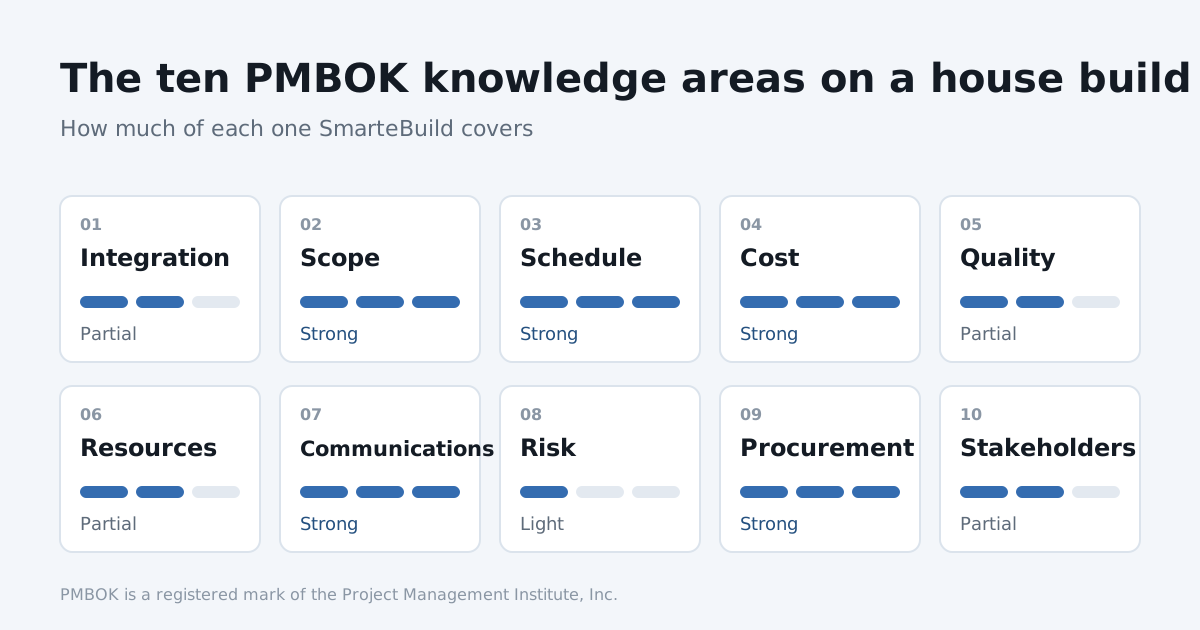
Ten knowledge areas, one house. Every one of them is on this site somewhere.
Which edition?
The edition most project managers learned is the 6th (2017). It splits project management into five process groups and ten knowledge areas. The 7th edition (2021) reorganised the guide around twelve principles and eight “performance domains”, and made room for agile and hybrid ways of working.
For a builder, the ten knowledge areas are still the most useful lens: they line up almost exactly with the jobs on a house build. That is what this article uses.
The five process groups, on a house
Every project moves through the same five stages. On a residential job they look like this:
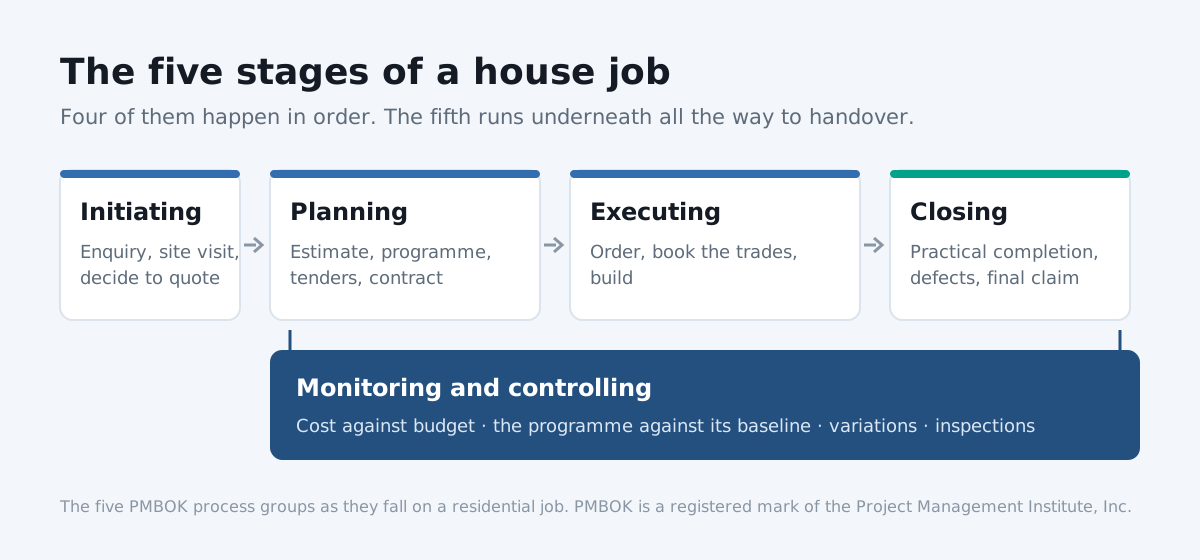
Four stages happen in order. Monitoring and controlling runs under all of them.
| Process group | On a house build |
|---|---|
| Initiating | The enquiry, the site visit, deciding whether to quote it |
| Planning | The estimate, the programme, trade packages, the contract |
| Executing | Ordering, booking trades, building |
| Monitoring and controlling | Cost against budget, the programme against the baseline, variations, inspections |
| Closing | Practical completion, defects, the final claim, handover |
The trap is treating them as a sequence. Monitoring and controlling runs from the day the slab is booked to the day the keys go over. That’s the stage where most money is made or lost.
The ten knowledge areas
1. Integration management
What it means: holding the whole job together — one plan, one record, and a proper way to change it. PMBOK’s centrepiece here is integrated change control: nothing changes without being recorded, priced and approved.
On a house: the client wants a bigger window in the kitchen. If that goes onto the job as a phone call, the window supplier, the framer, the estimate and the contract price all drift apart.
In SmarteBuild: every job lives in one place — the project, its estimate, programme, orders and documents. When a job moves to Under construction, the bill of quantities locks the money in, so the estimate the contract was signed on stays as it was. Changes after that go through variations: priced from the estimate, sent to the client, approved, and added to the contract sum. The dashboard pulls every job together.
Coverage: partial. The change control is there. A formal project charter or management plan is not — and on a house, few builders miss it.
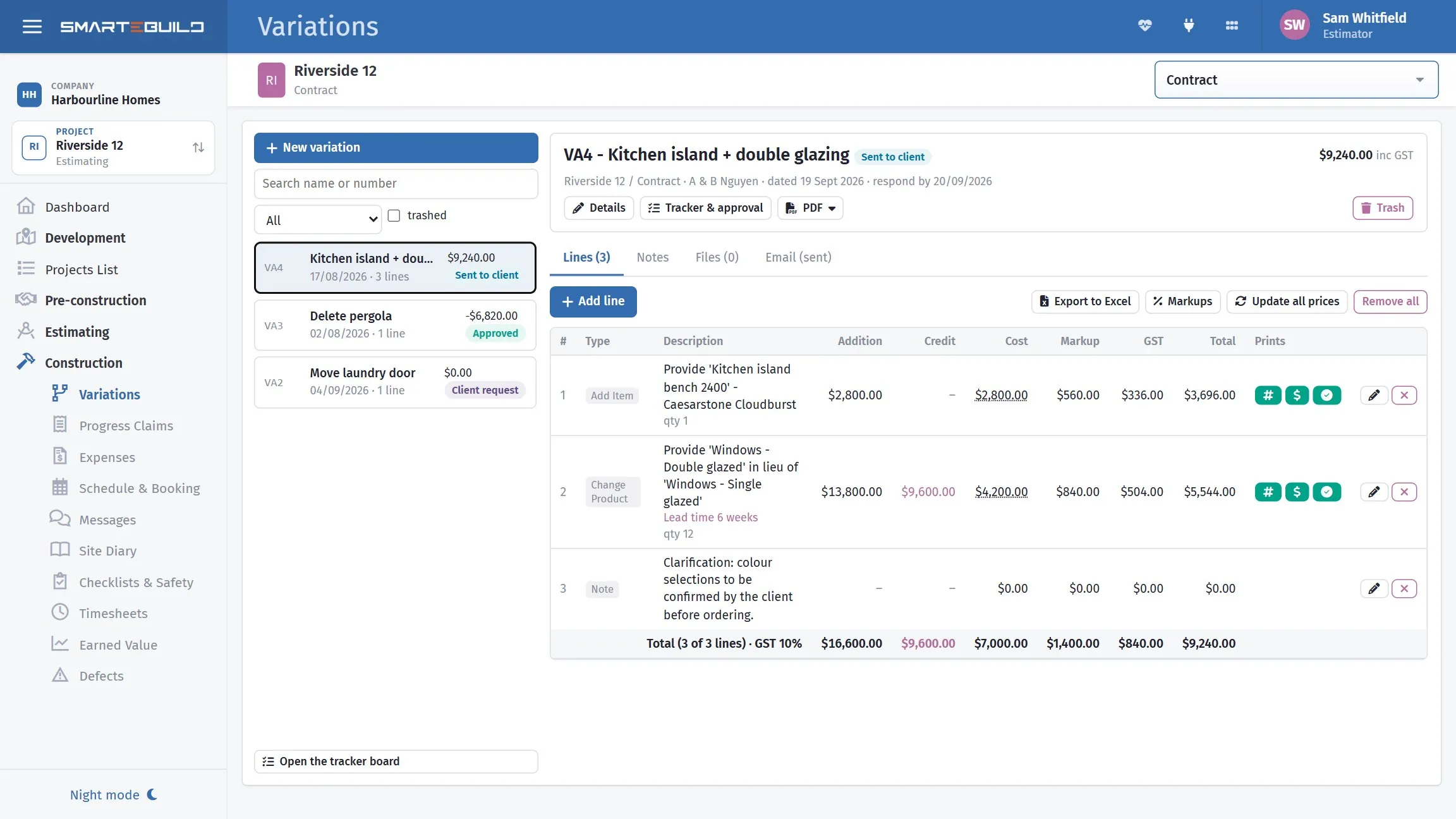
Change control on a house is a variation: priced, sent, approved, then added to the contract.
2. Scope management
What it means: defining exactly what is — and is not — in the job, and breaking it down into a work breakdown structure (WBS).
On a house: the scope is the drawings, the specification, and every trade’s understanding of what their price covers. The expensive misses are the exclusions nobody wrote down: sarking, edge protection, pump hire.
In SmarteBuild: quantities come from Take-Off straight off the plan, into a bill of quantities organised by cost codes — which are a WBS in everything but name. Each trade gets a scope of works written once and ticked for the job, so what is excluded prints as clearly as what is included. Changes to scope go through variations.
Coverage: strong.
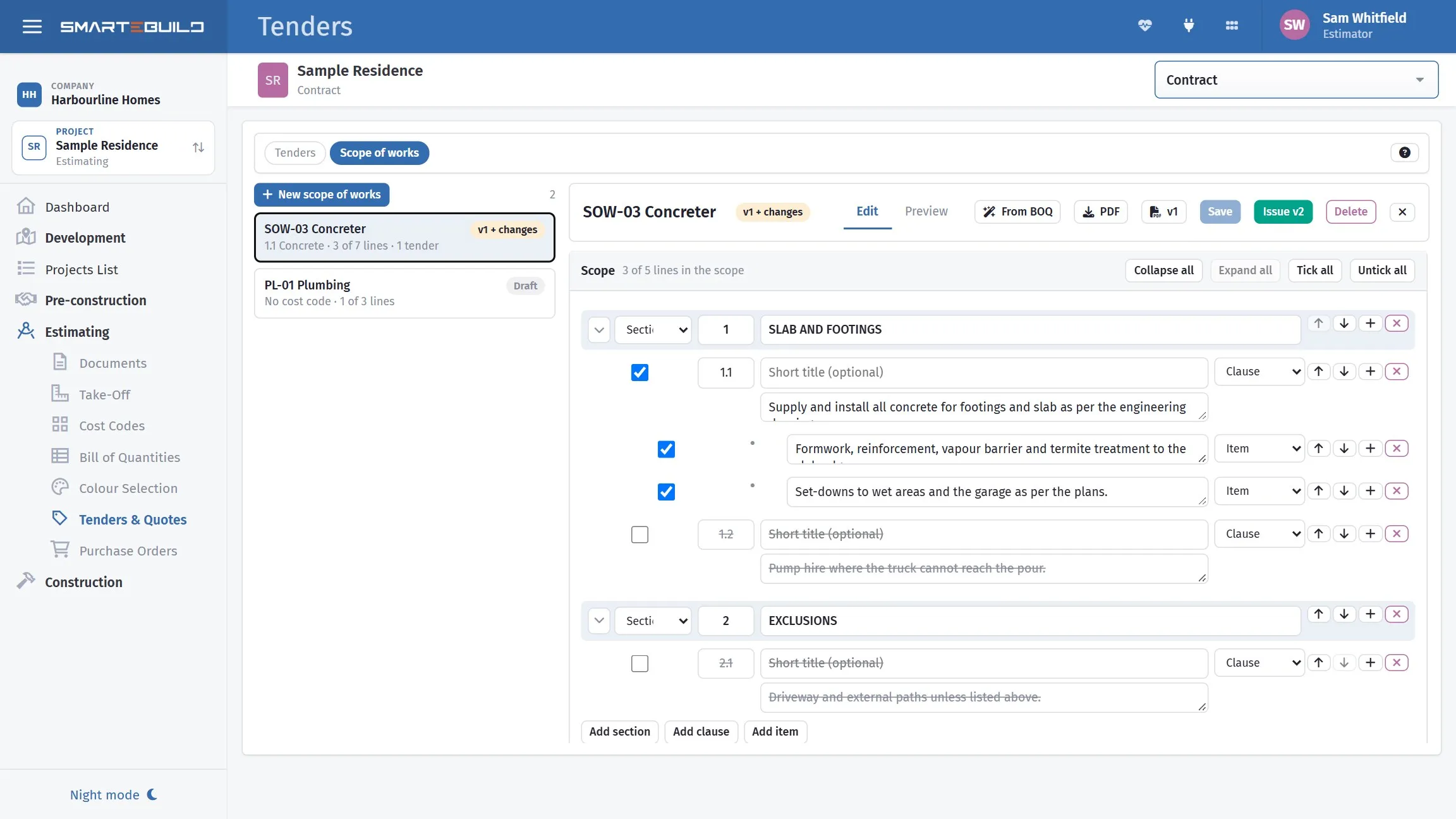
Scope written down: what is the concreter’s, and what is not.
3. Schedule management
What it means: sequencing the activities, estimating how long each takes, finding the critical path — the chain of tasks that sets the finish date — and controlling against a baseline.
On a house: the frame can’t start until the slab has cured, the roof can’t go on until the frame is inspected. A wet week on the slab moves everything after it, and the sooner you can see that, the cheaper it is.
In SmarteBuild: the schedule is a Gantt chart with linked tasks and the critical path. Save a baseline when the client agrees the programme, and every slip is measured against it. Call-up sheets book the trades from the programme and show who has confirmed. Our article on task links explains the four kinds of link in detail.
Coverage: strong.
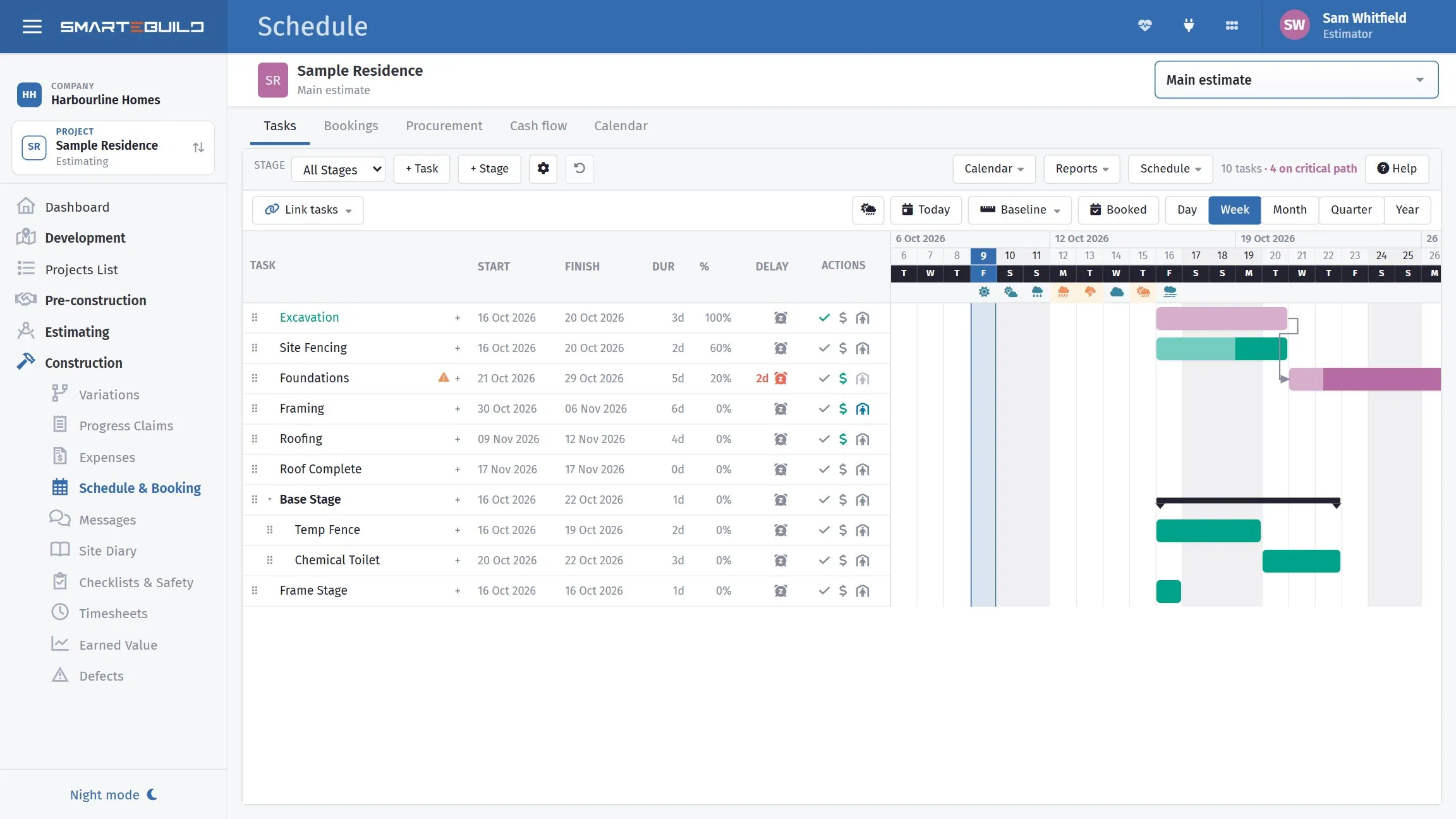
The programme, the links between tasks, and the critical path.
4. Cost management
What it means: estimating, setting the budget, and controlling cost — including earned value, PMBOK’s way of telling whether you are over budget or just ahead of programme.
On a house: spending $250,000 by week 20 means nothing on its own. It depends how much of the house you have built for it.
In SmarteBuild: the estimate becomes the budget; purchase orders show what is committed; expenses record what is actually invoiced; progress claims bring the money in; cash flow shows when. And earned value does the PMBOK arithmetic for you — see the worked example below.
Coverage: strong.
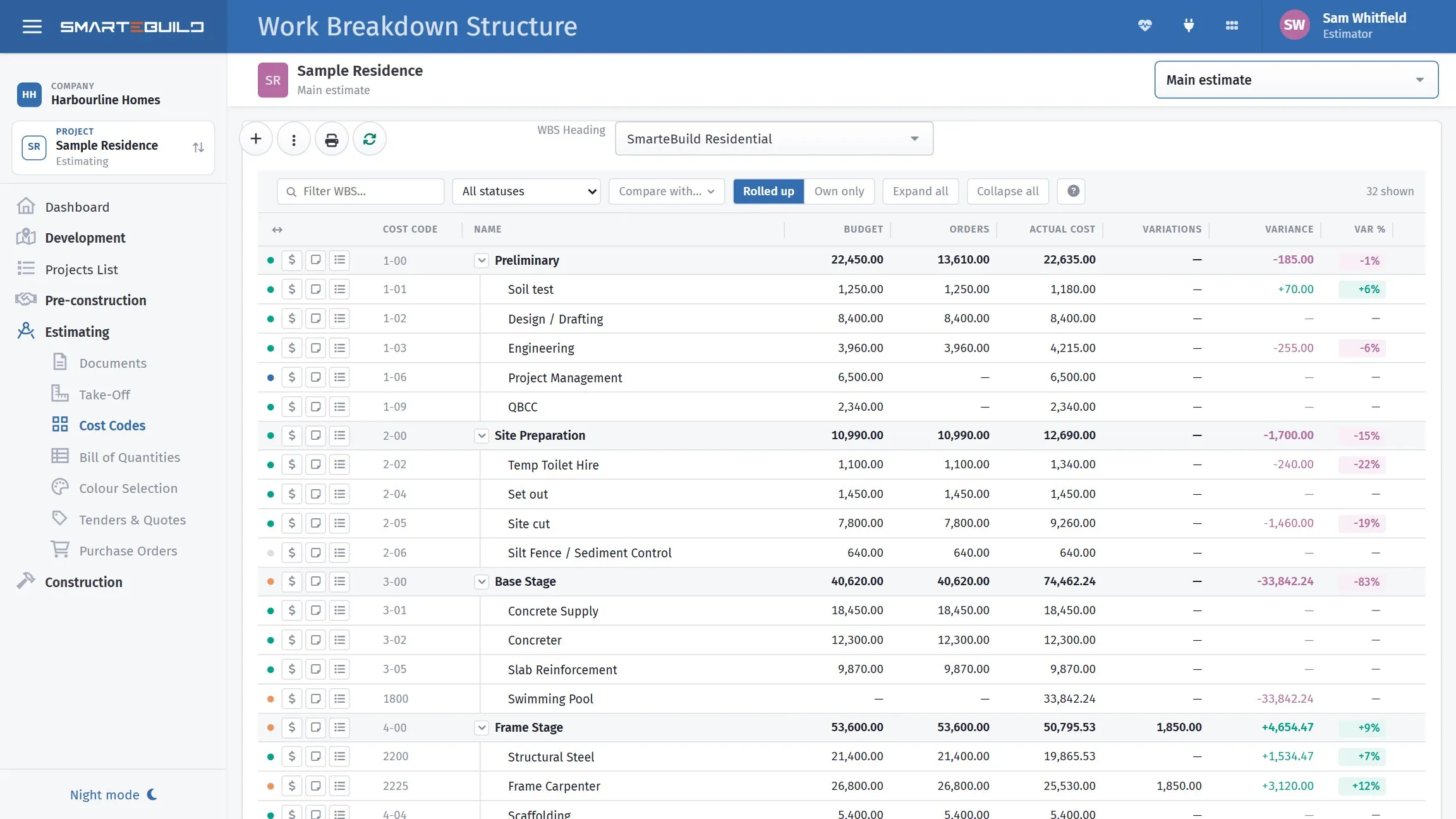
Budget, committed and actual, per cost code — the three numbers PMBOK cost control is built on.
5. Quality management
What it means: planning the standard, checking the work against it, and fixing what falls short.
On a house: the waterproofing inspection before the tiler starts, the frame inspection before the roof, and the defects list before handover.
In SmarteBuild: checklists are built once and run on site from a phone, with photos and a signature, and can be tied to a contract stage. Defects are logged with photos and sent to the trade to fix. The site diary keeps the daily record.
Coverage: partial. The checking and the fixing are covered well. A written quality management plan is a document you would keep yourself.
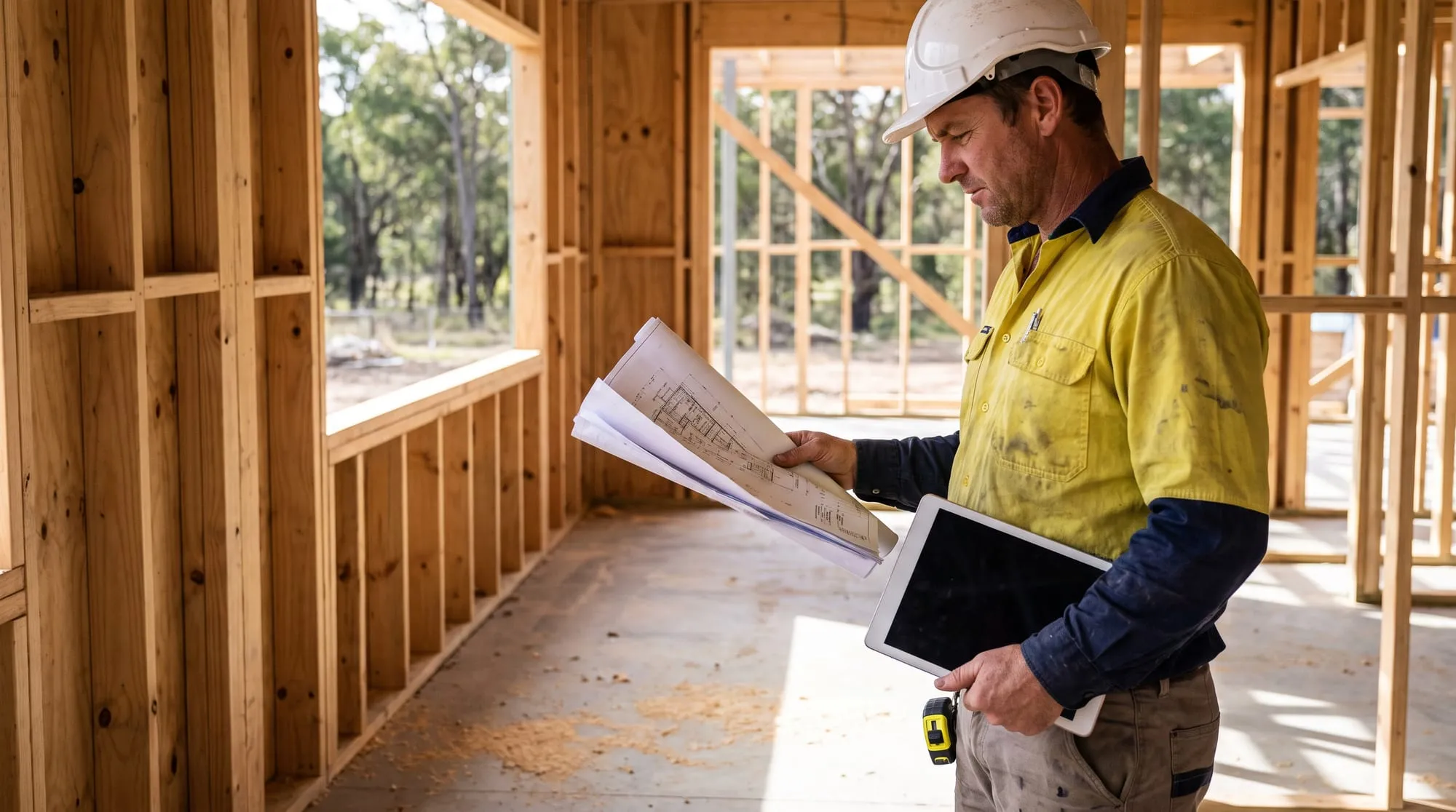
Quality is checked on site, against the drawings, before the next trade covers it up.
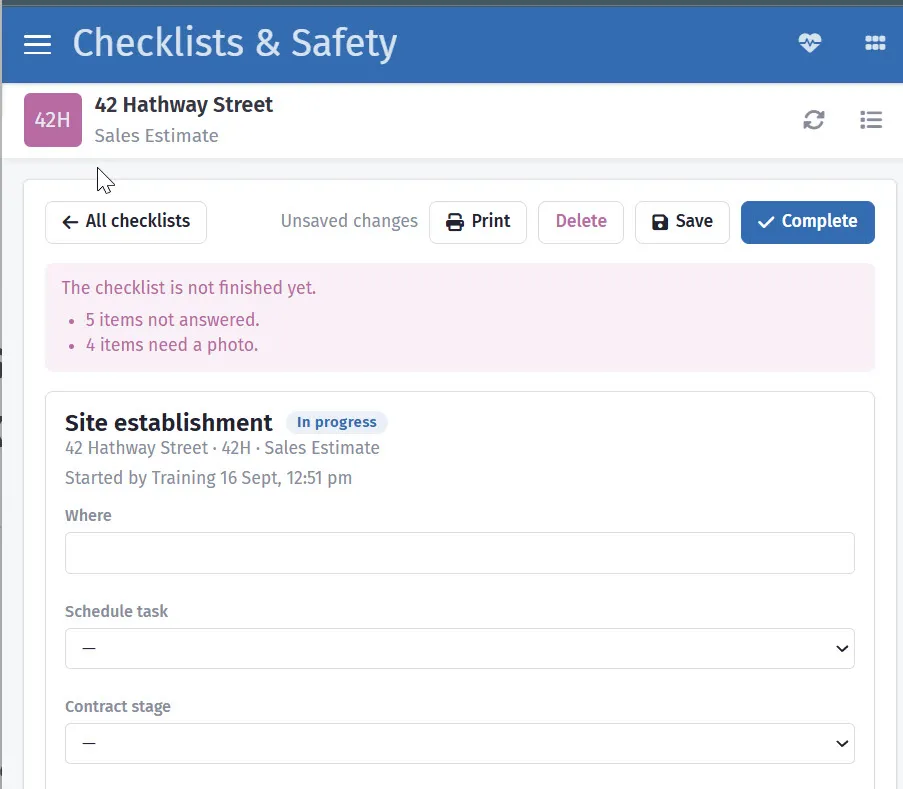
A checklist will not close until every item is answered and photographed.
6. Resource management
What it means: having the people, plant and materials where they are needed, and knowing what they cost.
On a house: your own carpenters’ hours, and the trades you call up. Labour is often the biggest cost a builder never measures properly.
In SmarteBuild: timesheets are clocked in on site from a phone, approved at a desk and costed to the job they were worked on. Suppliers holds every trade and supplier, and call-up sheets book them.
Coverage: partial. There is no resource levelling — spreading one crew across several jobs automatically. On a small team that is usually a whiteboard conversation anyway.
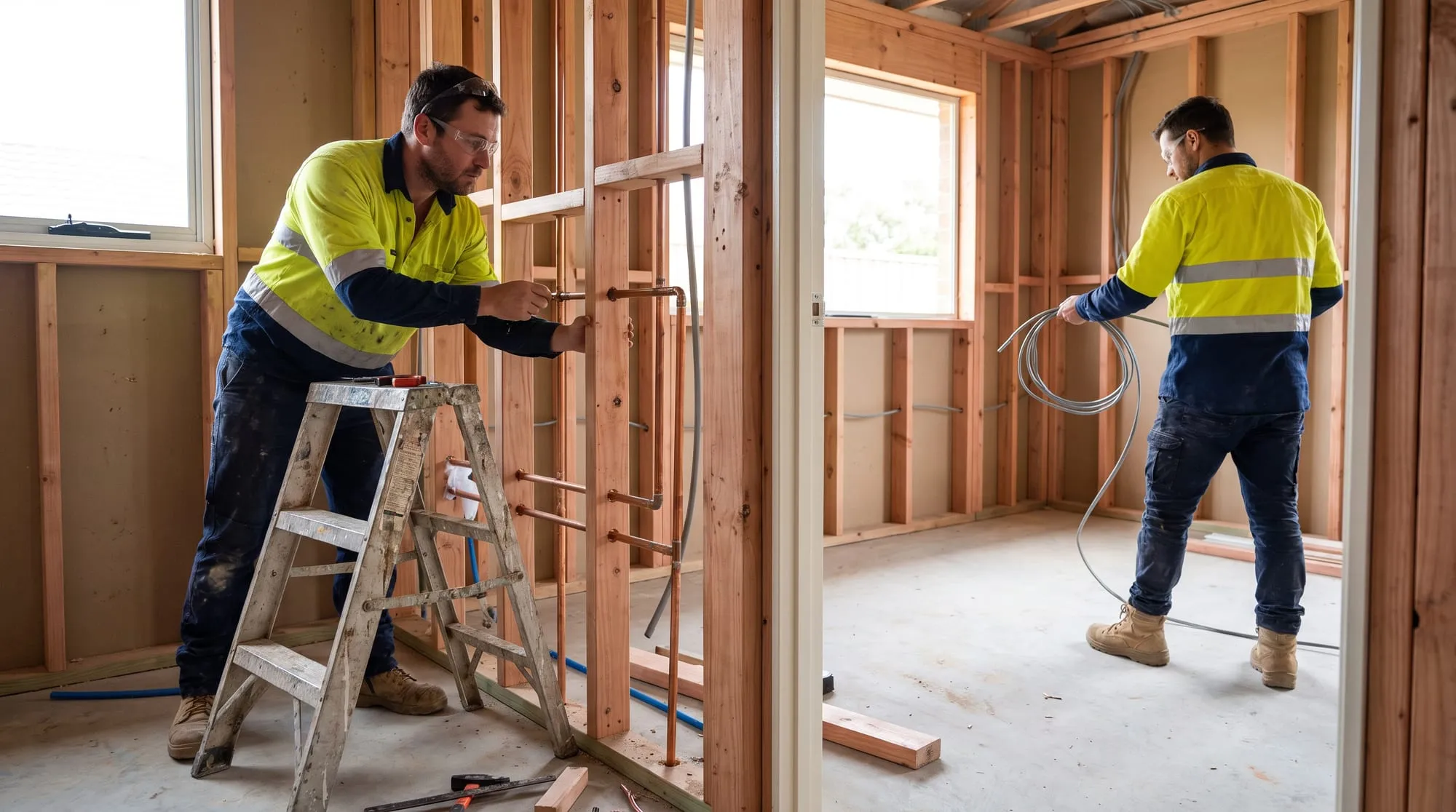
Rough-in: two trades, one window of time, and both booked off the same programme.
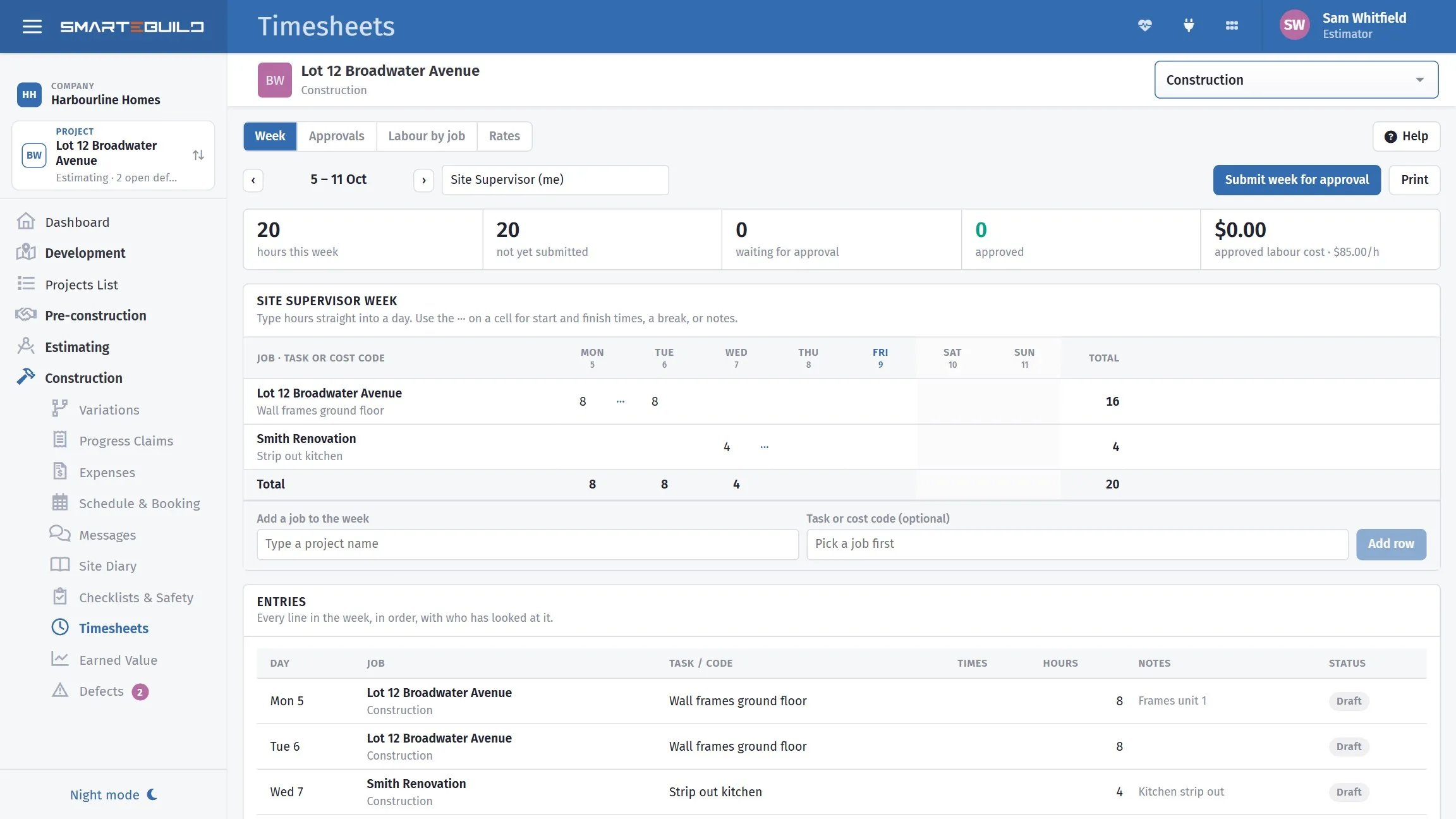
Hours from the site, approved at the desk, costed to the job.
7. Communications management
What it means: the right information to the right people at the right time, and a record that it was sent.
On a house: the client wants an update, the plumber needs the latest drawing, the engineer needs to answer a question about the beam. The dispute six months later is about who was told what, and when.
In SmarteBuild: documents keeps one drawing register per job, with revisions, transmittals and RFIs, and re-issues a new revision to everyone holding the old one. Messages gives each person a conversation per job. The client portal shows the client their job without a phone call. Purchase orders go from your own email address, so the record is in your sent items as well as in SmarteBuild.
Coverage: strong. Our article on document control goes further.
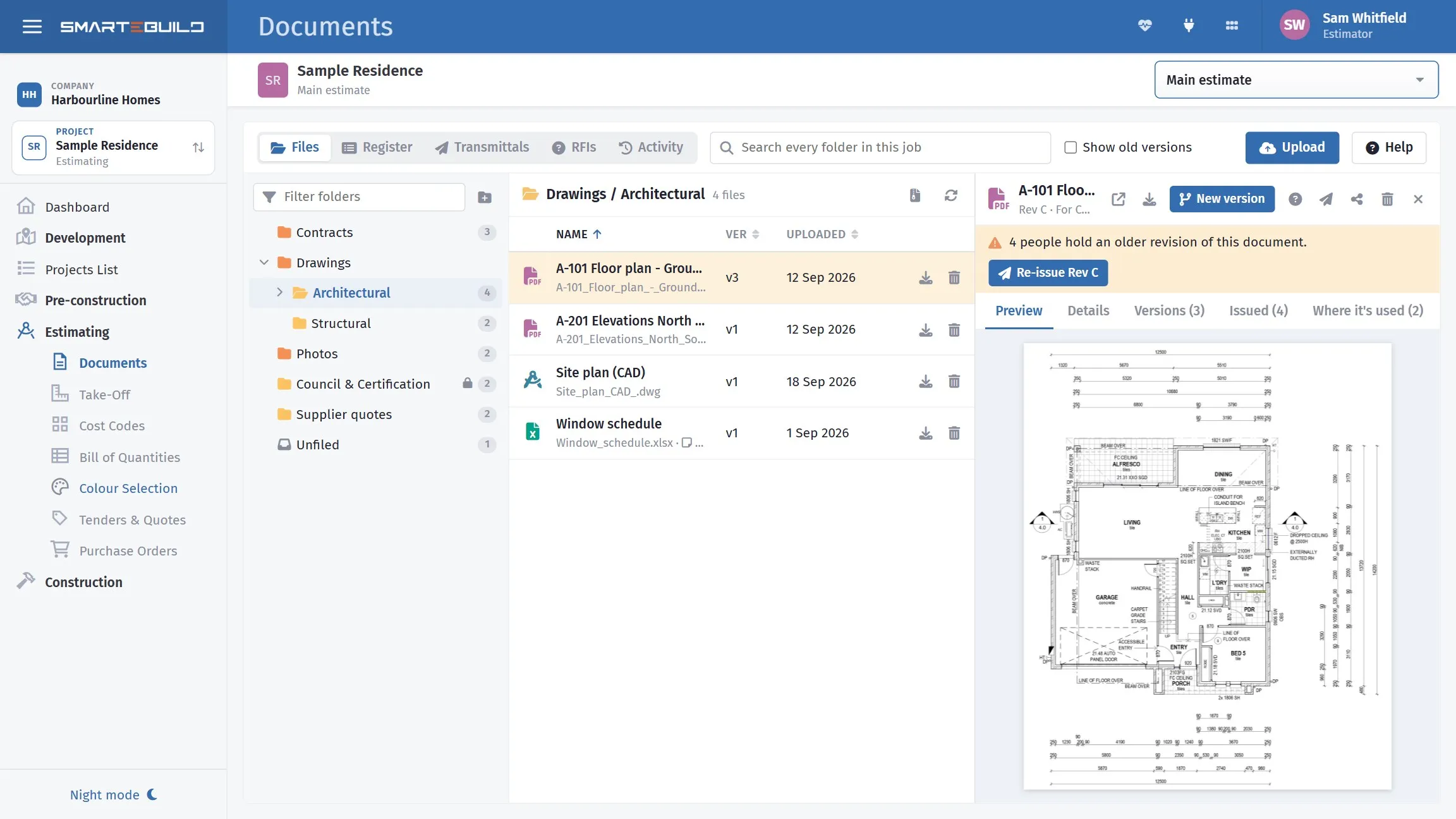
One register per job, so everyone works from the current drawing.
8. Risk management
What it means: identifying what could go wrong, how likely it is, what it would cost, and what you will do about it — usually in a risk register.
On a house: reactive soil, a long-lead window, a trade with an expiring licence, a wet month, a client who changes their mind.
In SmarteBuild: there is no risk register. Some specific risks are handled where they arise: suppliers warns before a trade’s insurance or licence lapses; the site diary records wet days — the evidence behind an extension of time; the locked estimate and variations stop scope creep becoming lost margin; procurement shows long-lead items before they are late. On the Developer plan, the development feasibility tests what happens if costs rise or sales slow.
Coverage: light. For a formal risk register, a spreadsheet beside the job still does the work.
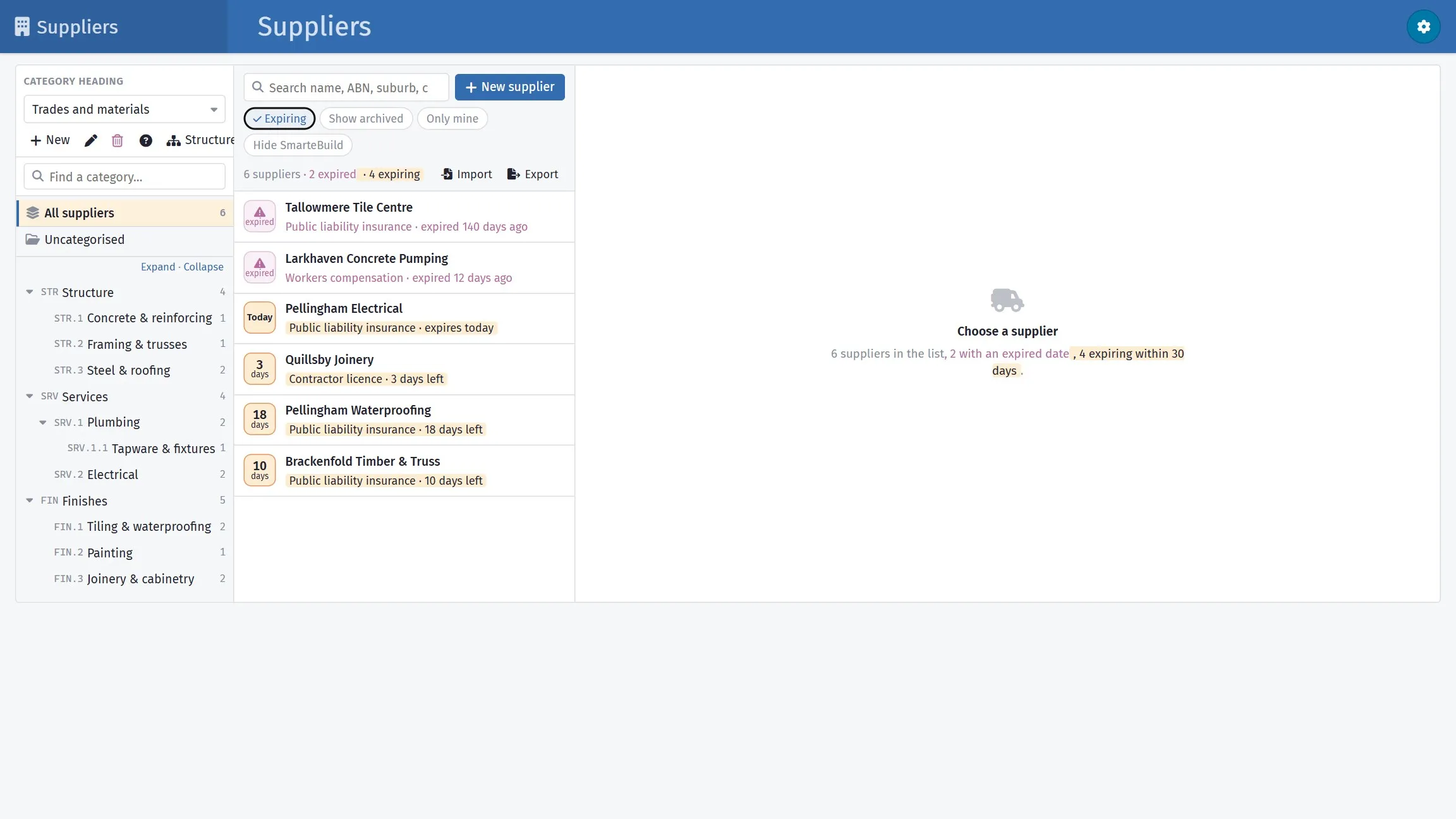
One risk handled where it arises: a trade with lapsed insurance, found before they are on site.
9. Procurement management
What it means: deciding what to buy, getting prices, choosing, contracting and managing suppliers.
On a house: thirty-odd trades and a few hundred items, each with a price to compare and a date it must be ordered by.
In SmarteBuild: tenders send one package to every trade with its scope of works attached, and put the prices side by side. Quotes received records the winner into the estimate. The procurement list works out order-by dates from the programme, and purchase orders go out from the estimate. Our step-by-step on construction procurement walks through the whole chain.
Coverage: strong.
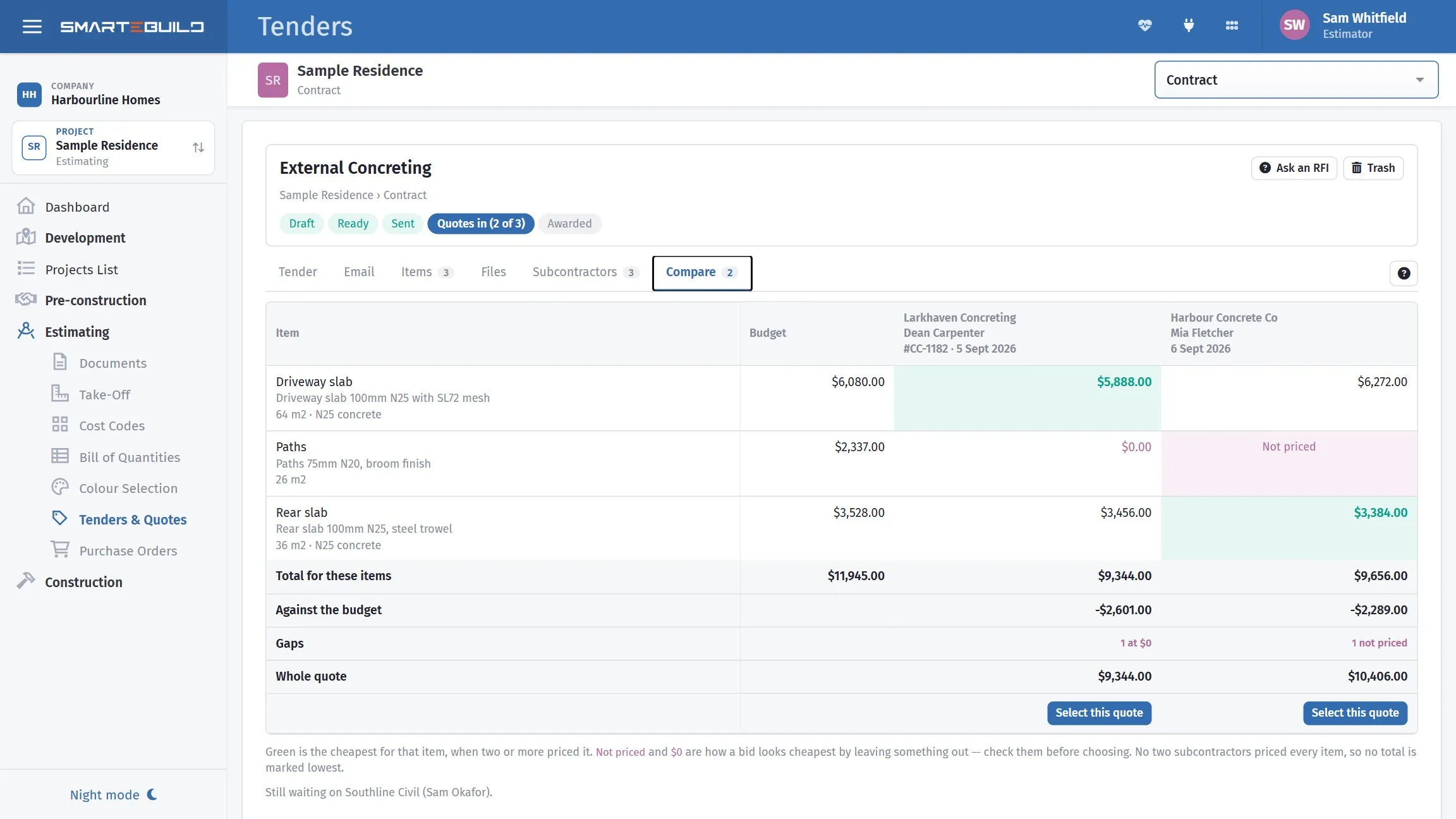
Procurement done properly: the same package, priced side by side, gaps visible.
10. Stakeholder management
What it means: knowing who has an interest in the job and keeping them engaged — clients, neighbours, certifiers, lenders.
On a house: mostly the client: their selections, their decisions, their expectations.
In SmarteBuild: leads keeps every enquiry; colour selection and sales upgrades take the client’s choices with prices and sign-off; the client portal keeps them informed.
Coverage: partial. There is no stakeholder register or engagement plan. For most houses the client is the stakeholder that matters, and that part is covered.
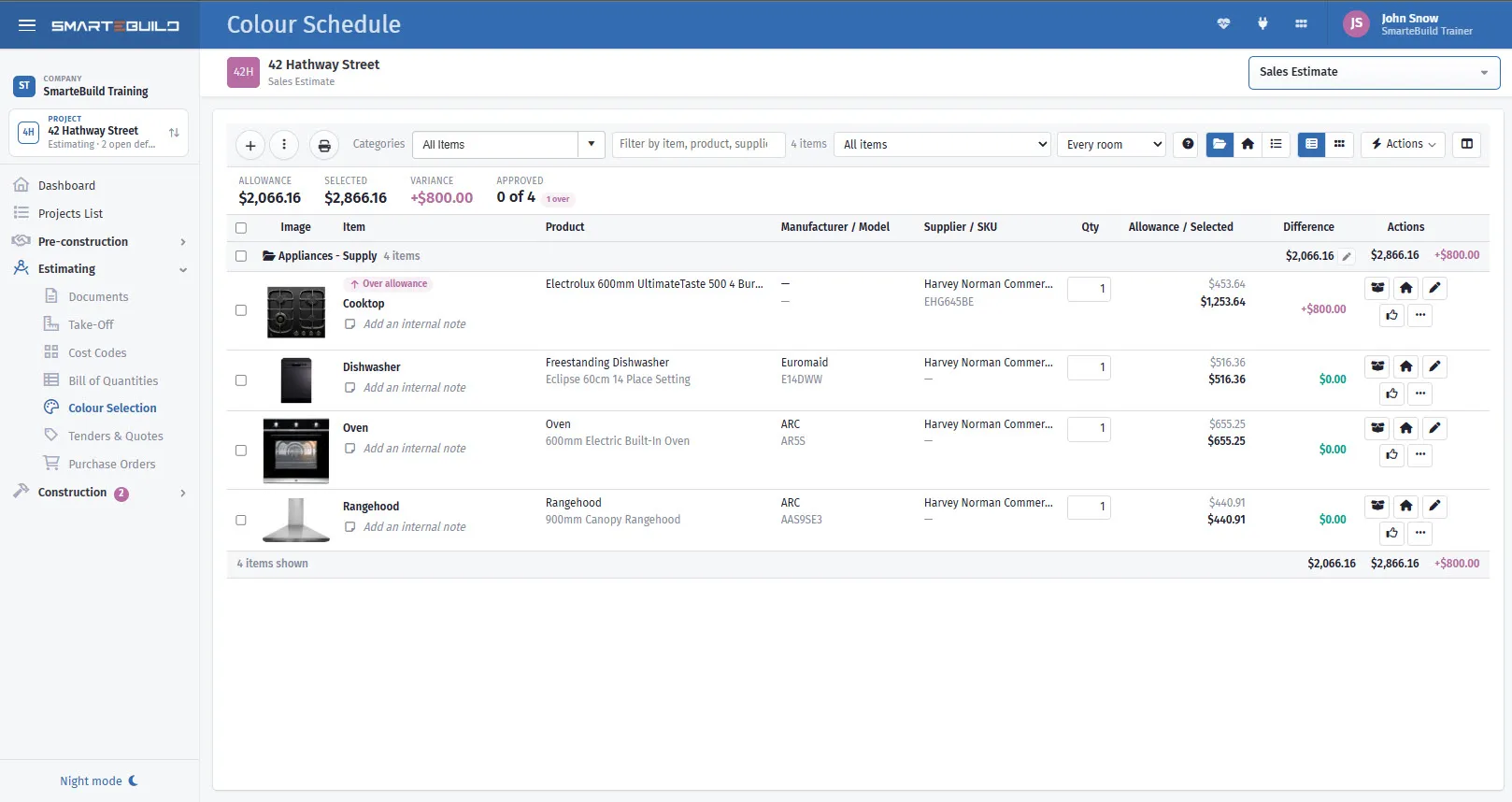
The client’s choices, priced against their allowances before they become a variation.
Earned value on a house: a worked example
Earned value is the part of PMBOK builders find most useful once they have seen it on their own job. Take a $480,000 house at week 20:
| PMBOK term | Meaning | Example |
|---|---|---|
| Budget at completion (BAC) | The whole budget | $480,000 |
| Planned value (PV) | What should be built by now, at budget rates | $260,000 |
| Earned value (EV) | What is actually built, at budget rates | $240,000 |
| Actual cost (AC) | What has been spent | $250,000 |
From those four numbers:
- Cost variance = EV − AC = −$10,000. You paid $250,000 for $240,000 of work.
- Cost performance index (CPI) = EV ÷ AC = 0.96. Every dollar is buying 96 cents of house.
- Schedule variance = EV − PV = −$20,000. You are behind.
- Schedule performance index (SPI) = EV ÷ PV = 0.92.
- Estimate at completion = BAC ÷ CPI = about $500,000. Keep going like this and the house costs $20,000 more than you priced it at.
Spend alone said nothing was wrong: $250,000 spent against $260,000 planned looks under budget. Earned value shows the job is both over cost and behind.
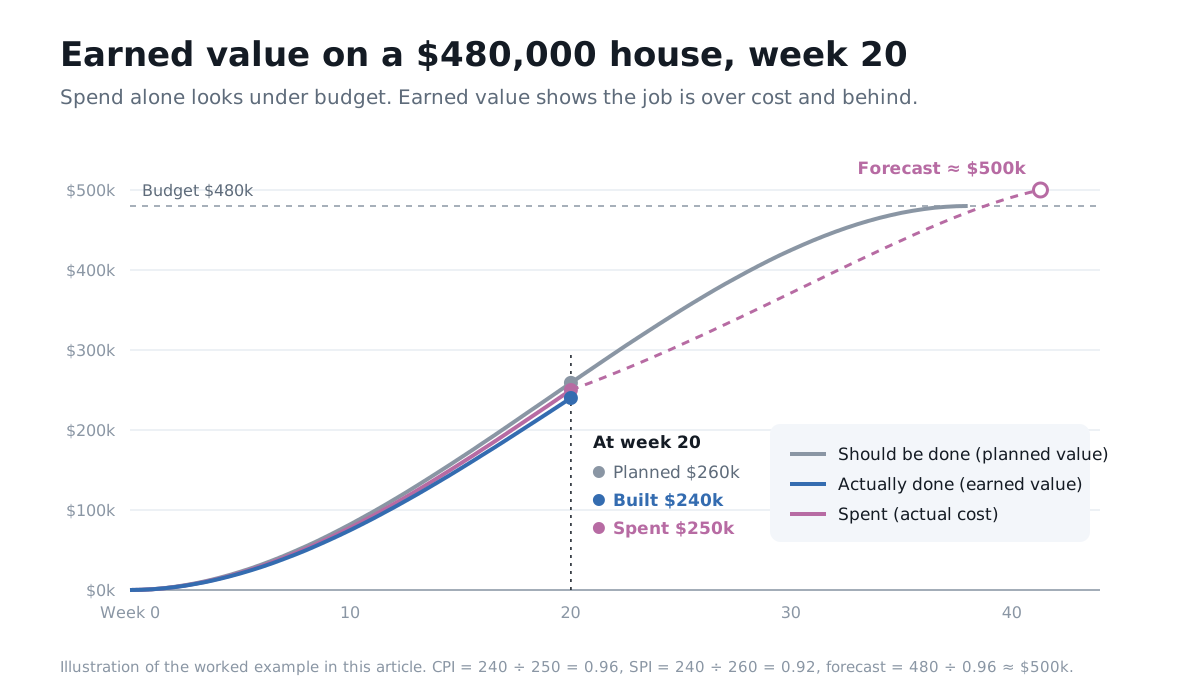
The same numbers as a chart. The gap between the blue and pink lines is the money.
The earned value screen in SmarteBuild works this out from the programme and the invoices you already have, using builder’s words:
| SmarteBuild | PMBOK |
|---|---|
| Budget | Budget at completion |
| Should be done | Planned value |
| Actually done | Earned value |
| Spent | Actual cost |
| Money | Cost variance and CPI |
| Time | Schedule variance and SPI |
| Forecast final | Estimate at completion |
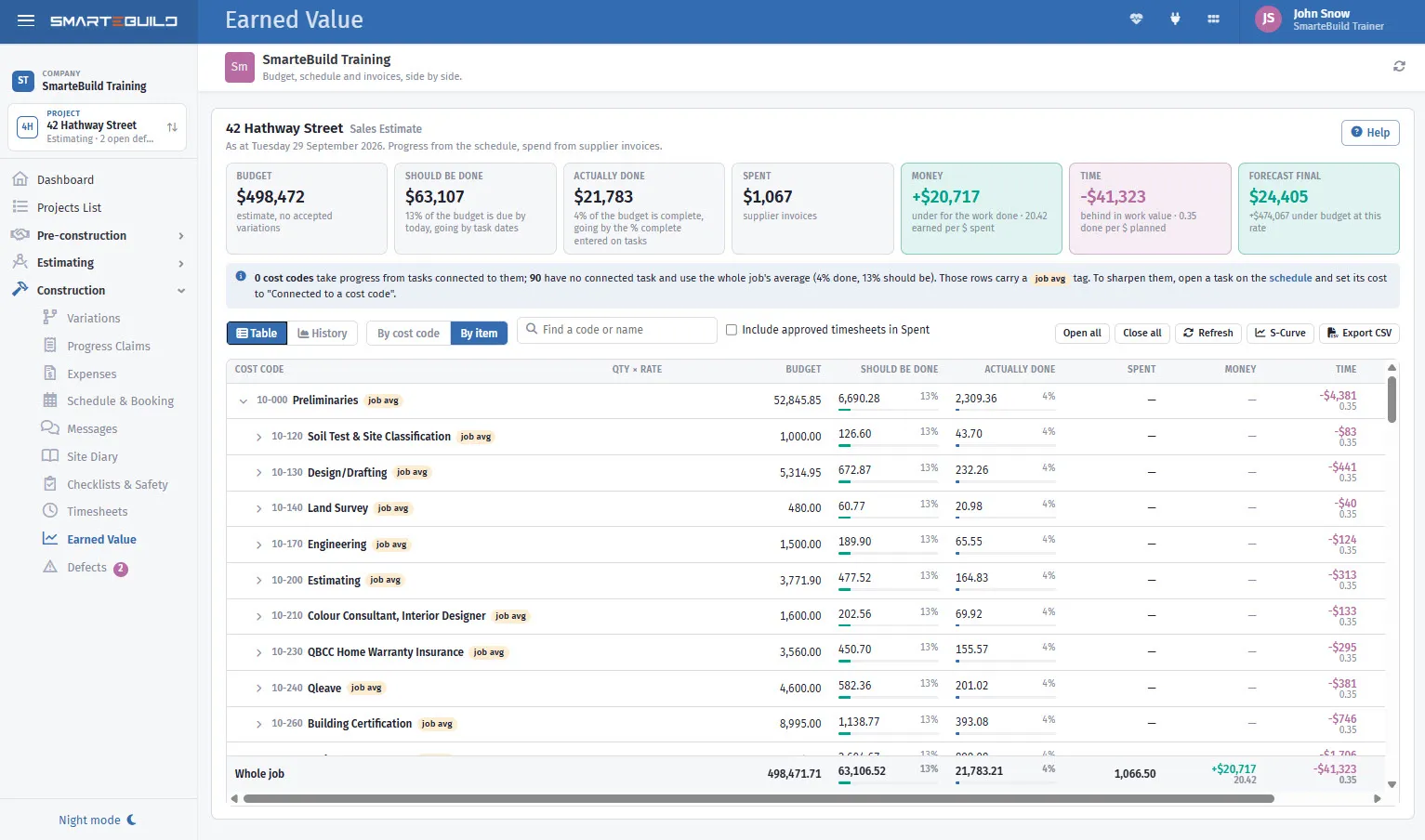
PMBOK earned value, worked out from the programme and the invoices you already have.
The short version
| Knowledge area | Coverage | Where in SmarteBuild |
|---|---|---|
| Integration | Partly | Projects, locked estimate, variations, dashboard |
| Scope | Strongly | Take-Off, bill of quantities, cost codes, scope of works, variations |
| Schedule | Strongly | Schedule with critical path and baseline, call-up sheets |
| Cost | Strongly | Estimate, purchase orders, expenses, earned value, cash flow, claims |
| Quality | Partly | Checklists, defects, site diary |
| Resources | Partly | Timesheets, suppliers, call-ups |
| Communications | Strongly | Documents, RFIs, transmittals, messages, client portal |
| Risk | Lightly | Supplier expiry warnings, wet days, procurement dates — no risk register |
| Procurement | Strongly | Tenders, scope of works, quotes, procurement, purchase orders |
| Stakeholders | Partly | Leads, client portal, colour selection, sales upgrades |
PMBOK does not ask a builder to fill in forty forms. Its real lesson is that the estimate, the programme, the orders and the money are one system. When they live in one place, each step picks up where the last one left off. Then the question PMBOK keeps asking — are we where we planned to be, and what will it cost to finish? — has an answer on any day of the job.
PMBOK is a registered mark of the Project Management Institute, Inc. SmarteBuild is not affiliated with or endorsed by PMI.
SmarteBuild is Australian estimating and job management software for residential builders. Try it free for 30 days — no credit card, every module to try.