
Which jobs are making money, and which clients still owe you
Asking that job by job takes an afternoon. All Jobs Reports answers it across every job at once: pick the jobs and the period, read the report, then print a PDF for the bank or open it in Excel.
Available on the Builder plan
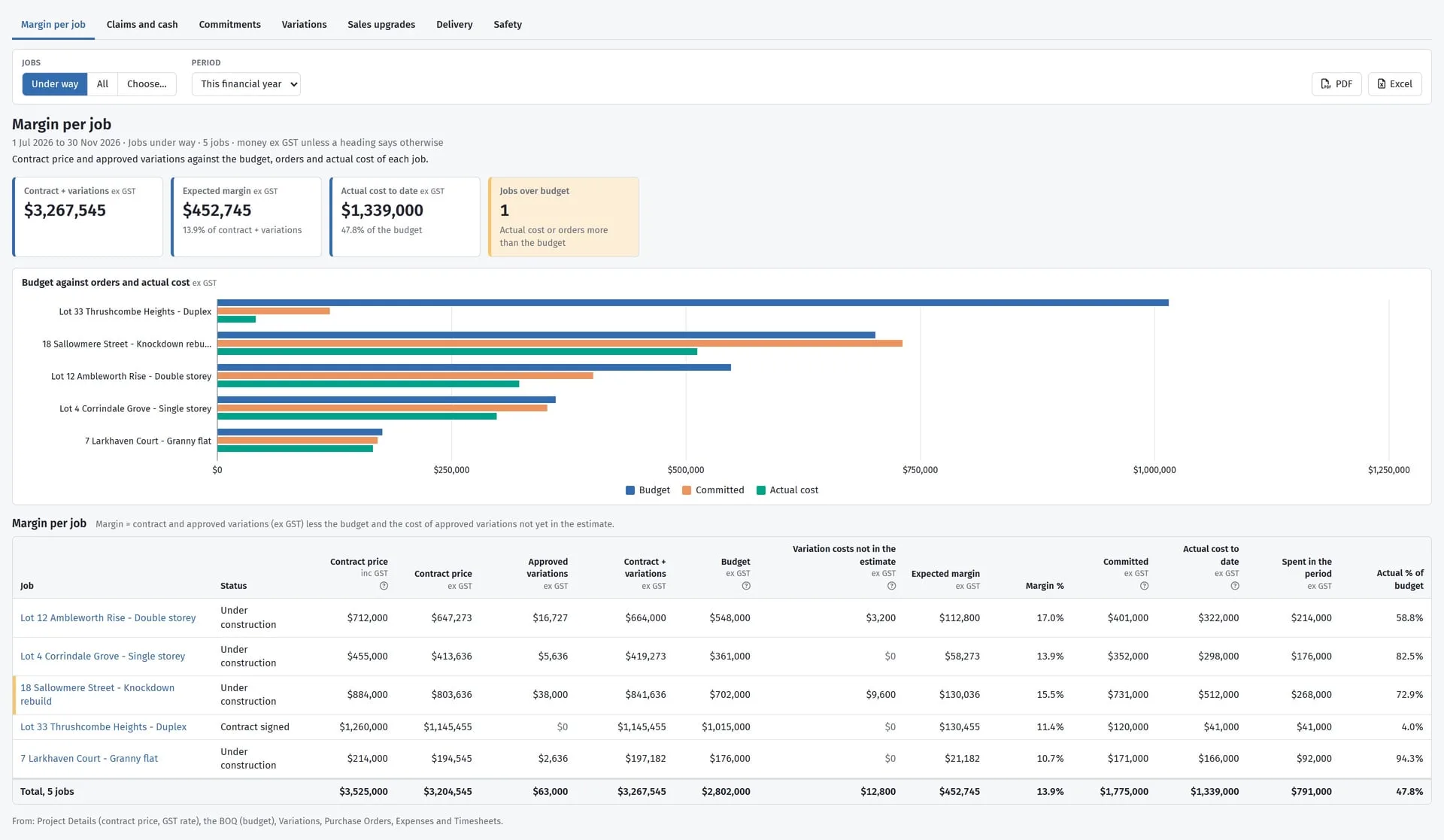
The questions you would otherwise ask job by job
Every figure comes from the module that holds it: the estimate, orders, supplier bills, timesheets, claims, variations, upgrades, the programme, defects and safety. Nothing on the page is typed in.
Margin per job
Contract price, approved variations, budget, expected margin, committed and actual cost to date.
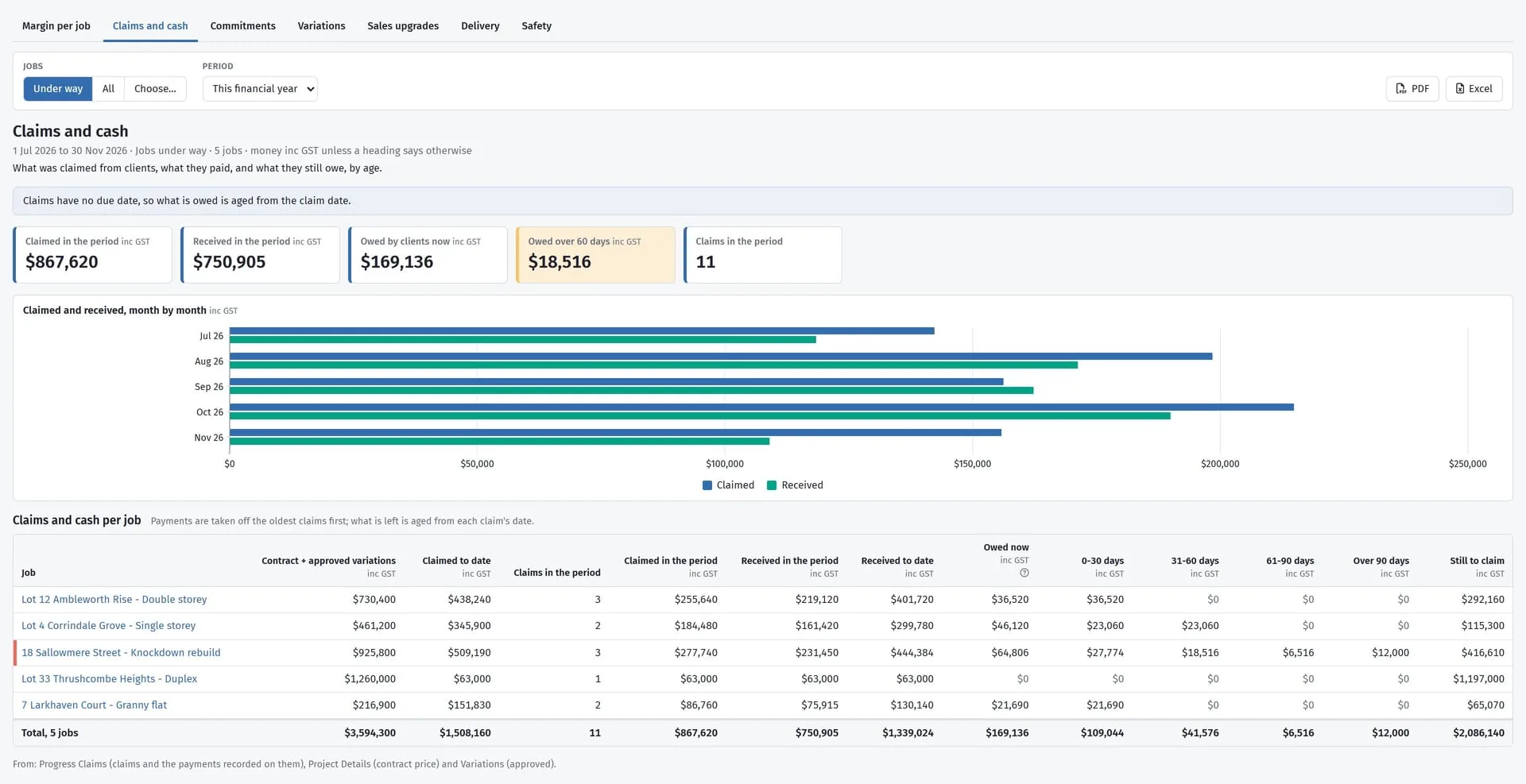
Claims and cash
Claimed and received, what each client owes now by age (0-30, 31-60, 61-90 and over 90 days), and what is still to claim.
Commitments
Budget, ordered, still to order and ordered over budget, per job and by cost code across the jobs.
Variations
Approved and declined in the period, waiting for the client, not sent yet, with the oldest waiting first.
Sales upgrades
Upgrade proposals sent and waiting, signed, cancelled, and made into variations.
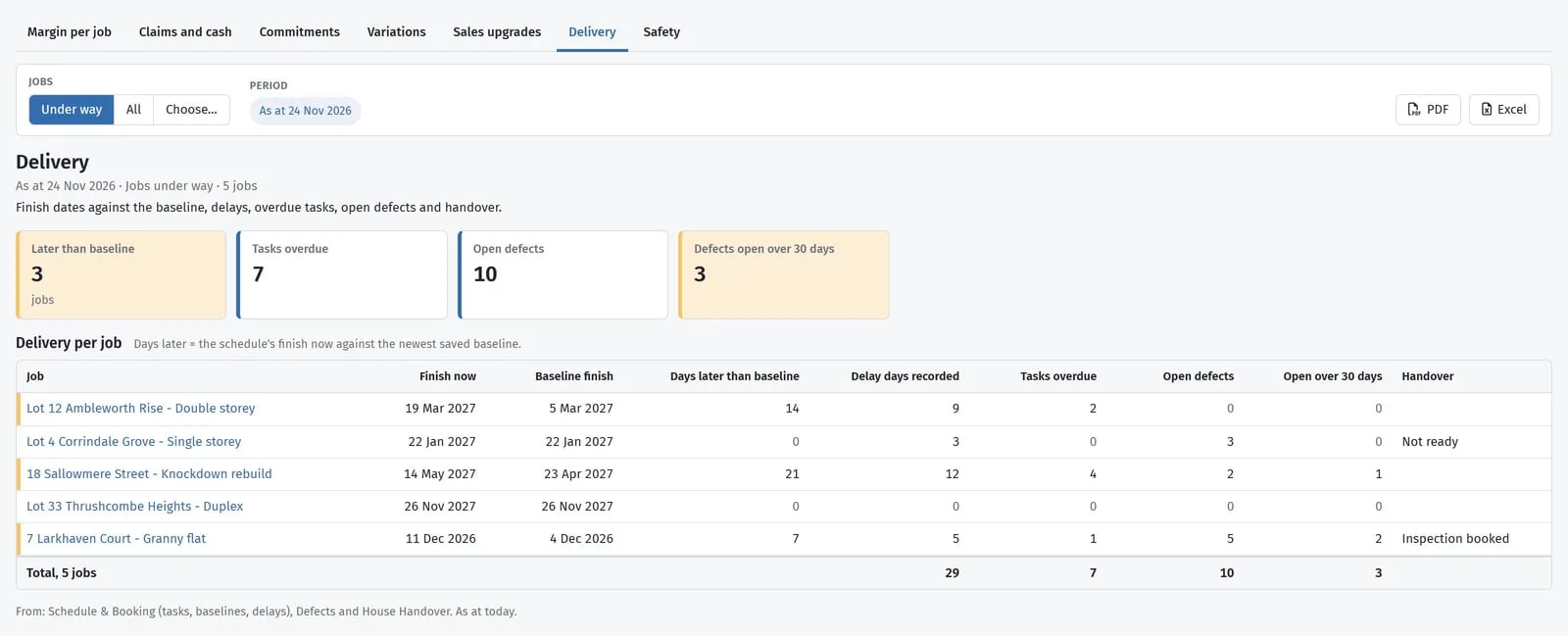
Delivery
Finish date against the saved baseline, tasks overdue, open defects, and where each handover stands.
Safety
Incidents in the period, notifiable ones, incidents still open, and checklists failed.
The jobs under way, all of them, or the ones you pick
Start with every job under way, add the finished ones, or tick the jobs you want from a searchable list. The period starts at this financial year, from 1 July, and you can switch to this month, last quarter, the last 12 months or months you choose.
A job's name opens that job, in the module the figure came from. Lines worth a look are marked: a job over budget, money owed for more than 60 days, a variation waiting more than two weeks, a defect open more than 30 days.
Every dollar heading says ex GST or inc GST
Costs (the budget, orders, supplier bills and labour) are ex GST. Client figures (the contract price, claims, payments, variations and upgrades) are inc GST, and the contract price is always inc GST. Where the two meet, in the margin, the client figure is turned ex GST at the job's own GST rate.
A PDF for the bank
The report as it is on screen, on landscape A4 with your company logo, ready for the bank or an investor.
Excel, to the cent
One sheet per table, with the money to the cent so the columns add up. Excel downloads are for paid plans, not the free trial.
Counts without the money
Seeing the dollars is a separate permission. Without it, people see counts only, and the money is left out on our server, not just hidden on the screen.
A closer look at the reports
What it connects to
Nothing in SmarteBuild is an island — that is the point of it. All Jobs Reports reads from and feeds into these.
-
Dashboard
Every job on one screen, and what needs you today
-
Reports
Every module reports, and every report exports
-
Progress Claims
Claim by percentage or by stage, variations included, and track payment
-
Purchase Orders
Raise orders straight from the BOQ and send them without re-keying
Want the detail?
The help centre documents All Jobs Reports step by step, with worked examples — written for people using it, not for a brochure.
Start with one job and see
Try the whole thing free for 30 days. No credit card to start, and no lock-in contract.