
What was agreed at the meeting, kept with the job
A colour the client chose at the pre-start. A permit the council still owes. A trade who promised to come back. Meeting Notes keeps the minutes of every meeting on the job, so what was agreed does not depend on anyone's memory.
Available on the Builder plan
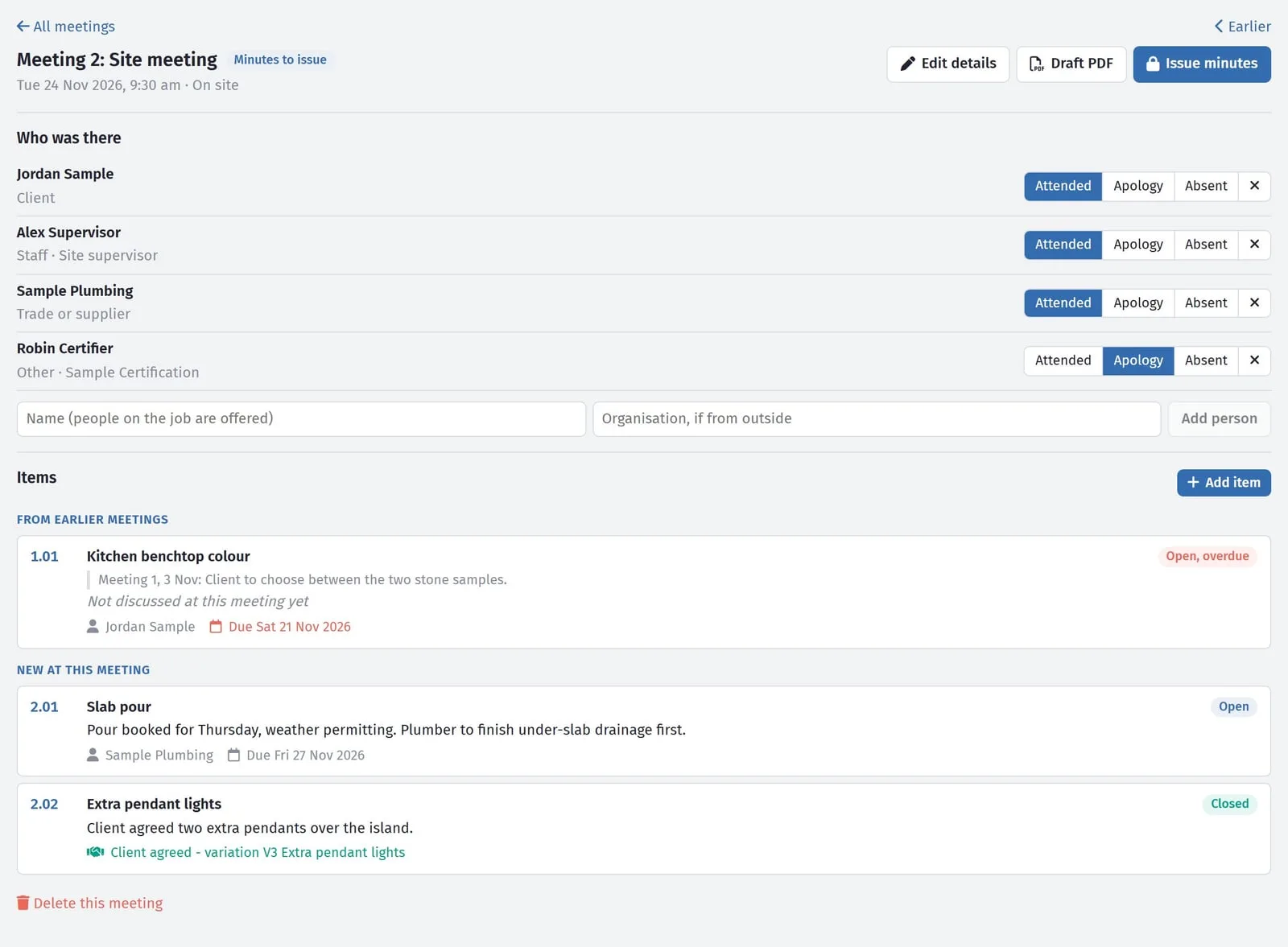
Who was there, what was said, who does what by when
Each meeting is numbered on the job, and each point in it is numbered too: the third item of meeting 2 is 2.03. An item is open when someone has to act on it, closed when it is done, or a note for the record.
When an action is for one of your staff, they get a notice on the bell straight away.
Kinds of meeting
- Pre-start
- With the client, before work starts
- Client meeting
- Along the way, as decisions come up
- Site meeting
- With the trades on site
- Your own kind
- Any other meeting you name
Nothing open gets lost between meetings
An open item comes back at the next meeting with its number, who it is for and its due date, and what earlier meetings said shows under it.
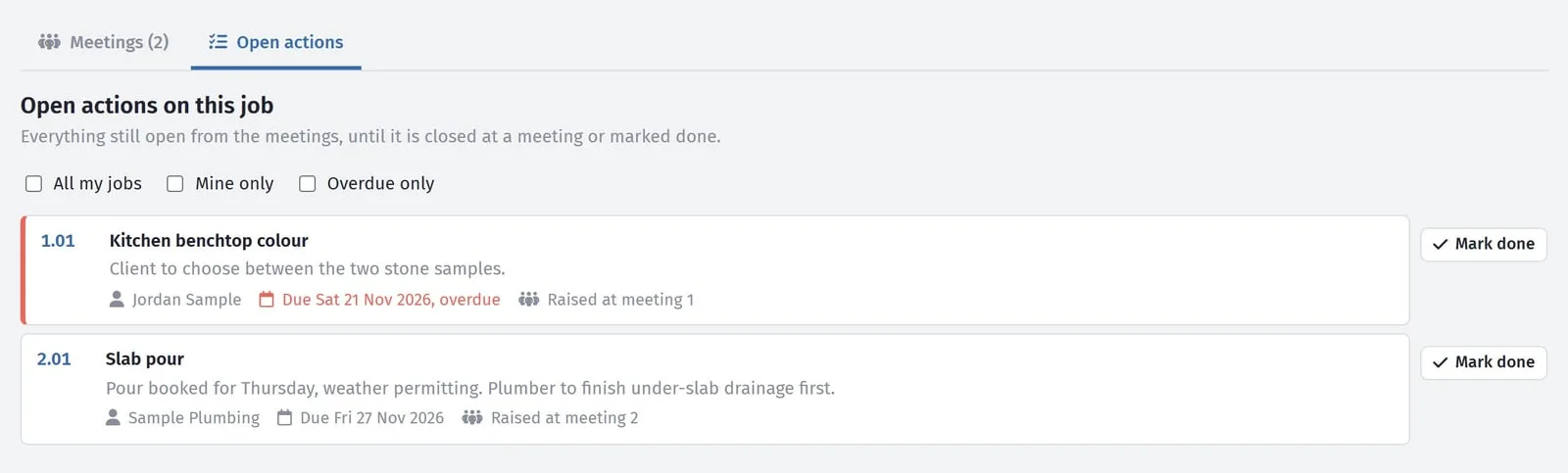
One list per job
Every open action on the job in one place, whichever meeting it came from.
A reminder when it is overdue
When an action passes its due date, the person gets a notice on the bell and one email listing everything of theirs that went overdue. Not a new email every day.
Done is done
Mark an action done and it stops coming back. It stays in the minutes it came from.
Minutes as a PDF, sent to each person on their own
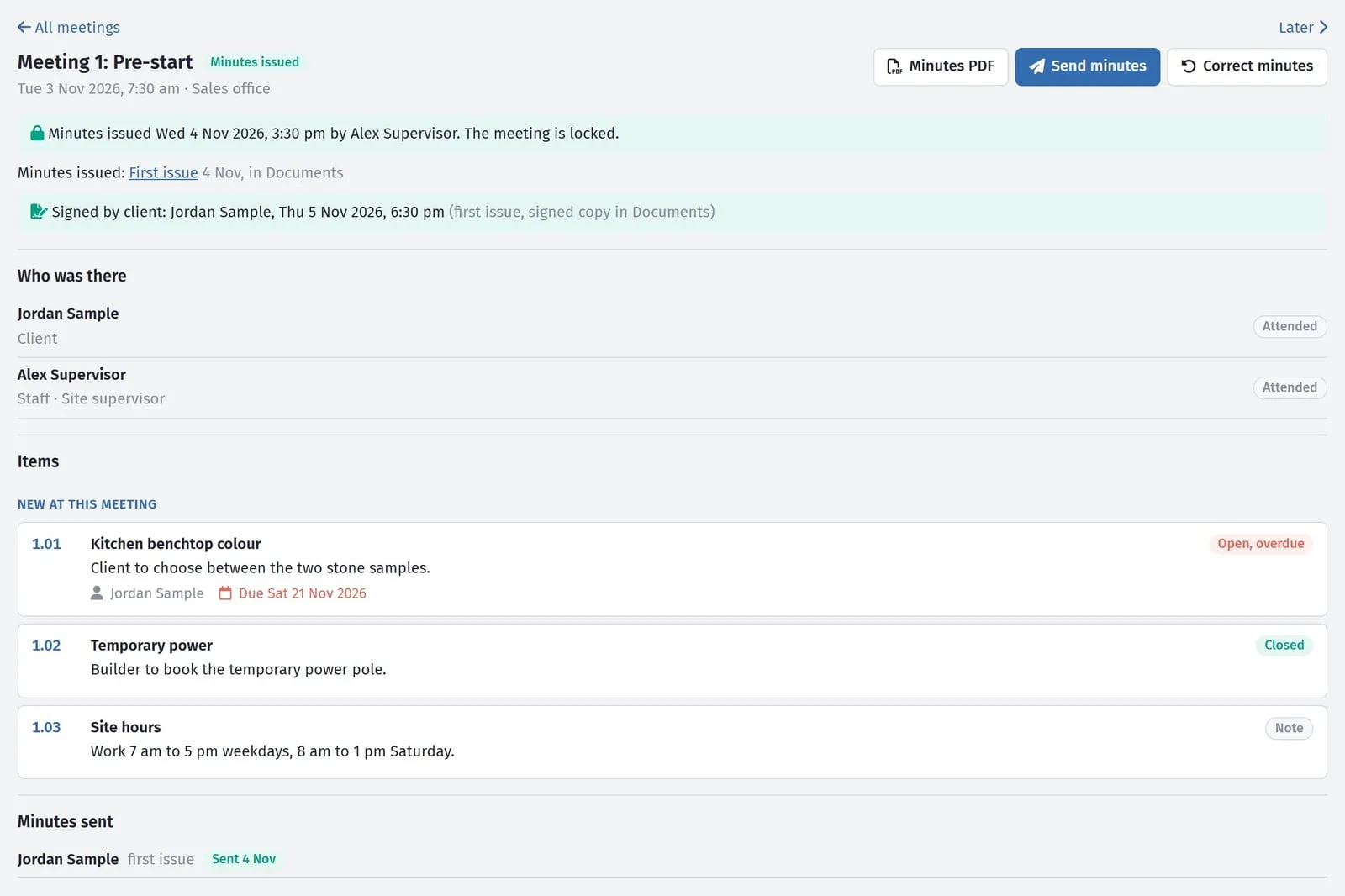
Issue minutes makes the PDF, files a copy in the job's Documents and locks the meeting. Minutes go out in order, so meeting 3 waits for meeting 2.
Send minutes emails each person their own copy, so nobody sees anyone else's address. It goes from your own email when you have connected one.
A wrong date fixed as a revision, not a rewrite
Correcting issued minutes needs its own permission. You say what needs correcting, make the change, and issue it as revision 1. The minutes that already went out are kept exactly as they were sent.
The client signs the pre-start minutes
The minutes of a pre-start or client meeting show on the client portal to the clients who attended. They tick that the minutes are a true record and sign, and a signed copy is filed with the job. Site meetings never show there. How the client signs →
A closer look at meeting notes
Issued minutes, and the actions still open.
What it connects to
Nothing in SmarteBuild is an island — that is the point of it. Meeting Notes reads from and feeds into these.
-
Site Diary
What happened on site today, with the weather recorded for you
-
Client Portal
One page for your client about their job, and no more "can you resend that?"
-
Documents & Drawings
One register, proper revisions, formal issue and a record of who has what
-
Messages
The job conversation, attached to the job instead of lost in a phone
Want the detail?
The help centre documents Meeting Notes step by step, with worked examples — written for people using it, not for a brochure.
Start with one job and see
Try the whole thing free for 30 days. No credit card to start, and no lock-in contract.